
Salesforce Data Management: A Complete Guide to Importing, Updating & Maintaining Data
Introduction
Data is one of the most important parts of any Salesforce organization. Businesses use Salesforce to store information about customers, leads, accounts, opportunities, employees, service requests, and many other records.
However, simply storing data isn’t enough.
Salesforce professionals must know how to import, update, export, organize, protect, and maintain data accurately. Poor data quality can lead to incorrect reports, duplicate records, inefficient processes, and poor business decisions.
For Salesforce Administrators, Developers, Consultants, and other CRM professionals, data management is therefore an essential skill.
Whether you’re a beginner learning Salesforce or preparing for a Salesforce interview, understanding data management can strengthen your practical knowledge.
This guide explains the major Salesforce data management concepts in a simple and practical way.
What Is Salesforce Data Management?
Salesforce data management refers to the processes used to maintain accurate, organized, and useful information inside a Salesforce organization.
It can include:
Importing records
Updating records
Exporting data
Deleting records
Preventing duplicates
Maintaining data quality
Validating information
Managing relationships between records
Effective data management helps organizations make better use of their Salesforce platform.
Why Is Data Management Important?
Imagine a company has 100,000 customer records.
If many records contain:
Incorrect email addresses
Duplicate customers
Missing information
Incorrect phone numbers
Inconsistent formatting
then sales and service teams may struggle to work efficiently.
Good data management helps improve:
Accuracy
Employees can rely on the information stored in Salesforce.
Productivity
Users spend less time correcting records.
Reporting
Reports and dashboards become more meaningful.
Customer Experience
Teams can access accurate customer information.
Decision-Making
Managers can make better decisions using reliable data.
Salesforce Data Import
Businesses frequently need to bring existing data into Salesforce.
For example, a company moving from spreadsheets to Salesforce may have customer information stored in Excel or CSV files.
That information can be prepared and imported into Salesforce.
Common data import requirements include:
Leads
Accounts
Contacts
Products
Custom object records
Before importing data, always check its quality and format.
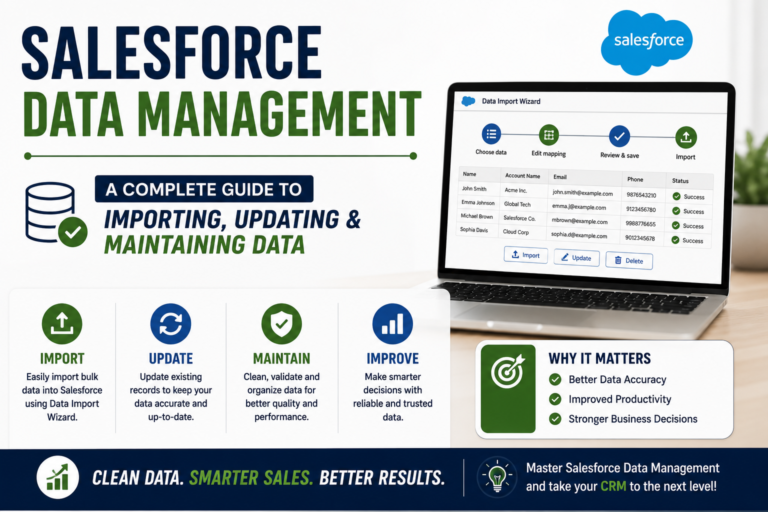
Data Import Wizard
The Data Import Wizard is a Salesforce tool that allows users to import certain types of data through a guided interface.
It can be useful for smaller or simpler data-import requirements.
Before importing, users should verify:
Required fields
Data formats
Record relationships
Duplicate records
Field mappings
Proper preparation can prevent errors.
Salesforce Data Loader
Data Loader is another important tool for working with Salesforce data.
It is commonly used for larger data operations and provides options for:
Insert
Update
Upsert
Delete
Export
Salesforce professionals should understand when Data Loader is appropriate for a particular task.
What Is Upsert?
One important concept in Salesforce data management is Upsert.
Upsert combines the idea of:
Update + Insert
If a matching record already exists, Salesforce can update it.
If the matching record does not exist, Salesforce can create a new record.
This can be useful when synchronizing information between systems.
Understanding Data Export
Sometimes businesses need to take data out of Salesforce.
Reasons may include:
Backup
Analysis
Migration
Data auditing
External processing
Salesforce provides options for exporting data according to organizational requirements.
Data should always be handled carefully because it may contain sensitive business or customer information.
Data Quality Is Essential
A Salesforce professional should not only know how to import data but also understand data quality.
Common data-quality problems include:
Duplicate records
Missing values
Incorrect formatting
Outdated information
Invalid email addresses
Inconsistent naming
Data quality should be considered before and after an import.
Duplicate Management
Duplicate records can create major problems.
For example, suppose the same customer appears twice:
Rahul Sharma – rahul@example.com
and
Rahul Sharma – rahul@example.com
Sales representatives may not know which record is correct.
Salesforce provides tools and configuration options that can help organizations identify and manage duplicate records.
Validation Rules
Validation Rules can help maintain data quality.
They can prevent users from saving records when specific conditions are not satisfied.
Example
Suppose a company requires an Opportunity to have a specific field completed before it can be moved to a certain stage.
A validation rule can help enforce this requirement.
This ensures that important information isn’t accidentally left incomplete.
Required Fields
Required fields are another way to ensure important information is provided.
For example, a company may require:
Customer Name
Email
Phone
Industry
before a record can be completed.
Required fields help establish minimum data standards.
Data Relationships
Salesforce records often have relationships with one another.
For example:
Account → Contact → Opportunity
Understanding relationships is important when importing or updating data.
If related records are imported incorrectly, the relationships may not work as expected.
Therefore, learners should understand Salesforce’s data model before performing large data operations.
Salesforce Data Management Example
Imagine a company has a spreadsheet containing 10,000 customer records.
The business wants to move this information into Salesforce.
A professional data-management process could look like:
Step 1: Review the File
Check columns, formats, and missing values.
Step 2: Clean the Data
Remove duplicates and correct errors.
Step 3: Map Fields
Match spreadsheet columns with Salesforce fields.
Step 4: Test
Import a small sample first.
Step 5: Review
Check whether records were created correctly.
Step 6: Complete the Import
Import the remaining records.
Step 7: Verify
Run reports and check the results.
This process reduces the risk of large-scale errors.
Why Data Management Is Important for Salesforce Administrators
Salesforce Administrators frequently work with business data.
Their responsibilities may include:
Importing records
Updating records
Maintaining data quality
Creating validation rules
Managing duplicate records
Supporting users
Preparing reports
Therefore, data management is an essential Administrator skill.
Salesforce Data Management Interview Questions
Candidates preparing for Salesforce jobs should practice questions such as:
What is Data Loader?
Explain its purpose and common operations.
What is the difference between Insert and Update?
Understand when each operation is used.
What is Upsert?
Explain how it can insert or update records depending on matching criteria.
Why is data quality important?
Discuss how inaccurate information affects business processes and reporting.
How can duplicate records be managed?
Explain Salesforce tools and processes used to identify and handle duplicates.
What should you check before importing data?
Discuss data quality, field mapping, required fields, relationships, and testing.
Common Mistakes Beginners Make
Importing Data Without Cleaning It
Always review your data first.
Skipping Test Imports
For large operations, test a small sample before proceeding.
Ignoring Relationships
Understand how records are connected.
Not Checking Required Fields
Missing required information can cause import failures.
Not Reviewing Results
Always verify imported or updated records.
Performing Large Operations Without a Backup Strategy
Data changes should be planned carefully.
How to Practice Salesforce Data Management
You can build small practice projects.
Project 1: Student Database
Import student records into a custom object.
Project 2: Employee Database
Import employee information and create relationships with departments.
Project 3: Customer Database
Import customer information and identify duplicates.
Project 4: Sales CRM
Import leads, accounts, and contacts while maintaining relationships.
These exercises help you understand data operations in practical situations.
Data Management and Career Opportunities
Data management skills can support several Salesforce career paths.
Salesforce Administrator
Maintains Salesforce data and configuration.
Salesforce Developer
Works with data programmatically using Apex and SOQL.
Salesforce Consultant
Helps organizations design effective data processes.
Salesforce Business Analyst
Works with business requirements and data-related processes.
Salesforce Support Professional
Helps users resolve data and record-related issues.
Building strong data-management knowledge can therefore benefit multiple career paths.
Why Choose Prabh Kirpa Classes?
At Prabh Kirpa Classes, learners can develop Salesforce skills through structured training and practical learning.
Training areas include:
Salesforce Administration
Data Management
Flow Builder
Salesforce Development
Apex
Lightning Web Components
Salesforce Integration
OmniStudio
Practical Assignments
Live Projects
Certification Guidance
Resume Preparation
Mock Interviews
Job Support
The focus is on helping learners understand Salesforce concepts and apply them to realistic business scenarios.
Frequently Asked Questions
Is Salesforce data management difficult?
The basics can be learned effectively through structured training and hands-on practice.
What is Data Loader used for?
Data Loader can be used for various data operations such as inserting, updating, upserting, deleting, and exporting records.
Why should data be cleaned before importing?
Cleaning data helps reduce duplicates, incorrect records, missing information, and import errors.
Is data management important for Salesforce Admin jobs?
Yes. Data management is an important part of Salesforce Administration and practical CRM operations.
Can freshers learn Salesforce data management?
Yes. Beginners can start with basic data concepts and gradually practice more advanced data operations.
Conclusion
Salesforce data management is one of the foundational skills every aspiring Salesforce professional should understand. From importing records and maintaining relationships to preventing duplicates and ensuring data quality, effective data management helps businesses get more value from their CRM platform.
If you’re preparing for a Salesforce career, don’t limit your learning to definitions. Practice importing sample data, creating relationships, identifying duplicates, applying validation rules, and reviewing results.
At Prabh Kirpa Classes, learners can build practical Salesforce knowledge through Administration, Data Management, Flow Builder, Development, Integration, projects, certification guidance, interview preparation, and job support.
Learn the platform. Practice with real scenarios. Build job-ready Salesforce skills.
Newsletter
Recent Posts
Salesforce Data Management: A Complete Guide to Importing, Updating & Maintaining Data
Introduction Data is one of the most important parts of
Salesforce Automation with Flow Builder: A Complete Guide for Beginners
Introduction Businesses often have repetitive tasks that consume valuable time.

Mount Etna Eruption 2026 | Catania Airport Flights Suspended Due to Volcanic Ash | Current Affairs
Mount Etna’s ongoing volcanic activity caused major flight disruptions in
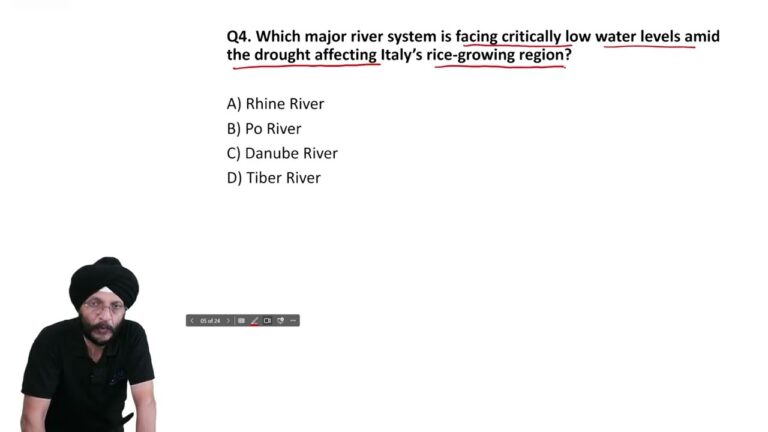
Italy Drought 2026 | Po River Faces Critically Low Water Levels | Current Affairs
Italy’s severe drought is putting pressure on its major rice-growing