
How to Build a Successful Career in Salesforce: Skills, Roadmap, Jobs and Training
The technology industry is constantly evolving, and businesses are increasingly looking for professionals who can work with cloud-based platforms, automation, data, and customer management systems. Among the many technologies available today, Salesforce has established itself as one of the most widely used CRM platforms.
Salesforce is not simply a tool for managing customer information. It provides organizations with a complete ecosystem for sales, customer service, marketing, analytics, automation, application development, and business process management.
Because of this wide range of applications, Salesforce has created career opportunities for administrators, developers, consultants, business analysts, architects, and other technology professionals.
For anyone planning to enter the Salesforce ecosystem, the most important question is not only **”What is Salesforce?”** but also **”How can I build the right skills to create a long-term Salesforce career?”**
This guide explains the Salesforce career roadmap, important skills, popular roles, practical learning requirements, and how structured Salesforce training can help learners build a strong foundation.
# What Makes Salesforce an Important Career Skill?
Salesforce combines cloud technology with CRM and business automation. Companies use it to organize customer information, manage leads and opportunities, automate processes, generate reports, and improve customer relationships.
The platform can be customized according to the requirements of different organizations.
For example, a sales team may use Salesforce to manage leads and opportunities, while a customer service team may use it to manage cases and customer support processes.
This flexibility creates demand for professionals who understand how to configure and customize Salesforce.
Another important advantage is that Salesforce offers both functional and technical career paths.
A person who enjoys configuration and business processes can pursue Salesforce Administration.
Someone interested in programming can move toward Salesforce Development.
Professionals who enjoy requirement gathering and client communication can explore consulting or business analysis.
# Salesforce Career Paths
Before starting your learning journey, it is useful to understand the major career paths available within the Salesforce ecosystem.
## Salesforce Administrator
Salesforce Administrators focus on configuring and maintaining Salesforce.
Their responsibilities may include:
* Creating and managing users
* Managing permissions
* Creating fields
* Configuring objects
* Creating reports
* Building dashboards
* Managing data
* Creating automation
* Maintaining security
* Supporting business users
Administration is often considered a strong starting point for beginners.
## Salesforce Developer
Salesforce Developers work on the technical customization of the platform.
They may work with:
* Apex
* SOQL
* SOSL
* Triggers
* Lightning Web Components
* APIs
* Integrations
* Custom applications
Development requires stronger programming knowledge and an understanding of Salesforce architecture.
## Salesforce Consultant
Salesforce Consultants work with organizations to understand their business requirements and recommend Salesforce solutions.
They need a combination of Salesforce knowledge, business understanding, communication skills, and problem-solving abilities.
## Salesforce Business Analyst
A Salesforce Business Analyst helps connect business requirements with technical solutions.
Typical responsibilities can include:
* Gathering requirements
* Understanding business processes
* Creating documentation
* Identifying gaps
* Communicating with stakeholders
* Supporting solution design
* Testing Salesforce functionality
# Salesforce Learning Roadmap
A structured roadmap can prevent beginners from becoming overwhelmed by the large Salesforce ecosystem.
## Stage 1: Learn Salesforce Fundamentals
Start by understanding the Salesforce interface and basic terminology.
Important concepts include:
* CRM
* Salesforce organization
* Objects
* Records
* Fields
* Applications
* Tabs
* Relationships
* Standard objects
* Custom objects
A strong foundation makes advanced concepts easier to understand.
## Stage 2: Learn Salesforce Administration
Once the basics are clear, move into administration.
Important topics include:
* User management
* Profiles
* Permission Sets
* Roles
* Organization-Wide Defaults
* Sharing Rules
* Field-Level Security
* Record access
* Validation Rules
Security is particularly important because Salesforce contains valuable business and customer data.
## Stage 3: Learn Data Management
Salesforce professionals need to understand how data is created and maintained.
Learn about:
* Data Import
* Data Export
* Data Loader
* Duplicate Management
* Data Validation
* Record updates
* Data quality
The ability to work confidently with data is essential for administrators and developers.
# Understanding Salesforce Relationships
Relationships allow Salesforce objects to connect with one another.
Important relationship concepts include:
### Lookup Relationship
A Lookup Relationship creates a relationship between two objects while providing relatively flexible record access.
### Master-Detail Relationship
A Master-Detail Relationship creates a stronger dependency between the related records.
### Junction Object
A Junction Object can be used to create a many-to-many relationship between two objects.
Understanding relationships is important for both Salesforce Administrators and Developers.
# Stage 4: Learn Reports and Dashboards
Businesses need information from their CRM data to make decisions.
Salesforce Reports and Dashboards help users analyze this information.
Learners should understand:
* Tabular reports
* Summary reports
* Matrix reports
* Joined reports
* Report filters
* Grouping
* Charts
* Dashboard components
A Salesforce professional should be able to convert business questions into useful reports.
For example:
**Business Requirement:** Identify opportunities that are expected to close soon.
A Salesforce professional can use appropriate filters and fields to create a report that provides this information.
# Stage 5: Master Salesforce Flow
Automation is an essential Salesforce skill.
Salesforce Flow allows organizations to automate business processes without relying entirely on traditional code.
Important Flow concepts include:
* Record-Triggered Flow
* Screen Flow
* Autolaunched Flow
* Variables
* Collections
* Assignment
* Decision
* Get Records
* Create Records
* Update Records
* Delete Records
* Debugging
* Flow Resources
Learning Flow is particularly valuable because automation is common in real Salesforce implementations.
For example, a business may want a process where creating a new customer record automatically creates a related task for a sales representative.
A Flow can help automate such requirements.
# Stage 6: Learn Apex Programming
After developing a solid Salesforce Administration foundation, learners interested in development can move toward Apex.
Apex is Salesforce’s programming language.
Important concepts include:
* Variables
* Operators
* Conditional statements
* Loops
* Methods
* Classes
* Objects
* Constructors
* Exception handling
* Collections
* DML
* SOQL
## Apex Collections
Collections are particularly important for Salesforce Developers.
The three commonly used collection types are:
**List:** Used to store an ordered collection of values.
**Set:** Used to store unique values.
**Map:** Used to store key-value pairs.
Understanding when and why each collection should be used is important for writing efficient Apex code.
# Stage 7: Learn SOQL and SOSL
Data retrieval is a major part of Salesforce development.
## SOQL
SOQL is used to query Salesforce records.
Developers should understand filtering, sorting, limits, relationships, and aggregate queries.
## SOSL
SOSL is useful when searching across multiple objects and fields.
Understanding the difference between SOQL and SOSL is an important part of Salesforce development and interview preparation.
# Stage 8: Learn Apex Triggers
Triggers allow developers to execute Apex code when specific record-related events occur.
For example, a trigger can respond to events such as:
* Before Insert
* After Insert
* Before Update
* After Update
* Before Delete
* After Delete
However, developers must understand Salesforce Governor Limits and bulkification when writing triggers.
Good Salesforce development is not simply about making code work. It is also about writing efficient and scalable code.
# Stage 9: Learn Lightning Web Components
Modern Salesforce applications often use Lightning Web Components, or LWC.
LWC allows developers to build reusable user interface components using web technologies.
Learners should understand:
* Component structure
* HTML
* JavaScript
* CSS
* Properties
* Events
* Data binding
* Apex integration
* Component communication
Learning LWC can help developers move beyond basic backend development and create modern Salesforce user interfaces.
# Stage 10: Understand Salesforce APIs and Integration
Organizations often need Salesforce to communicate with external systems.
For example, Salesforce might need to exchange information with an ERP system, website, payment platform, marketing application, or external database.
Important integration topics include:
* APIs
* REST API
* SOAP API
* Authentication
* HTTP requests
* External systems
* Data synchronization
* Integration patterns
Integration knowledge can be especially useful for Salesforce Developers and Technical Consultants.
# Why Hands-On Projects Are Important
One of the biggest mistakes beginners make is focusing only on theoretical learning.
Salesforce is a practical platform. The best way to understand it is to create realistic business solutions.
A training project could include:
### Project Example: Sales Management System
Create a Salesforce solution where a company can:
1. Capture leads.
2. Convert qualified leads.
3. Manage accounts and contacts.
4. Track opportunities.
5. Automate follow-up tasks.
6. Create approval processes.
7. Build reports.
8. Create dashboards.
9. Control user access.
10. Automate record updates.
Such projects help learners understand how individual Salesforce features work together.
# Salesforce Interview Preparation
A strong Salesforce career requires more than completing a course.
Candidates should also prepare for interviews.
Interviewers may ask both direct conceptual questions and scenario-based questions.
Examples include:
* What is the difference between Profile and Permission Set?
* What is OWD?
* How do Sharing Rules work?
* What is a Lookup Relationship?
* What is a Master-Detail Relationship?
* What is a Junction Object?
* What is Salesforce Flow?
* What is the difference between SOQL and SOSL?
* What are Apex Collections?
* What are Governor Limits?
* What is an Apex Trigger?
* What is LWC?
* How does Salesforce integration work?
Scenario-based preparation is particularly useful because employers often want candidates to demonstrate problem-solving ability.
# Salesforce Certification and Career Development
Salesforce certifications can be useful for demonstrating knowledge in specific areas.
However, certification preparation should ideally be combined with practical learning.
A professional who understands a concept theoretically but cannot implement it may struggle with real project requirements.
A better approach is:
**Learn → Practice → Build → Revise → Prepare → Interview**
This process can help learners develop confidence gradually.
# How Prabh Kirpa Classes Can Help
A structured learning environment can make it easier to progress through the Salesforce ecosystem.
At **Prabh Kirpa Classes**, learners can explore Salesforce topics through educational content covering areas such as Administration, Development, Apex, SOQL, Flow, LWC, integrations, and interview preparation.
The focus should be on understanding concepts and applying them to practical requirements.
Instead of learning individual features in isolation, learners can gradually understand how Salesforce components work together.
For example, a real business requirement may involve:
**Object → Security → Validation → Flow → Apex → LWC → Integration → Reports**
Understanding this complete workflow can provide a stronger foundation than studying individual topics separately.
# Tips for Learning Salesforce Effectively
If you are beginning your Salesforce journey, keep these tips in mind.
### Start With the Basics
Do not jump directly into advanced development. Build a strong foundation first.
### Practice Regularly
Even a small amount of consistent practice can be more useful than studying large amounts of theory occasionally.
### Build Projects
Projects help transform concepts into practical skills.
### Understand Business Requirements
Salesforce is closely connected to business processes. Learn to think about why a particular feature is required.
### Practice Interview Questions
Regular interview practice can improve both technical knowledge and confidence.
### Keep Learning
Salesforce continues to evolve, so professionals should maintain a habit of learning and updating their skills.
# Is Salesforce a Good Career Choice?
For individuals interested in cloud technology, CRM, business applications, automation, or software development, Salesforce can provide a broad career ecosystem.
The platform offers multiple paths, allowing professionals to choose between functional, technical, consulting, analytical, and specialized roles.
The key is to build skills systematically rather than trying to learn every Salesforce feature simultaneously.
Beginners can start with Administration and gradually explore automation and development. Developers can strengthen their Apex, SOQL, LWC, API, and integration knowledge. Professionals with business backgrounds can explore administration, business analysis, and consulting.
# Final Thoughts
Salesforce has grown from a CRM platform into a large technology ecosystem that combines customer management, automation, analytics, application development, and cloud technology.
This creates opportunities for people with different backgrounds and career goals.
A successful Salesforce career requires more than memorizing definitions. Professionals need to understand the platform, practice implementation, solve business requirements, work with data, understand security, and continuously improve their technical or functional skills.
If you are planning to start your Salesforce journey, begin with the fundamentals, develop a strong Administration foundation, learn automation, and then progress toward Development, Apex, SOQL, LWC, APIs, and Integration based on your career goals.
With structured learning, hands-on practice, project experience, and interview preparation, you can build the skills required to move confidently into the Salesforce ecosystem.
**Start learning Salesforce today with Prabh Kirpa Classes and take the next step toward building your cloud technology career.**
Newsletter
Recent Posts
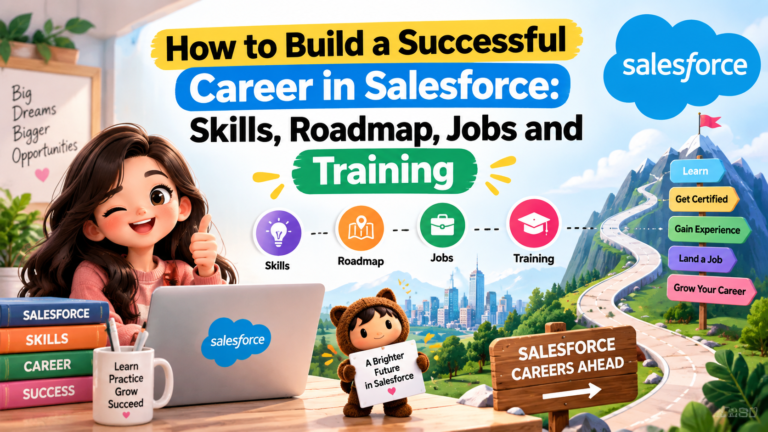
How to Build a Successful Career in Salesforce: Skills, Roadmap, Jobs and Training
The technology industry is constantly evolving, and businesses are increasingly
Salesforce Training: Complete Guide to Building a Successful Career in Salesforce
# Salesforce Training: Complete Guide to Building a Successful Career

What Is the Dual Mandate of the US Federal Reserve? | Price Stability & Maximum Employment
What does the US Federal Reserve’s statutory Dual Mandate balance
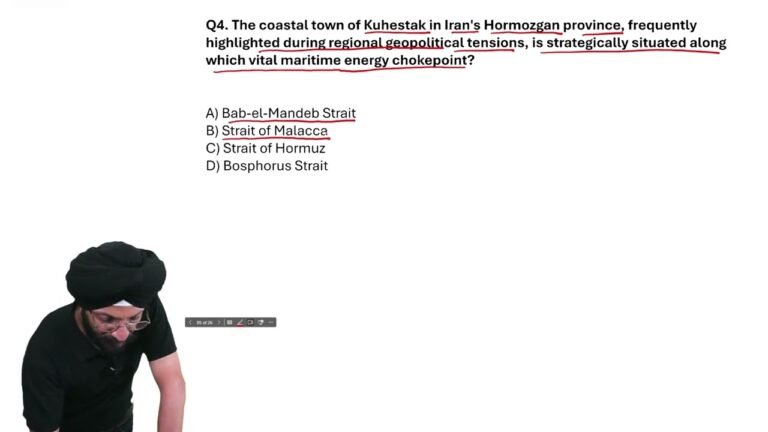
Kuhestak in Iran Is Located Near Which Vital Maritime Energy Chokepoint? | Current Affairs
Where is Kuhestak, the coastal town in Iran’s Hormozgan province,