
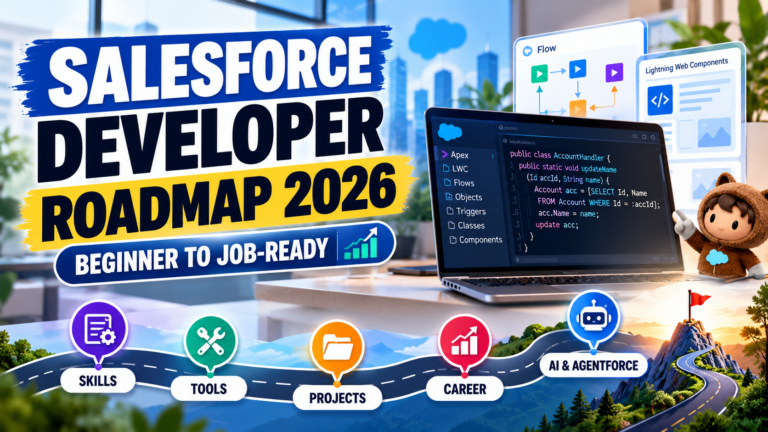
Salesforce Developer Roadmap 2026: Skills, Tools, Projects, and Career Guide for Beginners
Introduction
Salesforce development is an attractive career path for people interested in technology, cloud computing, CRM applications, and software development. As businesses continue to customize their Salesforce environments, professionals who understand Apex, Lightning Web Components (LWC), Salesforce Flow, and integrations can develop valuable technical skills.
However, beginners often have questions: What should I learn first? Is coding necessary? Which Salesforce tools are important? How can I build projects for my resume?
The answer is to follow a structured learning roadmap that begins with Salesforce fundamentals and gradually introduces programming, automation, development tools, and real-world projects.
In this guide, you will learn how to become a Salesforce Developer in 2026, which skills to prioritize, how to practise, and how to prepare for job opportunities.
## What Is a Salesforce Developer?
A Salesforce Developer builds and customizes applications on the Salesforce platform to meet business requirements.
Unlike a Salesforce Administrator, who primarily configures and manages Salesforce using declarative tools, a Developer often writes code to implement custom functionality, complex business logic, integrations, and user interfaces.
Common Salesforce Developer responsibilities include:
– Writing Apex classes and triggers.
– Creating Lightning Web Components.
– Working with SOQL and Salesforce data.
– Building automation using Salesforce Flow.
– Integrating Salesforce with external applications.
– Testing, debugging, and deploying changes.
– Following Salesforce security and coding best practices.
Developers may also collaborate with Salesforce Admins, business analysts, consultants, testers, and project managers.
## Step 1: Learn Salesforce Fundamentals
Before learning advanced development, understand how Salesforce works.
Start with these essential concepts:
– CRM fundamentals
– Standard and custom objects
– Fields and relationships
– Record types and page layouts
– Salesforce security and permissions
– Reports and dashboards
– Salesforce Lightning Experience
Learn standard objects such as Account, Contact, Lead, and Opportunity. Understand how records are stored and how relationships connect different objects.
For example, a company can use Accounts to represent businesses, Contacts to represent people, and Opportunities to track potential sales.
A strong understanding of the Salesforce data model makes development easier because most Salesforce applications depend on records, relationships, and business processes.
## Step 2: Understand Salesforce Flow and Automation
Salesforce Flow is an important part of modern Salesforce development.
It allows teams to automate business processes through a visual interface without writing traditional code for every requirement.
Learn the following:
– Record-Triggered Flow
– Screen Flow
– Scheduled automation
– Decision and Assignment elements
– Get Records and Update Records
– Fault paths and error handling
– Flow debugging and testing
For example, you can create a Record-Triggered Flow that sends a notification when an opportunity reaches a specified stage.
Understanding Flow also helps developers decide when declarative automation is sufficient and when Apex is more appropriate.
## Step 3: Learn Apex Programming
Apex is Salesforce’s programming language for implementing custom business logic.
If you want to become a Salesforce Developer, learning Apex is essential.
Begin with programming fundamentals:
– Variables and data types
– Conditional statements
– Loops
– Lists, Sets, and Maps
– Classes and objects
– Methods and constructors
– Exception handling
– SOQL and DML
Next, practise writing Apex classes that retrieve, process, and update Salesforce records.
For example, learn how to query opportunities using SOQL and update records through DML operations.
Also understand bulkification. Salesforce code should handle multiple records efficiently rather than assuming that only one record will be processed at a time.
## Step 4: Learn Apex Triggers
Apex triggers execute when supported database events occur on Salesforce records.
They are useful when custom logic must run in response to record changes and cannot be implemented appropriately through other platform features.
Study these concepts:
– Before triggers
– After triggers
– Trigger context variables
– Insert, update, delete, and undelete events
– Trigger handler patterns
– Recursion management
– Bulk processing
– Governor limits
For example, a trigger might enforce a specialized business rule or initiate processing when a record changes.
Learn to keep triggers organized and delegate complex logic to handler or service classes where appropriate. Avoid writing large amounts of business logic directly inside a trigger.
## Step 5: Learn SOQL and SOSL
Salesforce developers need to retrieve information efficiently.
SOQL, or Salesforce Object Query Language, retrieves records from Salesforce objects. SOSL, or Salesforce Object Search Language, searches for text across supported objects and fields.
For example, a SOQL query can retrieve open opportunities associated with a particular account.
Learn how to:
– Filter records using WHERE clauses
– Sort results
– Retrieve related records
– Use relationship queries
– Aggregate data
– Handle query results safely
– Avoid queries inside loops
Understanding data retrieval is essential for Apex development, integrations, and Lightning Web Components.
## Step 6: Master Lightning Web Components (LWC)
Lightning Web Components is Salesforce’s modern framework for building custom user interfaces.
LWC allows developers to create reusable components that interact with Salesforce data and provide a responsive user experience.
Start with:
– HTML templates
– JavaScript fundamentals
– Component properties
– Event handling
– Component lifecycle
– Data binding
– Lightning Data Service
– Calling Apex methods
– Error handling
For example, build an LWC that displays a list of opportunities with their names, stages, and amounts.
Once you understand the basics, develop components that support filtering, user interactions, and record updates.
## Step 7: Learn Salesforce Integration
Businesses often connect Salesforce with external applications, payment systems, websites, and enterprise platforms.
Integration skills can help you understand how Salesforce participates in larger business systems.
Learn these concepts:
– REST APIs
– SOAP APIs
– HTTP requests and responses
– JSON
– Authentication and authorization
– Named Credentials
– Apex callouts
– Error handling and retry strategies
Practise by connecting Salesforce to a suitable test API or a small application.
Never hardcode API secrets or credentials into Apex classes. Use appropriate secure credential-management features and follow the security requirements of the external service.
## Step 8: Understand Salesforce Developer Tools
Learn the tools used to develop, test, and deploy Salesforce applications.
Important tools include:
– Salesforce Developer Edition
– Salesforce Setup and Developer Console
– Visual Studio Code
– Salesforce CLI
– Salesforce extensions for VS Code
– Git and version control
– Salesforce sandbox environments
Practise retrieving metadata, editing code, running tests, and deploying changes to a development environment.
Version control is particularly useful because it helps you track changes, collaborate with others, and maintain a history of your work.
## Step 9: Build Real-World Salesforce Projects
Projects help you apply concepts instead of learning them only in theory.
Start with a simple application and gradually add more advanced features.
### Project 1: Lead Management System
Build an application to manage leads, assign sales representatives, and track follow-ups.
Skills demonstrated: Salesforce objects, Flow, validation rules, reports, and dashboards.
### Project 2: Employee Leave Management System
Create an application where employees submit leave requests and managers approve or reject them.
Skills demonstrated: Custom objects, Screen Flow, approval-related functionality, permissions, and automation.
### Project 3: Opportunity Tracking Application
Build a custom interface for reviewing and updating opportunity information.
Skills demonstrated: Apex, SOQL, Lightning Web Components, and error handling.
### Project 4: Salesforce API Integration
Connect Salesforce to an external test application and exchange data through an API.
Skills demonstrated: REST APIs, authentication, Apex callouts, JSON processing, and exception handling.
Document each project with its business problem, architecture, features, screenshots, and testing approach. Use fictional data and never publish credentials or confidential information.
## Step 10: Practise Testing and Debugging
Writing code is only one part of Salesforce development. You must also ensure that your solution behaves correctly.
Learn how to:
– Write Apex test classes
– Use test data appropriately
– Test positive and negative scenarios
– Debug code and flows
– Review debug logs
– Test bulk operations
– Validate user permissions
– Handle exceptions
– Investigate governor-limit errors
Do not rely only on a successful result for one record. Test multiple records and unusual scenarios to identify issues before deployment.
## Step 11: Prepare for Salesforce Developer Interviews
Technical interviews often evaluate your understanding of Salesforce concepts and your ability to apply them to practical situations.
Prepare questions on:
– Salesforce Admin fundamentals
– Salesforce Flow versus Apex
– Apex classes and triggers
– Trigger context variables
– SOQL and SOSL
– Lists, Sets, and Maps
– Governor limits
– Lightning Web Components
– REST API integration
– Security and sharing
– Test classes and deployment
Practise explaining your answers in simple language and supporting them with examples.
Interviewers may also ask you to design a solution for a business requirement. Explain why you selected Flow, Apex, or a combination of both.
## Step 12: Create a Strong Salesforce Developer Resume
Your resume should demonstrate practical skills rather than merely list technologies.
Include:
– Salesforce development skills
– Relevant certifications, if earned
– Practical projects
– Apex and LWC experience
– Flow and automation knowledge
– Integration experience, if applicable
– Git or version-control experience
– Relevant work experience
For each project, explain the problem, the solution, the technologies used, and the work you personally completed.
Avoid claiming production experience or measurable business results that you cannot substantiate.
## A Practical 12-Week Salesforce Developer Roadmap
**Weeks 1–2: Salesforce Fundamentals**
Understand CRM concepts, objects, fields, relationships, and security.
**Weeks 3–4: Flow and Automation**
Build record-triggered and screen flows and practise debugging.
**Weeks 5–6: Apex and SOQL**
Learn programming fundamentals, collections, queries, DML, and exception handling.
**Weeks 7–8: Apex Triggers and Testing**
Practise trigger design, bulkification, governor limits, and unit testing.
**Weeks 9–10: Lightning Web Components**
Build reusable components and connect them to Salesforce data.
**Week 11: Integration and Developer Tools**
Practise API integration, Salesforce CLI, VS Code, and Git.
**Week 12: Project and Interview Preparation**
Complete a portfolio project, document your work, revise important concepts, and practise technical interviews.
This is a suggested learning sequence, not a guaranteed timeline. Adjust it according to your programming experience, available time, and learning pace.
## Common Mistakes to Avoid
### Learning Apex Without Salesforce Fundamentals
Understand the data model and platform behavior before attempting complex code.
### Ignoring Flow
Not every requirement needs custom programming. Learn to evaluate declarative and programmatic options.
### Skipping Testing
Untested code can fail when multiple records are processed or when unexpected data is encountered.
### Ignoring Security
Understand object permissions, field-level security, record access, and secure coding practices.
### Building Projects Without Documentation
A project is more useful when you can explain its architecture, requirements, and design decisions.
### Learning Too Many Tools at Once
Focus on the fundamentals, practise consistently, and add advanced technologies gradually.
## Frequently Asked Questions
### Can a beginner become a Salesforce Developer in 2026?
Yes. Beginners can work towards Salesforce development by learning CRM fundamentals, programming concepts, Apex, SOQL, Flow, LWC, and testing. Practical projects help reinforce these skills.
### Is coding required to become a Salesforce Developer?
Yes. Salesforce Developers generally need programming skills, particularly Apex and JavaScript for LWC. Flow is also important because many Salesforce solutions combine declarative automation with code.
### Should I learn Salesforce Admin before Development?
Learning Salesforce Admin fundamentals first is a useful approach because it helps you understand objects, relationships, security, and automation before writing custom code.
### How long does it take to learn Salesforce Development?
The time required depends on your prior programming experience, practice schedule, and learning goals. The 12-week roadmap above is a structured starting point, not a guarantee of job readiness.
### Which Salesforce certifications should a beginner consider?
Choose certifications according to your target role and current knowledge. Review Salesforce’s official certification catalogue and current exam guides before deciding which credential to pursue.
### Are Salesforce projects important for freshers?
Projects help freshers demonstrate practical knowledge, explain technical decisions, and discuss problem-solving during interviews. A well-documented project is particularly useful when professional experience is limited.
## Conclusion
Becoming a Salesforce Developer in 2026 requires a structured approach to learning, consistent hands-on practice, and a clear understanding of how Salesforce solves business problems.
Start with Salesforce fundamentals, learn Flow, build your Apex and SOQL skills, explore Lightning Web Components, and gradually practise integrations and developer tools.
Most importantly, build projects that demonstrate what you have learned. Test your solutions, document your work, and prepare to explain your technical decisions.
**Ready to develop your Salesforce skills?** Explore Salesforce Admin, Development, Apex, LWC, Flow, and Automation training at Prabh Kirpa Classes to strengthen your practical knowledge and work towards your Salesforce career goals.
# Salesforce Developer Roadmap 2026: Skills, Tools, Projects, and Career Guide for Beginners
## Introduction
Salesforce development is an attractive career path for people interested in technology, cloud computing, CRM applications, and software development. As businesses continue to customize their Salesforce environments, professionals who understand Apex, Lightning Web Components (LWC), Salesforce Flow, and integrations can develop valuable technical skills.
However, beginners often have questions: What should I learn first? Is coding necessary? Which Salesforce tools are important? How can I build projects for my resume?
The answer is to follow a structured learning roadmap that begins with Salesforce fundamentals and gradually introduces programming, automation, development tools, and real-world projects.
In this guide, you will learn how to become a Salesforce Developer in 2026, which skills to prioritize, how to practise, and how to prepare for job opportunities.
## What Is a Salesforce Developer?
A Salesforce Developer builds and customizes applications on the Salesforce platform to meet business requirements.
Unlike a Salesforce Administrator, who primarily configures and manages Salesforce using declarative tools, a Developer often writes code to implement custom functionality, complex business logic, integrations, and user interfaces.
Common Salesforce Developer responsibilities include:
– Writing Apex classes and triggers.
– Creating Lightning Web Components.
– Working with SOQL and Salesforce data.
– Building automation using Salesforce Flow.
– Integrating Salesforce with external applications.
– Testing, debugging, and deploying changes.
– Following Salesforce security and coding best practices.
Developers may also collaborate with Salesforce Admins, business analysts, consultants, testers, and project managers.
## Step 1: Learn Salesforce Fundamentals
Before learning advanced development, understand how Salesforce works.
Start with these essential concepts:
– CRM fundamentals
– Standard and custom objects
– Fields and relationships
– Record types and page layouts
– Salesforce security and permissions
– Reports and dashboards
– Salesforce Lightning Experience
Learn standard objects such as Account, Contact, Lead, and Opportunity. Understand how records are stored and how relationships connect different objects.
For example, a company can use Accounts to represent businesses, Contacts to represent people, and Opportunities to track potential sales.
A strong understanding of the Salesforce data model makes development easier because most Salesforce applications depend on records, relationships, and business processes.
## Step 2: Understand Salesforce Flow and Automation
Salesforce Flow is an important part of modern Salesforce development.
It allows teams to automate business processes through a visual interface without writing traditional code for every requirement.
Learn the following:
– Record-Triggered Flow
– Screen Flow
– Scheduled automation
– Decision and Assignment elements
– Get Records and Update Records
– Fault paths and error handling
– Flow debugging and testing
For example, you can create a Record-Triggered Flow that sends a notification when an opportunity reaches a specified stage.
Understanding Flow also helps developers decide when declarative automation is sufficient and when Apex is more appropriate.
## Step 3: Learn Apex Programming
Apex is Salesforce’s programming language for implementing custom business logic.
If you want to become a Salesforce Developer, learning Apex is essential.
Begin with programming fundamentals:
– Variables and data types
– Conditional statements
– Loops
– Lists, Sets, and Maps
– Classes and objects
– Methods and constructors
– Exception handling
– SOQL and DML
Next, practise writing Apex classes that retrieve, process, and update Salesforce records.
For example, learn how to query opportunities using SOQL and update records through DML operations.
Also understand bulkification. Salesforce code should handle multiple records efficiently rather than assuming that only one record will be processed at a time.
## Step 4: Learn Apex Triggers
Apex triggers execute when supported database events occur on Salesforce records.
They are useful when custom logic must run in response to record changes and cannot be implemented appropriately through other platform features.
Study these concepts:
– Before triggers
– After triggers
– Trigger context variables
– Insert, update, delete, and undelete events
– Trigger handler patterns
– Recursion management
– Bulk processing
– Governor limits
For example, a trigger might enforce a specialized business rule or initiate processing when a record changes.
Learn to keep triggers organized and delegate complex logic to handler or service classes where appropriate. Avoid writing large amounts of business logic directly inside a trigger.
## Step 5: Learn SOQL and SOSL
Salesforce developers need to retrieve information efficiently.
SOQL, or Salesforce Object Query Language, retrieves records from Salesforce objects. SOSL, or Salesforce Object Search Language, searches for text across supported objects and fields.
For example, a SOQL query can retrieve open opportunities associated with a particular account.
Learn how to:
– Filter records using WHERE clauses
– Sort results
– Retrieve related records
– Use relationship queries
– Aggregate data
– Handle query results safely
– Avoid queries inside loops
Understanding data retrieval is essential for Apex development, integrations, and Lightning Web Components.
## Step 6: Master Lightning Web Components (LWC)
Lightning Web Components is Salesforce’s modern framework for building custom user interfaces.
LWC allows developers to create reusable components that interact with Salesforce data and provide a responsive user experience.
Start with:
– HTML templates
– JavaScript fundamentals
– Component properties
– Event handling
– Component lifecycle
– Data binding
– Lightning Data Service
– Calling Apex methods
– Error handling
For example, build an LWC that displays a list of opportunities with their names, stages, and amounts.
Once you understand the basics, develop components that support filtering, user interactions, and record updates.
## Step 7: Learn Salesforce Integration
Businesses often connect Salesforce with external applications, payment systems, websites, and enterprise platforms.
Integration skills can help you understand how Salesforce participates in larger business systems.
Learn these concepts:
– REST APIs
– SOAP APIs
– HTTP requests and responses
– JSON
– Authentication and authorization
– Named Credentials
– Apex callouts
– Error handling and retry strategies
Practise by connecting Salesforce to a suitable test API or a small application.
Never hardcode API secrets or credentials into Apex classes. Use appropriate secure credential-management features and follow the security requirements of the external service.
## Step 8: Understand Salesforce Developer Tools
Learn the tools used to develop, test, and deploy Salesforce applications.
Important tools include:
– Salesforce Developer Edition
– Salesforce Setup and Developer Console
– Visual Studio Code
– Salesforce CLI
– Salesforce extensions for VS Code
– Git and version control
– Salesforce sandbox environments
Practise retrieving metadata, editing code, running tests, and deploying changes to a development environment.
Version control is particularly useful because it helps you track changes, collaborate with others, and maintain a history of your work.
## Step 9: Build Real-World Salesforce Projects
Projects help you apply concepts instead of learning them only in theory.
Start with a simple application and gradually add more advanced features.
### Project 1: Lead Management System
Build an application to manage leads, assign sales representatives, and track follow-ups.
Skills demonstrated: Salesforce objects, Flow, validation rules, reports, and dashboards.
### Project 2: Employee Leave Management System
Create an application where employees submit leave requests and managers approve or reject them.
Skills demonstrated: Custom objects, Screen Flow, approval-related functionality, permissions, and automation.
### Project 3: Opportunity Tracking Application
Build a custom interface for reviewing and updating opportunity information.
Skills demonstrated: Apex, SOQL, Lightning Web Components, and error handling.
### Project 4: Salesforce API Integration
Connect Salesforce to an external test application and exchange data through an API.
Skills demonstrated: REST APIs, authentication, Apex callouts, JSON processing, and exception handling.
Document each project with its business problem, architecture, features, screenshots, and testing approach. Use fictional data and never publish credentials or confidential information.
## Step 10: Practise Testing and Debugging
Writing code is only one part of Salesforce development. You must also ensure that your solution behaves correctly.
Learn how to:
– Write Apex test classes
– Use test data appropriately
– Test positive and negative scenarios
– Debug code and flows
– Review debug logs
– Test bulk operations
– Validate user permissions
– Handle exceptions
– Investigate governor-limit errors
Do not rely only on a successful result for one record. Test multiple records and unusual scenarios to identify issues before deployment.
## Step 11: Prepare for Salesforce Developer Interviews
Technical interviews often evaluate your understanding of Salesforce concepts and your ability to apply them to practical situations.
Prepare questions on:
– Salesforce Admin fundamentals
– Salesforce Flow versus Apex
– Apex classes and triggers
– Trigger context variables
– SOQL and SOSL
– Lists, Sets, and Maps
– Governor limits
– Lightning Web Components
– REST API integration
– Security and sharing
– Test classes and deployment
Practise explaining your answers in simple language and supporting them with examples.
Interviewers may also ask you to design a solution for a business requirement. Explain why you selected Flow, Apex, or a combination of both.
## Step 12: Create a Strong Salesforce Developer Resume
Your resume should demonstrate practical skills rather than merely list technologies.
Include:
– Salesforce development skills
– Relevant certifications, if earned
– Practical projects
– Apex and LWC experience
– Flow and automation knowledge
– Integration experience, if applicable
– Git or version-control experience
– Relevant work experience
For each project, explain the problem, the solution, the technologies used, and the work you personally completed.
Avoid claiming production experience or measurable business results that you cannot substantiate.
## A Practical 12-Week Salesforce Developer Roadmap
**Weeks 1–2: Salesforce Fundamentals**
Understand CRM concepts, objects, fields, relationships, and security.
**Weeks 3–4: Flow and Automation**
Build record-triggered and screen flows and practise debugging.
**Weeks 5–6: Apex and SOQL**
Learn programming fundamentals, collections, queries, DML, and exception handling.
**Weeks 7–8: Apex Triggers and Testing**
Practise trigger design, bulkification, governor limits, and unit testing.
**Weeks 9–10: Lightning Web Components**
Build reusable components and connect them to Salesforce data.
**Week 11: Integration and Developer Tools**
Practise API integration, Salesforce CLI, VS Code, and Git.
**Week 12: Project and Interview Preparation**
Complete a portfolio project, document your work, revise important concepts, and practise technical interviews.
This is a suggested learning sequence, not a guaranteed timeline. Adjust it according to your programming experience, available time, and learning pace.
## Common Mistakes to Avoid
### Learning Apex Without Salesforce Fundamentals
Understand the data model and platform behavior before attempting complex code.
### Ignoring Flow
Not every requirement needs custom programming. Learn to evaluate declarative and programmatic options.
### Skipping Testing
Untested code can fail when multiple records are processed or when unexpected data is encountered.
### Ignoring Security
Understand object permissions, field-level security, record access, and secure coding practices.
### Building Projects Without Documentation
A project is more useful when you can explain its architecture, requirements, and design decisions.
### Learning Too Many Tools at Once
Focus on the fundamentals, practise consistently, and add advanced technologies gradually.
## Frequently Asked Questions
### Can a beginner become a Salesforce Developer in 2026?
Yes. Beginners can work towards Salesforce development by learning CRM fundamentals, programming concepts, Apex, SOQL, Flow, LWC, and testing. Practical projects help reinforce these skills.
### Is coding required to become a Salesforce Developer?
Yes. Salesforce Developers generally need programming skills, particularly Apex and JavaScript for LWC. Flow is also important because many Salesforce solutions combine declarative automation with code.
### Should I learn Salesforce Admin before Development?
Learning Salesforce Admin fundamentals first is a useful approach because it helps you understand objects, relationships, security, and automation before writing custom code.
### How long does it take to learn Salesforce Development?
The time required depends on your prior programming experience, practice schedule, and learning goals. The 12-week roadmap above is a structured starting point, not a guarantee of job readiness.
### Which Salesforce certifications should a beginner consider?
Choose certifications according to your target role and current knowledge. Review Salesforce’s official certification catalogue and current exam guides before deciding which credential to pursue.
### Are Salesforce projects important for freshers?
Projects help freshers demonstrate practical knowledge, explain technical decisions, and discuss problem-solving during interviews. A well-documented project is particularly useful when professional experience is limited.
## Conclusion
Becoming a Salesforce Developer in 2026 requires a structured approach to learning, consistent hands-on practice, and a clear understanding of how Salesforce solves business problems.
Start with Salesforce fundamentals, learn Flow, build your Apex and SOQL skills, explore Lightning Web Components, and gradually practise integrations and developer tools.
Most importantly, build projects that demonstrate what you have learned. Test your solutions, document your work, and prepare to explain your technical decisions.
**Ready to develop your Salesforce skills?** Explore Salesforce Admin, Development, Apex, LWC, Flow, and Automation training at Prabh Kirpa Classes to strengthen your practical knowledge and work towards your Salesforce career goals.
Newsletter
Recent Posts
Salesforce Developer Roadmap 2026: Skills, Tools, Projects, and Career Guide for Beginners
Introduction Salesforce development is an attractive career path for people

India Mobile Congress 2026 Theme | IMC 2026 Current Affairs MCQ | Current Affairs Studio
What was the official theme of the 10th edition of

Q8 Who Won the 2026 Nobel Prize in Chemistry? | Nobel Prize Current Affairs MCQ
🏆 Can you identify the winners of the 2026 Nobel

Nobel Prize in Chemistry 2026 | Nobel Chemistry Award Winners | Current Affairs MCQ
Who won the 2026 Nobel Prize in Chemistry for discoveries