
Salesforce Big Objects Explained: How to Handle Millions of Records
As a Salesforce organization grows, its data grows with it.
Customer interactions, transaction histories, audit records, IoT events, application logs, and historical information can eventually add up to **millions—or even billions—of records**.
Standard and custom Salesforce objects are designed for transactional CRM operations, but extremely large historical datasets may require a different approach.
That is where **Salesforce Big Objects** come in.
In this guide, we’ll explain what Big Objects are, how they work, when to use them, their limitations, and what Salesforce Admins and Developers should know before implementing them.
## What Are Salesforce Big Objects?
A **Big Object** is a specialized Salesforce object designed to store and manage massive amounts of data on the Salesforce Platform.
Big Objects are built for datasets that can reach:
**Millions → Hundreds of Millions → Billions of Records**
They are particularly useful when organizations need to retain large amounts of historical or high-volume information while keeping that information accessible.
Big Objects use a different underlying architecture from ordinary Salesforce objects, allowing them to provide consistent performance at very large scale.
## Why Do We Need Big Objects?
Imagine an organization has been using Salesforce for many years.
Its CRM contains:
– Current customer records
– Historical transactions
– Audit information
– System events
– Product activity
– Integration records
– Old operational data
Some historical information may still need to be retained for compliance, auditing, analysis, or business purposes.
Keeping every historical record in ordinary transactional objects may not be the ideal architecture.
A Big Object can act as a **large-scale historical data store** while the main CRM objects remain focused on active operational information.
## Two Types of Salesforce Big Objects
Salesforce provides two main categories.
### 1. Standard Big Objects
Standard Big Objects are created and managed by Salesforce for specific products and features.
One example is:
**FieldHistoryArchive**
It is used with Field Audit Trail for storing archived field-history information.
Standard Big Objects cannot be customized like custom Big Objects.
### 2. Custom Big Objects
Custom Big Objects are created for an organization’s specific large-data requirements.
For example, a company could create:
**Historical_Transaction__b**
to store historical transaction information.
Notice the suffix:
**Custom Object:** `__c`
**Custom Big Object:** `__b`
That `__b` suffix helps identify a custom Big Object.
## Big Objects vs Custom Objects
Understanding this difference is extremely important.
| Feature | Custom Object | Big Object |
|—|—|—|
| Main Purpose | Operational CRM data | Massive-scale data |
| Typical Scale | Standard application workloads | Millions to billions |
| Database Model | Transactional | Non-transactional, distributed |
| Flow Support | Yes | Limited/not supported directly |
| Triggers | Yes | Not supported directly |
| Standard UI | Strong support | Limited |
| Querying | Flexible SOQL | Index-dependent |
| Best For | Active business processes | Historical/high-volume datasets |
Big Objects should therefore not be viewed simply as “bigger custom objects.”
They have a different architecture and different limitations.
## Common Use Cases for Big Objects
### Historical Data Archiving
Suppose a company wants quick access to recent transactions but must retain many years of historical transactions.
A possible architecture is:
**Recent Data → Standard/Custom Objects**
**Historical Data → Big Object**
This can help separate operational data from long-term historical information.
### Audit and Compliance Data
Some organizations need to maintain long-term records for regulatory, auditing, or internal governance requirements.
Big Objects can support large historical datasets used for these purposes.
### IoT Data
Connected devices can generate huge numbers of events.
For example:
**Device ID → Temperature → Timestamp → Status**
Thousands of devices continuously generating events can create extremely large datasets.
Big Objects can be considered for appropriate high-volume, historical workloads.
### Integration Logs
Large enterprise integrations may generate substantial volumes of payload or event history.
Instead of keeping every historical payload in an ordinary custom object, a Big Object can be used as a durable high-volume store where appropriate.
### Customer Interaction History
Organizations may also need long-term information about customer activities such as historical interactions or engagement events.
Big Objects can support these kinds of large-scale datasets when the access pattern fits their architecture.
## The Most Important Concept: The Big Object Index
If you remember only one technical concept about Big Objects, remember this:
**Design the index carefully.**
A Big Object uses an index that defines its composite primary key and determines how its data can be queried.
For example, imagine an IoT Big Object with:
**Device_ID__c**
**Event_Date__c**
You might design the index as:
**Device ID → Event Date**
This allows queries to efficiently retrieve events associated with a particular device and date range.
## Why Index Design Matters
With a normal custom object, you often have considerable flexibility in how you query data.
Big Object queries are much more restrictive.
SOQL filters generally need to follow the fields in the Big Object index in their defined order.
For example, if your index is:
**Customer_ID → Transaction_Date**
a query beginning with the Customer ID can fit the intended access pattern.
Trying to design queries around unrelated, non-indexed fields won’t work like querying an ordinary custom object.
Therefore, before creating the Big Object, ask:
**“How will users and systems retrieve this data later?”**
Your answer should influence the index design.
## Important Warning About the Index
Big Object index design should be treated as an architectural decision, not a small configuration choice.
After a Big Object has been deployed, its index cannot simply be edited or deleted.
If you need a different index, you may have to create a new Big Object.
That makes planning extremely important.
## How Do You Create a Custom Big Object?
A custom Big Object can be defined through **Salesforce Setup** or through the **Metadata API**.
At a high level, the process involves:
1. Define the Big Object.
2. Create the required fields.
3. Define the index.
4. Configure appropriate permissions.
5. Deploy/configure the object.
6. Load data.
7. Query it according to the index design.
The difficult part is usually not creating the object.
The difficult part is designing the **data model and query strategy correctly**.
## How Is Data Added to Big Objects?
Salesforce supports specific platform APIs and Apex capabilities for working with Big Object data.
For large-scale implementations, organizations should think carefully about:
**Batch processing**
**Asynchronous operations**
**Retry mechanisms**
**Data ingestion architecture**
Big Objects are non-transactional, and Salesforce recommends designing robust retry behavior for large writes because partial batch failures can occur.
## Querying Big Objects
Big Objects can be queried using SOQL, but their query behavior is more restrictive than ordinary objects.
The query generally needs to use the index fields from left to right without gaps.
For example, imagine an index:
**Account_ID → Transaction_Date**
A query might conceptually retrieve:
**Transactions for Account X within a date range**
This works naturally with the index.
But trying to query the entire massive dataset based only on an unrelated field would not match the Big Object architecture.
This is why the **query pattern should be designed before the object itself**.
## What About Async SOQL?
For extremely large datasets, Salesforce also offers **Async SOQL** for supported Big Object scenarios.
Instead of requiring a massive query to complete immediately, asynchronous processing can handle large data workloads in the background.
However, availability and licensing matter.
Additional Big Object record capacity and Async SOQL can require an add-on license, so organizations should confirm their current Salesforce entitlements before designing around these capabilities.
## Can You Use Salesforce Flow with Big Objects?
This is an important limitation.
Big Objects do not behave like normal custom objects for declarative automation.
Features such as standard triggers, flows, and processes aren’t directly supported on Big Objects in the same way they are on standard/custom transactional objects.
If your business process requires heavy real-time automation, a normal custom object may be more appropriate for the active portion of the data.
A common architectural idea is:
**Active Data → Custom Object → Flow/Automation**
**Historical High-Volume Data → Big Object**
This gives the active records access to Salesforce’s normal automation capabilities while keeping large historical datasets separate.
## Can You Build Reports Directly on Billions of Big Object Records?
Not in the same way you would build an ordinary Salesforce report over a normal object.
Salesforce recommends extracting the relevant subset of Big Object information into a reportable custom object when you need standard reports and dashboards.
Conceptually:
**Big Object**
↓
**Query Relevant Subset**
↓
**Custom Object**
↓
**Salesforce Reports & Dashboards**
This prevents reporting workloads from attempting to operate directly over billions of historical records.
## Important Limitations of Big Objects
Big Objects achieve massive scalability by giving up some functionality available with ordinary Salesforce objects.
Important limitations include:
**No standard sharing rules**
Big Objects use object and field permissions rather than ordinary Salesforce sharing-rule behavior.
**No standard Flow/Trigger support**
They are not designed as ordinary transactional automation objects.
**Limited standard UI**
Standard list views and record-detail experiences aren’t available in the same way as ordinary custom objects. Custom Lightning or Visualforce interfaces may be needed.
**Restricted querying**
Queries depend heavily on the index design.
**Index changes are difficult**
Once deployed, the index can’t simply be modified.
These limitations are why Big Objects should be used only when the use case genuinely requires them.
## When Should You Use a Big Object?
Consider a Big Object when:
– Your organization has extremely large datasets.
– The information is primarily historical or append-heavy.
– Records need to be retained for long periods.
– Query patterns are predictable.
– You don’t need normal Salesforce automation on every record.
– Standard object storage isn’t appropriate for the workload.
– You need native Salesforce access to massive datasets.
## When Should You NOT Use a Big Object?
Don’t choose Big Objects simply because your object has “a lot of records.”
A normal standard or custom object may still be the better solution if:
– Users frequently edit records.
– You need flexible reporting.
– You need Flow automation.
– You need triggers.
– You require ordinary sharing rules.
– Users need standard Salesforce list views.
– Query patterns change frequently.
Choose the architecture based on the **behavior of the data**, not only the number of records.
## Big Object Architecture Example
Imagine an online platform processes millions of transactions over several years.
The organization could use:
### Custom Object
**Recent_Transaction__c**
Stores active/recent transactions that users need for normal operations.
This object can support:
**Flows + Reports + Sharing + Standard UI**
### Big Object
**Historical_Transaction__b**
Stores long-term historical transaction information.
It is optimized for:
**Scale + Retention + Predictable Retrieval**
This hybrid approach can provide both operational flexibility and large-scale storage.
## Big Objects Best Practices
### Design the Index First
Ask how the data will be retrieved before creating the object.
### Use Big Objects for the Right Workloads
Historical, append-heavy, write-once/query-later information is generally a stronger fit than highly transactional data.
### Keep Active Data Separate
Use standard/custom objects for records requiring normal Salesforce automation and UI capabilities.
### Plan for Reporting
If users need dashboards, decide how relevant subsets will be moved or summarized into reportable objects.
### Build Retry Logic
High-volume writes should be designed to handle partial failures safely.
### Review Security Requirements
Big Objects have different security characteristics from standard Salesforce objects, so review access, encryption, compliance, and data-governance requirements before implementation.
## Big Objects Interview Question
**Question: What is a Big Object in Salesforce?**
**Answer:** A Salesforce Big Object is a specialized object designed to store and manage extremely large datasets—potentially hundreds of millions or billions of records—while providing consistent performance. Big Objects are commonly used for historical archives, auditing, IoT events, and other high-volume workloads.
## Big Objects vs Data Cloud
Big Objects and Data Cloud should not automatically be treated as substitutes.
Big Objects are primarily designed for **massive-scale storage and predictable retrieval inside the Salesforce Platform**.
Data Cloud addresses broader use cases around connecting, harmonizing, unifying, analyzing, and activating enterprise/customer data.
The correct choice depends on the architecture and business requirement.
## Final Thoughts
Salesforce Big Objects provide a powerful option for organizations dealing with massive volumes of historical or high-scale data.
But their power comes with architectural trade-offs.
Remember:
**Custom Objects = Operational Flexibility**
**Big Objects = Massive-Scale Storage**
The key to a successful Big Object implementation is not simply moving millions of records into Salesforce.
It is designing the **right index, access pattern, storage strategy, security model, and data lifecycle** before implementation.
For Salesforce Admins and Developers working with large enterprise datasets, understanding Big Objects is an important step toward designing scalable Salesforce solutions.
Newsletter
Recent Posts
Salesforce Big Objects Explained: How to Handle Millions of Records
As a Salesforce organization grows, its data grows with

FSSAI Issues Notices to Food Brands 🚨🥗 | What Was the Regulatory Concern? | Current Affairs Q9
Test your Health & Regulatory Current Affairs knowledge! 🥗⚖️
In
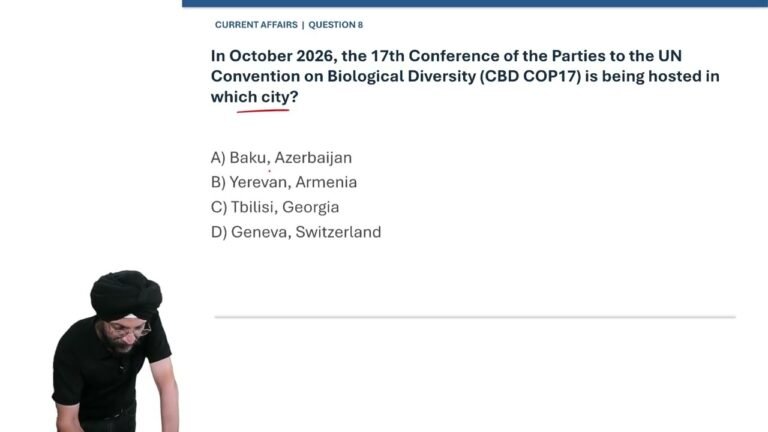
CBD COP17 2026 🌿🌍 | Which City Is Hosting the Biodiversity Conference? | Current Affairs Q8
Test your Environment & International Current Affairs knowledge! 🌿🌍
In
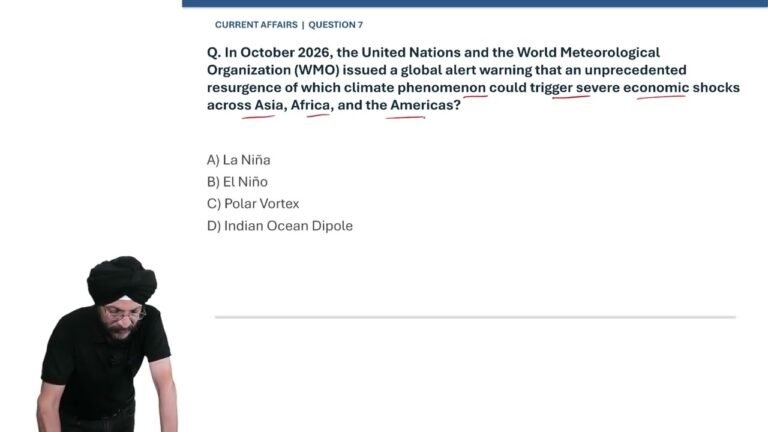
Global Climate Alert 2026 🌍⚠️ | Which Climate Phenomenon Could Trigger Economic Shocks? | Q7
Test your Environment & Climate Current Affairs knowledge! 🌍🌡️
In