
Apex vs LWC: What Should You Learn as a Salesforce Developer?
Salesforce development is no longer limited to writing server-side code. Modern Salesforce applications combine **Apex** for backend business logic with **Lightning Web Components (LWC)** for building interactive user interfaces.
For beginners entering Salesforce Development, one common question is:
**Should I learn Apex first, or should I start with LWC?**
The simple answer is that you should eventually learn **both**. However, the order in which you learn them can make a significant difference to your understanding of Salesforce development.
In this guide, we will explain the differences between Apex and LWC, how they work together, what you should learn first, and how to build a practical Salesforce Developer skill set.
—
## What Is Apex?
**Apex** is Salesforce’s proprietary, strongly typed, object-oriented programming language.
It is primarily used to implement business logic on the Salesforce platform.
Apex allows developers to perform operations that cannot be handled through Salesforce configuration alone.
For example, Apex can be used to:
* Create custom business logic
* Query Salesforce records
* Insert, update, and delete records
* Create triggers
* Build reusable classes and methods
* Process complex data
* Integrate Salesforce with external systems
* Perform asynchronous operations
* Write test classes
Apex is executed on the Salesforce platform and works closely with the Salesforce database.
### Example of Apex
A simple Apex class can look like this:
“`apex
public class AccountService {
public static List<Account> getAccounts() {
return [SELECT Id, Name FROM Account LIMIT 10];
}
}
“`
This example retrieves Account records using **SOQL**, Salesforce Object Query Language.
—
# What Is LWC?
**Lightning Web Components (LWC)** is Salesforce’s modern framework for creating user interfaces.
LWC is based on modern web standards and commonly uses:
* HTML
* JavaScript
* CSS
* Salesforce components
* Apex
* Lightning Data Service
LWC allows developers to create responsive and interactive Salesforce applications.
For example, an LWC could provide a custom screen where users can:
* Search records
* Display account information
* Edit records
* Submit forms
* Filter data
* Display custom tables
* Interact with Salesforce records
### Basic LWC Structure
A typical LWC consists of files such as:
“`text
myComponent.html
myComponent.js
myComponent.js-meta.xml
“`
CSS can also be included when custom styling is required.
—
# Apex vs LWC: The Key Difference
The simplest way to understand the difference is:
**Apex = Backend Logic**
**LWC = Frontend/User Interface**
Apex handles the processing and business logic, while LWC is responsible for presenting information and interacting with users.
| Feature | Apex | LWC |
| ———————- | ————- | ————————————- |
| Primary Purpose | Backend logic | User interface |
| Main Language | Apex | JavaScript |
| Database Interaction | Yes | Usually through LDS, UI APIs, or Apex |
| Business Logic | Yes | Limited/client-side logic |
| User Interface | No | Yes |
| SOQL | Yes | No direct SOQL |
| Triggers | Yes | No |
| HTML | No | Yes |
| CSS | No | Yes |
| JavaScript | No | Yes |
| Server-Side Execution | Yes | No, LWC runs client-side |
| Salesforce Integration | Yes | Can call Apex and Salesforce APIs |
—
# How Apex and LWC Work Together
Apex and LWC are not competing technologies.
In many Salesforce applications, they work together.
Consider a custom Salesforce application where a user wants to search for Accounts.
The process could look like this:
**User → LWC → Apex → Salesforce Database → Apex → LWC → User**
Here’s what happens:
### Step 1: User Interaction
The user enters a search term into an LWC.
### Step 2: LWC Processes the Request
The JavaScript code captures the user’s input.
### Step 3: Apex Is Called
The LWC calls an Apex method.
### Step 4: Apex Queries Salesforce
Apex uses SOQL to retrieve the required records.
### Step 5: Salesforce Returns Data
The records are returned to Apex.
### Step 6: LWC Displays the Data
The LWC receives the result and displays it in the user interface.
This is why Salesforce Developers should understand both frontend and backend development.
—
# Why Should You Learn Apex?
Apex is fundamental for Salesforce Developers.
Although Salesforce provides many declarative tools, some business requirements require custom programming.
Apex becomes especially useful when you need:
### Complex Business Logic
Some requirements cannot be easily implemented using configuration or Flow alone.
### Triggers
Apex Triggers allow developers to execute logic before or after database operations.
Common operations include:
* Before Insert
* Before Update
* After Insert
* After Update
* Before Delete
* After Delete
* After Undelete
### Data Processing
Apex can process large amounts of Salesforce data while following Salesforce platform limits.
### Integrations
Apex can be used as part of integrations between Salesforce and external systems.
### Custom Services
Developers can create reusable Apex classes and methods that can be used by different parts of an application.
—
# Important Apex Topics to Learn
If you want to become a Salesforce Developer, you should build a strong foundation in the following areas:
### Apex Fundamentals
* Variables
* Data Types
* Operators
* Conditional Statements
* Loops
* Methods
* Classes
* Constructors
* Access Modifiers
### Object-Oriented Programming
Learn concepts such as:
* Encapsulation
* Inheritance
* Polymorphism
* Abstraction
* Interfaces
### Collections
Collections are extremely important in Apex.
You should understand:
* List
* Set
* Map
For example:
“`apex
Map<Id, Account> accountMap = new Map<Id, Account>();
“`
### SOQL
Learn how to retrieve Salesforce records efficiently.
### SOSL
Understand how to search across multiple Salesforce objects.
### Triggers
Learn trigger syntax, contexts, bulkification, and trigger best practices.
### Test Classes
Developers must understand how to write test classes and achieve appropriate code coverage.
—
# Why Should You Learn LWC?
Modern Salesforce development heavily relies on Lightning Web Components for customized user experiences.
LWC is important because Salesforce applications often need interfaces beyond standard Salesforce pages.
With LWC, developers can create:
* Custom forms
* Custom buttons
* Data tables
* Search components
* Dashboards
* Record displays
* Interactive applications
* Custom Salesforce pages
—
# Important LWC Topics to Learn
A Salesforce Developer should understand:
### HTML
Learn how to structure the component’s user interface.
### JavaScript
JavaScript is essential for implementing client-side behavior.
Important concepts include:
* Variables
* Functions
* Arrays
* Objects
* Events
* Promises
* Async/Await
* Modules
### Component Lifecycle
Understand important lifecycle concepts such as:
* constructor()
* connectedCallback()
* renderedCallback()
* disconnectedCallback()
### Data Binding
Learn how data moves between JavaScript and HTML.
### Events
Understand how components communicate with each other using events.
### Lightning Data Service
Learn how Salesforce’s UI APIs and Lightning Data Service can be used to work with records without unnecessarily writing Apex.
### Apex Integration
Learn how an LWC can call Apex methods when server-side logic is required.
—
# Apex or LWC: Which One Should You Learn First?
For most beginners, the recommended approach is:
**Salesforce Fundamentals → Apex → SOQL → Triggers → LWC → Integration**
Why learn Apex first?
Because understanding the backend and Salesforce data model makes it easier to understand how LWC interacts with Salesforce.
However, you should not wait until you become an Apex expert before starting LWC.
Once you understand the fundamentals of Apex and Salesforce data access, start learning LWC alongside more advanced Apex concepts.
—
# Recommended Salesforce Developer Roadmap
If your goal is to become job-ready, consider following this sequence.
### Phase 1: Salesforce Fundamentals
Start with:
* CRM Concepts
* Salesforce Architecture
* Objects
* Fields
* Relationships
* Data Model
* Users
* Profiles
* Permission Sets
### Phase 2: Salesforce Administration
Learn:
* Security
* Validation Rules
* Record Types
* Reports
* Dashboards
* Data Management
* Salesforce Flow
A developer who understands administration can better understand real-world Salesforce requirements.
### Phase 3: Apex
Learn:
* Apex Fundamentals
* OOPs
* Collections
* SOQL
* SOSL
* DML
* Exception Handling
* Classes
* Triggers
* Test Classes
### Phase 4: LWC
Move into:
* HTML
* JavaScript
* CSS
* LWC Architecture
* Properties
* Events
* Component Communication
* Lightning Data Service
* Apex Integration
### Phase 5: Integration
Learn:
* REST API
* SOAP API
* HTTP Callouts
* JSON
* Authentication
* External Systems
* Integration Patterns
### Phase 6: Deployment
Finally, understand:
* Change Sets
* Salesforce CLI
* Metadata
* Sandboxes
* Deployment
* Version Control
* Git
—
# Apex vs LWC for Career Opportunities
Learning only one technology can limit your ability to handle complete Salesforce development projects.
For example, an organization might need a developer to:
1. Create a custom user interface.
2. Retrieve Salesforce records.
3. Apply business rules.
4. Update records.
5. Integrate with an external application.
6. Display the results to users.
LWC may handle the interface, while Apex may handle server-side processing and business logic.
Therefore, learning both gives you a broader development skill set.
—
# Common Mistakes Beginners Make
### 1. Learning LWC Without Understanding Salesforce
LWC is easier to understand when you already know Salesforce objects, relationships, security, and data access.
### 2. Ignoring SOQL
A developer working with Salesforce data needs a strong understanding of SOQL.
### 3. Memorizing Apex Instead of Practicing
Programming concepts become much easier when you build actual solutions.
### 4. Ignoring Governor Limits
Salesforce has platform limits designed to ensure efficient use of shared resources.
Understanding governor limits is essential for writing scalable Apex.
### 5. Learning Only Coding
Salesforce development is not just about writing code.
A good developer should understand:
**Business Requirement → Salesforce Data Model → Security → Automation → Apex/LWC → Testing → Deployment**
—
# Which Is More Important: Apex or LWC?
There is no universal answer.
It depends on the role you want.
### If You Want to Focus on Backend Development
Prioritize:
**Apex + SOQL + Triggers + APIs + Integration**
### If You Want to Focus on Frontend Development
Prioritize:
**LWC + JavaScript + HTML + CSS + Salesforce UI APIs**
### If You Want to Become a Complete Salesforce Developer
Learn:
**Apex + SOQL + LWC + Integration + Deployment**
This is generally the strongest approach for someone targeting broader Salesforce Developer responsibilities.
—
# Final Verdict: Apex vs LWC
Apex and LWC serve different purposes.
**Apex handles server-side logic, data processing, automation, and complex business requirements.**
**LWC handles modern Salesforce user interfaces and client-side interactions.**
So, instead of asking **“Apex or LWC?”**, think:
**“How can I use Apex and LWC together to build complete Salesforce solutions?”**
For beginners, start with Salesforce fundamentals, build a strong Apex and SOQL foundation, and then move into LWC. As you gain experience, combine both technologies through real-world projects.
—
# Learn Salesforce Development with Prabh Kirpa Classes
If you are planning to build a career as a Salesforce Developer, learning concepts systematically can make your journey much easier.
At **Prabh Kirpa Classes**, you can build your Salesforce development knowledge step by step, covering important areas such as:
**Salesforce Fundamentals → Apex → SOQL/SOSL → Triggers → Flow → LWC → Integration → Deployment**
The goal should not be simply to learn syntax. Focus on understanding **how Salesforce works, how to solve business requirements, and how different technologies work together**.
Start learning, practice regularly, build projects, and strengthen your Salesforce development skills for your career journey.
## Frequently Asked Questions
### Is Apex required for Salesforce Development?
For many Salesforce Developer roles, Apex is an important skill because developers often need to implement server-side business logic and work with Salesforce data.
### Is LWC easier than Apex?
It depends on your background. People familiar with JavaScript and web development may find LWC more comfortable, while programmers may find Apex easier to approach.
### Should I learn Apex before LWC?
For most beginners, learning Salesforce fundamentals and Apex/SOQL basics before LWC provides a strong foundation. You can then learn LWC alongside more advanced development concepts.
### Can I become a Salesforce Developer by learning only LWC?
Learning LWC alone may not be sufficient for many Salesforce Developer roles. A broader skill set including Apex, SOQL, Salesforce data modeling, security, testing, and integration is more useful.
### What should I learn after Apex?
After building a solid Apex and SOQL foundation, move into LWC, Salesforce APIs, integrations, testing, and deployment.
### Is Salesforce Development a good career option?
Salesforce Development offers multiple technology-focused career paths. However, your opportunities will depend on your skills, practical experience, projects, certifications, and ability to solve real-world Salesforce requirements.
Newsletter
Recent Posts

Trump Warns EU Over Canada’s Proposed Associate Membership 🇺🇸🇨🇦🇪🇺 | Current Affairs 2026
U.S. President Donald Trump warned the European Union of potential
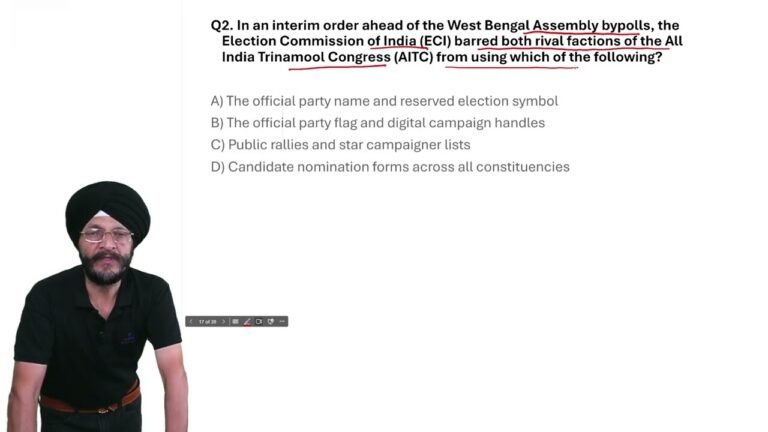
West Bengal Bypolls 2026: ECI Bans TMC Name & Symbol | Current Affairs MCQ
In today’s Current Affairs 2026 MCQ, we cover an important

Trump Warns EU Over Canada’s Associate Membership | Current Affairs MCQ 2026
In today’s Current Affairs 2026, we cover an important international
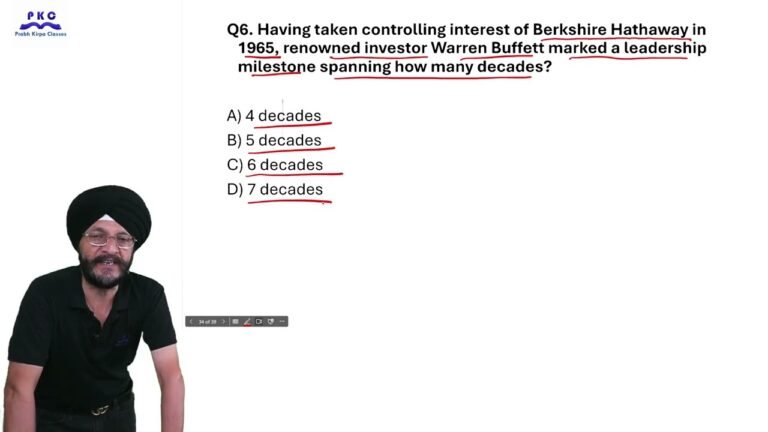
23 September 2026 Current Affairs | Top 10 MCQs for Competitive Exams
23 September 2026 Current Affairs | Daily Current Affairs MCQs