
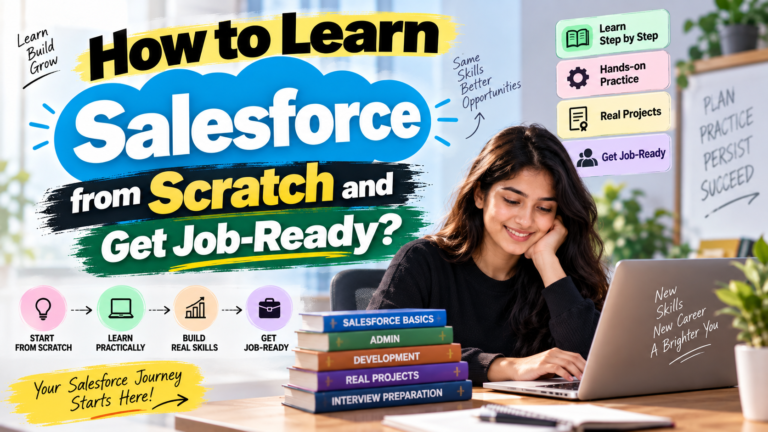
How to Learn Salesforce from Scratch and Get Job-Ready?
# How to Learn Salesforce from Scratch and Get Job-Ready?
Salesforce has become one of the most popular CRM platforms for businesses around the world. As companies increasingly use Salesforce to manage customers, sales, marketing, service, and business operations, the demand for professionals with Salesforce skills continues to grow.
For students, fresh graduates, working professionals, and people looking to switch careers, learning Salesforce can be a practical way to build a career in the technology and CRM industry.
But a common question beginners have is:
**How can you learn Salesforce from scratch and actually become job-ready?**
The answer is not simply watching random tutorials or memorizing Salesforce features. You need a structured learning path that combines Salesforce concepts, hands-on practice, projects, certification preparation, and interview skills.
This guide explains a step-by-step roadmap for beginners who want to learn Salesforce and prepare for a career.
—
## What Is Salesforce?
Salesforce is a cloud-based Customer Relationship Management (CRM) platform that helps businesses manage customer information, sales processes, service operations, marketing activities, and other business functions.
Unlike traditional software that often requires installation on individual computers, Salesforce is primarily cloud-based. Users can access the platform through the internet.
Salesforce provides different products and technologies for different business requirements, including:
* Sales Cloud
* Service Cloud
* Experience Cloud
* Marketing Cloud
* Commerce Cloud
* Salesforce Platform
* Lightning Experience
* Apex
* Lightning Web Components
* Flow
* Salesforce APIs
Because the Salesforce ecosystem includes both functional and technical roles, students can choose a career path according to their interests and background.
—
# Why Should Students Learn Salesforce?
One of the biggest advantages of Salesforce is that it offers multiple career paths.
A student who is interested in configuration and business processes can explore the **Salesforce Administrator** path.
Someone interested in programming can move toward **Salesforce Development**, Apex, and Lightning Web Components.
Students can also explore areas such as Salesforce integration, automation, deployment, and specialized Salesforce Clouds.
Some popular Salesforce career roles include:
* Salesforce Administrator
* Salesforce Developer
* Salesforce Consultant
* Salesforce Business Analyst
* Salesforce Support Professional
* Salesforce Technical Consultant
* Salesforce Integration Developer
The important thing is to choose one direction first rather than trying to learn everything simultaneously.
—
# Step 1: Understand CRM Fundamentals
Before jumping directly into advanced Salesforce development, beginners should understand the fundamentals of CRM.
Learn concepts such as:
* What is CRM?
* Why do businesses use CRM?
* What is a lead?
* What is an opportunity?
* What is an account?
* What is a contact?
* What is a sales pipeline?
* What is customer service?
* How does a CRM help businesses?
These concepts make Salesforce easier to understand because many Salesforce features are designed around real-world business processes.
For example, a company may receive a potential customer inquiry. That inquiry can become a lead. After qualification, it may become an opportunity and eventually a customer.
Understanding this business process will help you understand why Salesforce objects and automation tools are used.
—
# Step 2: Start With Salesforce Fundamentals
Once you understand CRM basics, start learning the Salesforce platform.
Beginners should become familiar with the Salesforce interface and basic terminology.
Important concepts include:
* Salesforce Org
* App
* Objects
* Records
* Fields
* Tabs
* List Views
* Page Layouts
* Lightning Experience
* Standard Objects
* Custom Objects
You should understand how data is stored and managed inside Salesforce.
For example, Salesforce provides standard objects such as:
* Account
* Contact
* Lead
* Opportunity
* Case
You should also learn how custom objects and custom fields can be created according to business requirements.
—
# Step 3: Learn Salesforce Data Modeling
Data modeling is an important part of Salesforce learning.
Students should understand how different records and objects are connected.
Some important topics include:
### Objects
Objects are similar to database tables and are used to store information.
### Fields
Fields store specific pieces of information about a record.
For example, an Account may contain fields such as:
* Account Name
* Phone
* Website
* Industry
### Relationships
Learn how Salesforce objects are connected through relationships.
Important relationship concepts include:
* Lookup Relationship
* Master-Detail Relationship
* Many-to-Many Relationship
* Junction Object
Understanding relationships is extremely important for both Salesforce Admin and Developer roles.
—
# Step 4: Learn Salesforce Security and Access
Security is one of the most important areas of Salesforce.
A job-ready student should understand how Salesforce controls access to data.
Important topics include:
* Profiles
* Permission Sets
* Roles
* Organization-Wide Defaults
* Sharing Rules
* Field-Level Security
* Object Permissions
* Record-Level Access
For example, a company may want sales representatives to access their own records while managers need access to records belonging to their teams.
You should understand how Salesforce security features can be used to implement such requirements.
—
# Step 5: Learn Salesforce Automation
Automation is another major Salesforce skill.
Businesses use automation to reduce repetitive manual work and improve processes.
Beginners should learn Salesforce Flow.
Important Flow topics include:
* Screen Flow
* Record-Triggered Flow
* Auto-Launched Flow
* Flow Variables
* Flow Resources
* Assignment
* Decision
* Get Records
* Create Records
* Update Records
* Delete Records
* Debugging
Students should not only memorize Flow elements. They should practice creating automation for real business scenarios.
For example:
**Scenario:** When a new customer record is created, automatically create a related task for the sales team.
Understanding how to solve such scenarios will make your Salesforce skills more practical.
—
# Step 6: Learn Salesforce Reports and Dashboards
Companies don’t use Salesforce only for storing data. They also use it to analyze business performance.
Therefore, students should learn:
* Reports
* Report Types
* Filters
* Summary Reports
* Matrix Reports
* Tabular Reports
* Charts
* Dashboards
* Dashboard Components
For example, a sales manager may want to see:
* Total opportunities
* Closed deals
* Sales pipeline
* Monthly revenue
* Sales performance by employee
A Salesforce professional should know how to create reports and dashboards that provide useful business insights.
—
# Step 7: Move to Salesforce Development
If you want to become a Salesforce Developer, your learning path should continue into programming.
The first major programming language to learn in Salesforce is **Apex**.
Apex is Salesforce’s programming language used to implement customized business logic on the platform.
Beginners should learn:
* Apex fundamentals
* Variables
* Data Types
* Operators
* Conditional Statements
* Loops
* Classes
* Methods
* Constructors
* Collections
* List
* Set
* Map
* Exception Handling
* SOQL
* SOSL
* DML
Students should practice writing Apex programs rather than only watching lectures.
—
# Step 8: Learn SOQL and DML
Two particularly important areas for Salesforce Developers are **SOQL and DML**.
### SOQL
SOQL stands for Salesforce Object Query Language.
It is used to retrieve records from Salesforce.
For example, a developer may need to retrieve all Accounts from a particular industry.
### DML
DML operations are used to perform database operations on Salesforce records.
Common operations include:
* Insert
* Update
* Delete
* Undelete
* Upsert
Understanding SOQL and DML is essential for Salesforce development interviews.
—
# Step 9: Learn Lightning Web Components
After gaining a strong foundation in Apex and Salesforce development, students can move toward **Lightning Web Components (LWC)**.
LWC is Salesforce’s modern framework for building user interfaces.
Students interested in development should learn concepts such as:
* HTML
* CSS
* JavaScript
* LWC Components
* Component Structure
* Properties
* Events
* Data Binding
* Apex Integration
* Lightning Data Service
* Component Communication
Learning LWC can help students build more advanced Salesforce applications.
—
# Step 10: Understand Salesforce APIs and Integration
Modern businesses often need Salesforce to communicate with other applications.
This is where integration knowledge becomes valuable.
Students can gradually learn:
* APIs
* REST API
* SOAP API
* HTTP
* JSON
* XML
* Authentication
* Integration concepts
You don’t need to start with advanced integration topics on day one.
First build your Salesforce fundamentals, then move toward APIs and integration.
—
# Step 11: Practice With Real-World Projects
One of the biggest mistakes beginners make is focusing only on theory.
**Hands-on practice is essential if you want to become job-ready.**
Instead of simply watching classes, create projects.
For example, you could build a:
### Sales Management System
Your project could include:
* Lead management
* Account management
* Contact management
* Opportunity tracking
* Sales stages
* Automated tasks
* Reports
* Dashboards
* Security configuration
Another project could be a:
### Customer Service Management System
It could include:
* Case management
* Case assignment
* Automation
* Customer records
* Service reports
* Dashboards
Projects give you practical experience and also give you something meaningful to discuss during interviews.
—
# Step 12: Prepare for Salesforce Certification
Certification can help demonstrate your Salesforce knowledge.
Beginners commonly start with Salesforce Administrator certification preparation.
Certification preparation can help you revise important concepts such as:
* Salesforce fundamentals
* Data management
* Security
* Reports
* Dashboards
* Automation
* Configuration
However, certification should not replace practical learning.
A student who has only memorized certification questions may struggle when asked to solve real-world scenarios in an interview.
The better approach is:
**Learn → Practice → Build Projects → Revise → Prepare for Certification → Prepare for Interviews**
—
# Step 13: Start Salesforce Interview Preparation Early
Don’t wait until the end of your course to begin interview preparation.
Start practicing interview questions while learning.
For Salesforce Admin interviews, prepare questions related to:
* Profiles
* Permission Sets
* Roles
* OWD
* Sharing Rules
* Record Types
* Page Layouts
* Validation Rules
* Flow
* Reports
* Dashboards
* Data Management
For Salesforce Developer interviews, prepare:
* Apex
* SOQL
* SOSL
* DML
* Collections
* Triggers
* Classes
* Governor Limits
* Test Classes
* LWC
* Integration
You should also practice scenario-based questions.
For example:
**“A sales representative should see only their own records, while their manager should see the records of the entire team. How would you configure access?”**
Scenario-based questions test whether you understand how Salesforce works in real business situations.
—
# How Long Does It Take to Learn Salesforce?
The learning time depends on your background, daily study hours, and career goal.
A beginner learning Salesforce Administration may need several weeks to build a solid foundation.
Students targeting development may need additional time for:
* Programming
* Apex
* SOQL
* Triggers
* LWC
* Integration
* Testing
* Deployment
Instead of focusing only on completing a course quickly, focus on becoming **job-ready**.
A structured learning plan could look like this:
### Phase 1: Salesforce Basics
Learn CRM, Salesforce interface, objects, fields, and records.
### Phase 2: Administration
Learn security, relationships, automation, reports, dashboards, and data management.
### Phase 3: Development
Learn Apex, SOQL, SOSL, DML, triggers, classes, and testing.
### Phase 4: LWC
Learn JavaScript, components, events, Apex integration, and UI development.
### Phase 5: Projects
Build real-world Salesforce applications.
### Phase 6: Career Preparation
Prepare for certification, resumes, interviews, and practical scenarios.
—
# Common Mistakes Salesforce Beginners Should Avoid
### 1. Trying to Learn Everything at Once
Salesforce is a huge ecosystem. Don’t try to master Admin, Development, LWC, Integration, Marketing Cloud, and every other Salesforce technology s
Newsletter
Recent Posts
Salesforce Career Roadmap for Beginners: What Should You Learn First?
Are you a student, fresher, or working professional planning to
How to Learn Salesforce from Scratch and Get Job-Ready?
# How to Learn Salesforce from Scratch and Get Job-Ready?
AfD Emerges as Largest Party in Saxony-Anhalt Election | Germany State Elections 2026
Germany State Elections 2026 🇩🇪🗳️
📌 Current Affairs Question:

OPEC+ October 2026: What Decision Was Taken on Crude Oil Production Quotas? | Current Affairs MCQ
OPEC+ Alliance Takes an Important Decision on Crude Oil Production