
How to Prepare for a Salesforce Developer Interview: Top Questions & Skills to Master
How to Prepare for a Salesforce Developer Interview: Top Questions & Skills to Master
A Salesforce Developer interview is not just about knowing Apex syntax or creating Lightning Web Components. Companies look for developers who understand the Salesforce platform, automation, data relationships, security, integrations, governor limits, and real-world development practices.
Whether you are a beginner preparing for your first Salesforce Developer job or an experienced professional looking to switch roles, structured preparation can significantly improve your confidence and interview performance.
This guide explains how to prepare for a Salesforce Developer interview, the most important skills to master, common interview questions, practical scenarios, and a step-by-step preparation strategy.
What Does a Salesforce Developer Do?
A Salesforce Developer is responsible for building and customizing solutions on the Salesforce platform according to business requirements.
Typical responsibilities include:
- Developing Apex classes and triggers
- Writing SOQL and SOSL queries
- Building Lightning Web Components
- Creating automation using Flow and Apex
- Working with Salesforce objects and relationships
- Developing integrations using APIs
- Implementing security and access controls
- Writing test classes
- Debugging and optimizing Salesforce applications
- Deploying changes between Salesforce environments
- Working with administrators and business teams
A good Salesforce Developer must understand both technical concepts and business requirements.
Why Is Salesforce Developer Interview Preparation Important?
Salesforce interviews are often scenario-based rather than purely theoretical.
An interviewer may not simply ask:
What is an Apex trigger?
Instead, you may be asked:
How would you automatically update related records when a specific field changes?
This means you need to understand why and when a particular Salesforce feature should be used, not just its definition.
Strong preparation helps you:
- Answer technical questions confidently
- Solve real-world Salesforce scenarios
- Explain your development approach
- Avoid common interview mistakes
- Demonstrate knowledge of Salesforce best practices
- Handle coding questions
- Explain projects effectively
- Communicate technical concepts clearly
Top Skills to Master for a Salesforce Developer Interview
Before focusing on interview questions, make sure your fundamentals are strong.
1. Salesforce Platform Fundamentals
You should understand the Salesforce architecture and basic platform concepts.
Important topics include:
- Standard Objects
- Custom Objects
- Fields
- Record Types
- Page Layouts
- Relationships
- Validation Rules
- Formula Fields
- Roll-Up Summary Fields
- Approval Processes
- Flow
- Reports
- Dashboards
You should also understand how Salesforce stores and manages data.
2. Salesforce Data Model
The Salesforce data model is one of the most important areas for developers.
You should understand:
Objects
Objects are similar to database tables.
Examples include:
- Account
- Contact
- Lead
- Opportunity
- Case
You should also understand custom objects and custom fields.
Relationships
Important Salesforce relationships include:
- Lookup Relationship
- Master-Detail Relationship
- Many-to-Many Relationship
- Junction Objects
Interview Scenario
Question: How would you create a many-to-many relationship between two objects?
Answer: A common approach is to create a junction object containing two master-detail relationships, one to each related object.
Understanding these relationships helps you design scalable Salesforce solutions.
3. Apex Programming
Apex is one of the most important skills for a Salesforce Developer.
You should be comfortable with:
- Classes
- Methods
- Variables
- Collections
- Lists
- Sets
- Maps
- Loops
- Conditional statements
- Exception handling
- Constructors
- Static methods
- Interfaces
- Inheritance
- SOQL
- DML
You should also understand Salesforce-specific Apex concepts such as:
- Governor Limits
- Trigger Context Variables
- Test Classes
- Asynchronous Apex
- Batch Apex
- Queueable Apex
- Future Methods
4. Apex Collections
Collections are frequently discussed in Salesforce Developer interviews.
The three major collection types are:
List
A List is an ordered collection that can contain duplicate values.
Example:
List<String> names = new List<String>();
Set
A Set contains unique values.
Set<String> names = new Set<String>();
Map
A Map stores key-value pairs.
Map<Id, Account> accountMap = new Map<Id, Account>();
Interviewers may ask you when you would use a List, Set, or Map.
You should be able to explain the practical use case instead of simply giving definitions.
5. SOQL and SOSL
A Salesforce Developer should have a strong understanding of data querying.
SOQL
SOQL stands for Salesforce Object Query Language.
It is used to retrieve records from Salesforce objects.
Example:
List<Account> accounts = [
    SELECT Id, Name
    FROM Account
];
You should understand:
- SELECT
- FROM
- WHERE
- ORDER BY
- LIMIT
- GROUP BY
- Aggregate Functions
- Parent-to-Child Queries
- Child-to-Parent Queries
SOSL
SOSL stands for Salesforce Object Search Language.
It is useful when searching for information across multiple objects.
Common Interview Question
What is the difference between SOQL and SOSL?
SOQL is generally used to query records from a specific object or related objects, while SOSL is designed for text-based searches across multiple objects.
6. Salesforce Triggers
Triggers are another major Salesforce Developer interview topic.
A trigger allows developers to execute Apex logic before or after specific record events.
Common events include:
- Before Insert
- Before Update
- Before Delete
- After Insert
- After Update
- After Delete
- After Undelete
Example Interview Question
What is the difference between a before trigger and an after trigger?
A before trigger is commonly used when you need to modify or validate records before they are saved.
An after trigger is useful when you need access to records after they have been saved, particularly when working with related records or generated record information.
7. Trigger Context Variables
You should know the commonly used trigger context variables.
Examples include:
Trigger.newTrigger.oldTrigger.newMapTrigger.oldMapTrigger.isInsertTrigger.isUpdateTrigger.isDeleteTrigger.isBeforeTrigger.isAfter
Interview Question
What is the difference between Trigger.new and Trigger.old?
Trigger.new represents the new versions of records, while Trigger.old represents the previous versions of records.
However, availability depends on the trigger event.
8. Bulkification
Bulkification is one of the most important concepts for Salesforce Developers.
Salesforce processes records in groups rather than assuming that only one record will be processed.
Your code should therefore work efficiently when processing:
- 1 record
- 10 records
- 100 records
- Hundreds of records
Bad Practice
Avoid SOQL queries or DML operations inside loops.
Better Approach
Collect the required IDs or records, perform the operation in bulk, and then process the results.
Interview Question
Why should you avoid SOQL inside a loop?
Because Salesforce enforces governor limits on database operations. Executing queries repeatedly inside loops can quickly exceed those limits.
9. Salesforce Governor Limits
Governor Limits are a fundamental Salesforce Developer interview topic.
Salesforce uses limits to ensure that one transaction does not consume excessive shared resources.
You should understand limits related to:
- SOQL queries
- DML statements
- CPU time
- Heap size
- Callouts
- Database operations
You don’t necessarily need to memorize every platform limit, but you should understand the concept and know how to design code that works within platform limits.
10. Salesforce Flow
Modern Salesforce development often involves choosing between declarative automation and programmatic solutions.
You should understand:
- Screen Flow
- Record-Triggered Flow
- Scheduled Flow
- Autolaunched Flow
- Flow Variables
- Assignment
- Decision
- Get Records
- Create Records
- Update Records
- Delete Records
- Debugging Flow
Interview Scenario
When would you use Flow instead of Apex?
For many straightforward automation requirements, Flow can provide a maintainable declarative solution. Apex may be more appropriate when requirements involve complex logic, advanced processing, or functionality that Flow cannot efficiently provide.
A strong developer should know when not to write code.
11. Lightning Web Components
Lightning Web Components, commonly called LWC, are essential for many Salesforce Developer roles.
You should understand:
- Components
- HTML Templates
- JavaScript
- CSS
- Properties
- Events
- Decorators
- Data Binding
- Lifecycle Hooks
- Apex Integration
- Lightning Data Service
- Component Communication
Important concepts include:
@api- Reactive properties
- Event communication
- Parent-child communication
- Wire service
- Imperative Apex calls
12. LWC Interview Questions
Some common questions include:
What is LWC?
LWC is Salesforce’s modern component framework based on standard web technologies such as HTML, JavaScript, and CSS.
What is the purpose of @api?
@api is used to expose a public property or method that can be accessed by a parent component.
What is the difference between wired and imperative Apex?
Wired Apex is useful for reactive data retrieval, while imperative Apex provides more direct control over when the Apex method is invoked.
How do components communicate?
Depending on the architecture, components can communicate through public properties, custom events, and other Salesforce-supported communication patterns.
13. Salesforce Integration
Salesforce Developers frequently work with external systems.
You should understand:
- REST API
- SOAP API
- REST Callouts
- HTTP Methods
- JSON
- XML
- Named Credentials
- Authentication
- External Services
- Connected Apps
Common HTTP methods include:
- GET
- POST
- PUT
- PATCH
- DELETE
Interview Scenario
How would Salesforce communicate with an external application?
The solution depends on the integration requirement. Salesforce can consume external services through APIs and callouts, while external applications can interact with Salesforce through Salesforce APIs.
14. Asynchronous Apex
You should understand why asynchronous processing is used.
Important concepts include:
- Future Methods
- Queueable Apex
- Batch Apex
- Scheduled Apex
Batch Apex
Batch Apex is useful when processing large volumes of records.
Queueable Apex
Queueable Apex is useful for asynchronous processing and more flexible job management.
Future Methods
Future methods allow certain operations to execute asynchronously.
Interviewers may ask you to compare these approaches and explain which one you would choose for a particular scenario.
15. Salesforce Testing
Salesforce requires Apex code to be properly tested before deployment.
You should understand:
- Test Classes
- Test Methods
Test.startTest()Test.stopTest()- Test Data Creation
- Assertions
- Positive Testing
- Negative Testing
- Bulk Testing
Interview Question
Why are test classes important in Salesforce?
They help verify that Apex functionality works as expected and support Salesforce’s deployment requirements.
A good test should not simply execute code. It should verify that the expected result actually occurred.
16. Salesforce Security
Security is another important area for interviews.
You should understand:
- Profiles
- Permission Sets
- Roles
- Organization-Wide Defaults
- Sharing Rules
- Manual Sharing
- Field-Level Security
- Object Permissions
- Record-Level Access
You should also understand the difference between:
Profile
Defines baseline permissions and settings for users.
Permission Set
Provides additional permissions without requiring a separate profile.
Role
Primarily influences record visibility through the role hierarchy and sharing model.
OWD
Organization-Wide Defaults establish the baseline level of record access.
17. Deployment and Development Tools
A Salesforce Developer should understand how changes move between environments.
Important concepts include:
- Sandboxes
- Production
- Change Sets
- Salesforce CLI
- VS Code
- Metadata
- Deployment
- Validation
- Version Control
- Git
You should be able to explain how you would safely develop, test, and deploy a feature.
Top Salesforce Developer Interview Questions
Here are some questions you should practice before your interview.
Salesforce Fundamentals
- What is Salesforce?
- What is the Salesforce platform?
- What is the difference between standard and custom objects?
- What is a record type?
- What is a page layout?
- What is a validation rule?
- What is a formula field?
- What is a roll-up summary field?
- What is a junction object?
- What is the difference between lookup and master-detail relationships?
Apex Interview Questions
- What is Apex?
- What are Apex collections?
- What is a List?
- What is a Set?
- What is a Map?
- What is SOQL?
- What is SOSL?
- What is DML?
- What are governor limits?
- What is bulkification?
- What are exception-handling techniques in Apex?
- What is asynchronous Apex?
- What is Batch Apex?
- What is Queueable Apex?
- What is a Future method?
Trigger Interview Questions
- What is an Apex Trigger?
- What are before and after triggers?
- What is
Trigger.new? - What is
Trigger.old? - What is
Trigger.newMap? - What is
Trigger.oldMap? - How do you prevent trigger recursion?
- How do you bulkify a trigger?
- Can you call a future method from a trigger?
- How would you design a trigger framework?
SOQL Interview Questions
- What is the difference between SOQL and SOSL?
- What is a relationship query?
- What is a parent-to-child query?
- What is a child-to-parent query?
- What are aggregate queries?
- What is a selective query?
- How can you optimize a SOQL query?
LWC Interview Questions
- What is LWC?
- What are the main files of an LWC?
- What is
@api? - What is the wire service?
- What is the difference between wired and imperative Apex?
- How do components communicate?
- What are lifecycle hooks?
- How can you call Apex from LWC?
- What is Lightning Data Service?
- How do you handle errors in LWC?
Scenario-Based Salesforce Developer Interview Questions
Scenario-based questions are especially important.
Scenario 1: Account Update
Question: When an Account’s industry changes, you need to update related Contacts. How would you approach the requirement?
A strong answer should discuss:
- Whether Flow can handle the requirement
- Whether Apex is actually necessary
- Related-record processing
- Bulkification
- Avoiding SOQL inside loops
- Error handling
- Testing
Scenario 2: Large Data Volume
Question: You need to process hundreds of thousands of records. What would you use?
A possible solution could involve Batch Apex, depending on the exact requirement.
You should explain why synchronous processing may not be appropriate and how batch processing can divide large workloads.
Scenario 3: External API
Question: Salesforce needs to send customer information to an external application.
You should discuss:
- API integration
- REST callouts
- Authentication
- JSON
- Named Credentials
- Error handling
- Asynchronous processing where appropriate
- Monitoring and logging
Scenario 4: LWC Data Retrieval
Question: An LWC needs to display Account records.
You should consider whether the requirement can be handled using:
- Lightning Data Service
- Wire service
- Apex
- Imperative Apex
The best answer depends on the business requirement.
How to Explain Your Salesforce Project in an Interview
One of the most important parts of a Salesforce Developer interview is explaining your project.
Use a simple structure:
1. Project Overview
Explain what the project does.
2. Business Problem
Explain the problem the organization wanted to solve.
3. Your Role
Clearly explain what you personally worked on.
4. Technologies
Mention technologies such as:
- Apex
- Triggers
- LWC
- Flow
- SOQL
- REST API
- Salesforce CLI
5. Challenges
Explain one or two technical challenges.
6. Solution
Describe how you solved them.
7. Result
Explain the improvement achieved.
Avoid saying only:
I worked on Salesforce development.
Instead, explain your responsibilities and technical decisions.
How to Answer Technical Questions
A useful approach is:
Definition → Example → Business Scenario
For example, if asked about a trigger:
Definition: Explain what a trigger is.
Example: Explain when it executes.
Scenario: Explain where you would use it in a real project.
This makes your answer more practical and demonstrates deeper understanding.
Common Mistakes in Salesforce Developer Interviews
1. Memorizing Answers
Interviewers often change the scenario.
Understanding the concept is much more valuable than memorizing definitions.
2. Ignoring Governor Limits
A technically correct solution may still be a poor Salesforce solution if it violates platform limits.
3. Writing Apex for Everything
Developers should understand when Flow or another declarative solution is more appropriate.
4. Not Knowing LWC
For modern Salesforce development roles, LWC knowledge can be extremely valuable.
5. Weak SOQL Knowledge
Developers frequently work with Salesforce data, so querying skills are essential.
6. Poor Project Explanation
Even strong technical skills can be difficult to demonstrate if you cannot clearly explain your previous work.
7. Ignoring Security
A Salesforce Developer should understand how data access and permissions work.
30-Day Salesforce Developer Interview Preparation Plan
Week 1: Salesforce Fundamentals
Focus on:
- Salesforce architecture
- Objects
- Fields
- Relationships
- Record Types
- Validation Rules
- Security basics
- Flow
Practice basic interview questions every day.
Week 2: Apex and SOQL
Focus on:
- Apex fundamentals
- Collections
- SOQL
- SOSL
- DML
- Governor Limits
- Bulkification
- Exception Handling
Write small Apex programs instead of only watching tutorials.
Week 3: Triggers and LWC
Focus on:
- Trigger events
- Context variables
- Trigger best practices
- Trigger frameworks
- LWC fundamentals
- JavaScript
- Component communication
- Apex integration
Practice scenario-based questions.
Week 4: Advanced Topics and Mock Interviews
Focus on:
- Integration
- REST API
- Asynchronous Apex
- Batch Apex
- Queueable Apex
- Testing
- Deployment
- Security
- Project explanation
Then conduct mock interviews.
Practical Preparation Strategy
A strong Salesforce Developer preparation strategy should include four areas:
Learn
Understand the Salesforce concepts.
Practice
Write Apex, SOQL, LWC, and Flow solutions.
Build
Create small projects to gain practical experience.
Explain
Practice explaining your technical decisions clearly.
The ability to build and explain is often more valuable than simply memorizing interview answers.
What Skills Do Companies Look for in a Salesforce Developer?
A strong candidate should ideally demonstrate:
- Salesforce fundamentals
- Apex
- SOQL
- SOSL
- Triggers
- LWC
- Flow
- Salesforce security
- Integration concepts
- Testing
- Debugging
- Deployment knowledge
- Problem-solving
- Communication skills
- Business understanding
Technical skills are important, but your ability to understand requirements and design practical solutions is equally valuable.
Salesforce Developer Career Path
A typical Salesforce development learning path can look like:
Salesforce Fundamentals
↓
Admin Concepts
↓
SOQL & SOSL
↓
Apex Programming
↓
Triggers
↓
Flow & Automation
↓
Lightning Web Components
↓
Integration
↓
Testing & Deployment
↓
Real-World Projects
↓
Interview Preparation
This approach allows beginners to gradually build the knowledge required for Salesforce Developer roles.
Frequently Asked Questions
What should I study first for a Salesforce Developer interview?
Start with Salesforce fundamentals, data modeling, Apex, SOQL, triggers, Flow, LWC, security, testing, and integration concepts.
Is Apex enough to become a Salesforce Developer?
Apex is important, but modern Salesforce development also requires knowledge of LWC, SOQL, Flow, security, testing, and integration concepts.
Are Salesforce Developer interviews difficult?
The difficulty depends on the role and your experience. Scenario-based questions can be challenging because they test your ability to apply concepts to real business problems.
How can I improve my Salesforce interview skills?
Practice technical questions, solve practical scenarios, build projects, revise important concepts, and participate in mock interviews.
Do I need to know JavaScript for LWC?
Yes. Since LWC uses standard web technologies, JavaScript is an important skill for Salesforce Developers working with Lightning Web Components.
Should I learn Flow if I want to become a Salesforce Developer?
Yes. Understanding Flow helps developers choose the appropriate solution between declarative automation and programmatic development.
How important are governor limits?
Very important. Salesforce Developers must design solutions that work efficiently within the platform’s resource limits.
Final Thoughts
Preparing for a Salesforce Developer interview requires more than memorizing a list of questions.
You need to understand how Salesforce works, how data is structured, how Apex and LWC are used, how automation should be designed, how integrations work, and how to build scalable solutions within Salesforce’s platform limitations.
Focus on concepts + hands-on practice + real-world scenarios + communication.
If you are preparing for a Salesforce Developer career, build your skills step by step and practice explaining your solutions as if you were already working on a real Salesforce project.
With consistent preparation, practical development experience, and strong knowledge of Apex, SOQL, Triggers, Flow, LWC, Integration, Security, Testing, and Deployment, you can approach Salesforce Developer interviews with much greater confidence.
Start Building Your Salesforce Development Skills
Prabh Kirpa Classes provides Salesforce-focused learning content covering important areas of Salesforce development, including Salesforce Admin, Development, Apex, LWC, Integration, and interview preparation.
Explore the available Salesforce learning resources and continue building the technical skills needed for your Salesforce career.
Newsletter
Recent Posts

Trump Warns EU Over Canada’s Proposed Associate Membership 🇺🇸🇨🇦🇪🇺 | Current Affairs 2026
U.S. President Donald Trump warned the European Union of potential
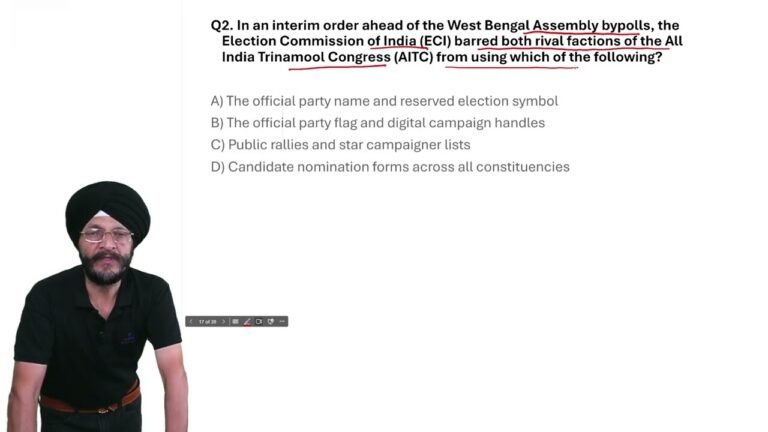
West Bengal Bypolls 2026: ECI Bans TMC Name & Symbol | Current Affairs MCQ
In today’s Current Affairs 2026 MCQ, we cover an important

Trump Warns EU Over Canada’s Associate Membership | Current Affairs MCQ 2026
In today’s Current Affairs 2026, we cover an important international
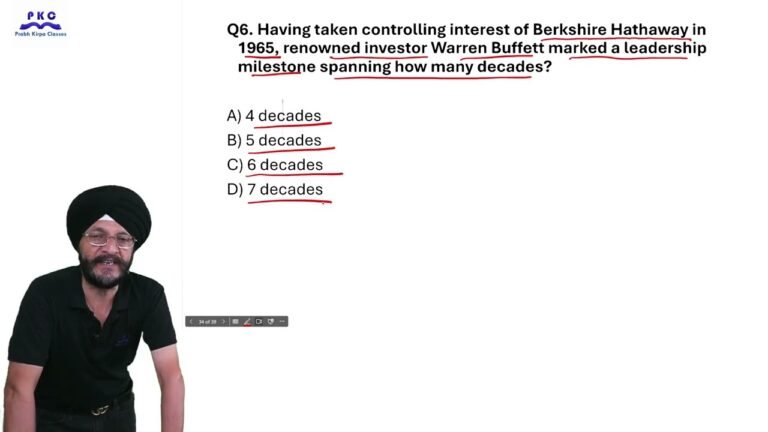
23 September 2026 Current Affairs | Top 10 MCQs for Competitive Exams
23 September 2026 Current Affairs | Daily Current Affairs MCQs