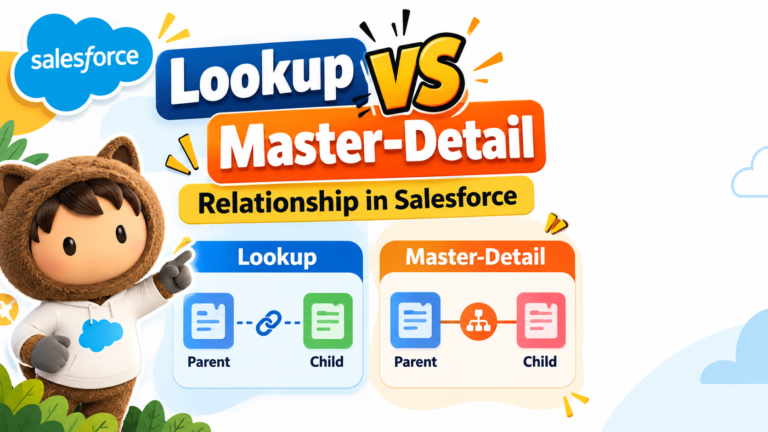
When working with Salesforce, you often need to connect records from different objects. For example, you may want to connect a Student with a Course, an Employee with a Department, or an Invoice with its Invoice Items.
Salesforce provides different types of relationships to connect objects. Two of the most important are:
- Lookup Relationship
- Master-Detail Relationship
Although both connect two objects, they behave very differently.
What Is a Lookup Relationship in Salesforce?
A Lookup Relationship creates a relatively loose relationship between two objects.
The child record can generally exist independently of the parent record.
Example
Suppose we have two objects:
Student → Course
A Student record can contain a lookup field that points to a Course.
For example:
Student Name: Rahul
Course: Salesforce Admin
Here, the Student is connected to the Course, but the Student record can still have its own ownership and security.
Key Features of a Lookup Relationship
- Creates a flexible relationship between objects.
- Child records can generally exist independently.
- Parent and child can have separate ownership.
- Security settings can be managed independently.
- Deleting the parent doesn’t normally delete the child records.
- Useful when records need to be connected without creating strong dependency.
What Is a Master-Detail Relationship in Salesforce?
A Master-Detail Relationship creates a strong parent-child relationship between two objects.
The parent is called the Master, while the child is called the Detail.
The detail record depends on the master record.
Example
Consider:
Invoice → Invoice Item
The Invoice is the Master record.
The Invoice Item is the Detail record.
An Invoice Item belongs to a specific Invoice and does not operate independently in the same way as a lookup-related record.
Key Features of a Master-Detail Relationship
- Creates a strong relationship between two objects.
- The detail record depends on the master record.
- The detail record inherits ownership and sharing behavior from the master.
- Deleting the master also deletes its detail records.
- Supports Roll-Up Summary fields on the master.
- Useful when the child logically belongs to the parent.
Lookup vs Master-Detail Relationship
| Feature |
Lookup Relationship |
Master-Detail Relationship |
| Relationship Type |
Loose |
Strong |
| Child Dependency |
More independent |
Dependent on master |
| Ownership |
Can have separate ownership |
Controlled by master |
| Security |
Can be independent |
Inherited from master |
| Parent Deletion |
Child normally remains |
Detail records are deleted |
| Roll-Up Summary |
Not directly supported |
Supported |
| Best For |
Flexible connections |
Strong parent-child structures |
Roll-Up Summary: An Important Difference
One of the biggest advantages of a Master-Detail Relationship is support for Roll-Up Summary Fields.
A Roll-Up Summary field allows the master record to calculate information from its related detail records.
For example, suppose:
Invoice A has three Invoice Items:
Item 1 = ₹5,000
Item 2 = ₹3,000
Item 3 = ₹2,000
A Roll-Up Summary field on the Invoice could calculate:
Total Invoice Value = ₹10,000
Common roll-up operations include:
Standard Lookup Relationships do not directly provide native Roll-Up Summary fields in the same way.
When Should You Use a Lookup Relationship?
Use a Lookup Relationship when the records need to be connected but should retain more independence.
Examples include:
Employee → Department
An employee may be associated with a department, but the employee is still an independent record.
Another example could be:
Student → Course
A student can be associated with a course without requiring the same strong dependency as a Master-Detail Relationship.
When Should You Use a Master-Detail Relationship?
Use a Master-Detail Relationship when the child record logically depends on its parent.
For example:
Invoice → Invoice Item
An Invoice Item makes sense