
Maximizing Your Salesforce ROI: Salesforce Best Practices, Integrations, Tips and Strategies for Business Growth
# Maximizing Your Salesforce ROI: Salesforce Best Practices, Integrations, Tips and Strategies for Business Growth
For many organizations, Salesforce is more than a customer relationship management platform. It can become the central system connecting sales, service, marketing, customer data, automation, analytics, and increasingly AI-powered workflows.
But implementing Salesforce does not automatically create business value.
A company can invest significantly in Salesforce and still struggle with low user adoption, duplicate records, disconnected systems, excessive customization, or unclear processes. The difference between an expensive CRM and a high-performing CRM often comes down to how effectively the platform is designed, adopted, measured, and continuously improved.
This is where **Salesforce best practices** become important.
Whether you are evaluating Salesforce for the first time, optimizing an existing implementation, or looking for better ways to connect Salesforce with your technology stack, the objective should be the same: create a system that helps people work more efficiently while giving decision-makers reliable customer and business information.
This guide explains **how to use Salesforce effectively**, where organizations commonly lose value, how Salesforce integrations can improve workflows, and practical Salesforce tips and tricks that can help teams get more from their investment.
## What Is Salesforce CRM?
Salesforce CRM is a cloud-based customer relationship management platform that helps organizations manage customer information and business processes across areas such as sales, service, marketing, commerce, and other operations.
At a basic level, Salesforce can help teams organize information about prospects and customers.
But its capabilities extend far beyond storing contact details.
Organizations can use Salesforce to:
* Manage leads and opportunities
* Track customer interactions
* Automate repetitive processes
* Manage service cases
* Build reports and dashboards
* Connect external applications
* Control access to business data
* Create customized applications
* Analyze customer information
* Support AI-powered workflows
The platform can therefore serve as a foundation for broader digital transformation rather than simply functioning as an address book for sales teams.
## Why Salesforce ROI Depends on More Than Software
Return on investment is not determined solely by how many Salesforce features a company purchases.
The real value comes from how effectively those capabilities solve business problems.
Consider two organizations.
**Company A** implements Salesforce but gives users dozens of unnecessary fields, maintains outdated processes, relies on spreadsheets outside the CRM, and provides limited training.
**Company B** documents its processes, defines meaningful KPIs, maintains clean data, automates repetitive work, integrates important systems, and continuously monitors adoption.
Both may use Salesforce, but their results can be dramatically different.
Salesforce itself emphasizes measuring adoption, data quality, and user satisfaction because these indicators help organizations identify whether the platform is actually supporting business objectives.
The lesson is simple:
**Salesforce ROI is created through strategy, people, data, processes, and technology—not technology alone.**
## 1. Start With Business Goals
One of the most important Salesforce best practices is to define the business problem before configuring the platform.
Do not begin with:
> “Which Salesforce feature should we implement?”
Begin with:
> “What business problem are we trying to solve?”
For example:
A sales organization might want to:
* Reduce manual data entry
* Improve lead follow-up
* Increase visibility into the sales pipeline
* Improve forecasting
* Reduce time spent preparing reports
A customer service team might want to:
* Reduce response times
* Centralize customer information
* Automate case routing
* Improve service consistency
A marketing team might want to:
* Create more personalized campaigns
* Connect marketing activity with sales outcomes
* Improve customer segmentation
* Measure campaign performance
Once the objective is clear, Salesforce configuration becomes much more purposeful.
Salesforce recommends documenting current processes and securing executive alignment early in the implementation journey.
## 2. Keep Your Salesforce Data Clean
Data quality is one of the biggest factors affecting CRM performance.
If customer records contain duplicates, missing information, outdated contacts, or inconsistent values, reports become less reliable and users may lose confidence in the system.
Poor data can also create problems for automation and AI-powered capabilities.
Salesforce’s own guidance emphasizes that data quality affects user trust, adoption, insights, and the effectiveness of AI-driven tools.
A practical data-quality strategy should include:
* Duplicate management
* Required fields where genuinely necessary
* Standardized values
* Data ownership
* Regular data cleansing
* Validation rules
* Data-quality dashboards
* Archiving policies
* Clear data governance
For example, suppose a sales manager discovers three separate records for the same customer.
Instead of simply deleting two records, the organization should ask why duplicates were created in the first place.
Was there an integration problem?
Was the data imported incorrectly?
Did users lack clear instructions?
Did the CRM process allow duplicate creation?
Fixing the underlying process is more valuable than repeatedly cleaning the same problem.
## 3. Design Salesforce Around Users
A CRM can be technically sophisticated and still fail if users do not want to use it.
User experience matters.
If a salesperson has to complete 40 fields before saving an opportunity, they may enter incomplete information or avoid updating Salesforce altogether.
Effective Salesforce design should therefore make the correct process as simple as possible.
Ask:
* What information does the user actually need?
* Which fields are essential?
* Which information can be automated?
* Which screens can be simplified?
* Which processes can be standardized?
* What information should appear first?
Salesforce recommends measuring usage and data quality to identify adoption barriers. For example, opportunities stuck in old stages or missing important fields can indicate that users are struggling with the process or maintaining data.
## 4. Automate Repetitive Processes
Automation is one of the biggest opportunities to improve Salesforce ROI.
Employees should not have to repeatedly perform tasks that can be handled reliably by automation.
Depending on the requirement, organizations can use Salesforce automation capabilities to:
* Update records
* Send notifications
* Route work
* Create tasks
* Enforce business rules
* Schedule actions
* Support approval processes
For example, imagine a company receives a new lead through its website.
Without automation, a salesperson might have to manually:
1. Open Salesforce
2. Review the lead
3. Assign it
4. Create a follow-up task
5. Send an email
6. Update the status
A well-designed process can automate appropriate parts of this workflow.
The objective is not to automate everything.
The objective is to automate **repetitive, predictable work** while keeping important human decisions with the appropriate employees.
## 5. Use Salesforce Integrations Strategically
Most businesses use multiple software applications.
Salesforce may need to communicate with:
* ERP systems
* Marketing platforms
* Payment systems
* Customer support tools
* Websites
* Data warehouses
* Communication platforms
* Internal applications
This is where **Salesforce integrations** become important.
An integration can reduce duplicate data entry and help different systems exchange information.
For example:
A customer places an order through an ecommerce platform.
The order system can send relevant information to Salesforce, allowing sales or service teams to understand the customer’s activity without manually entering the order.
However, integrations should be designed carefully.
Before connecting systems, define:
* Which system owns the data
* Which data must be synchronized
* How frequently synchronization should occur
* What happens when an update fails
* How authentication is managed
* Who monitors the integration
* How sensitive information is protected
Security should be considered from the beginning rather than after an integration is already live. Salesforce guidance recommends limiting permissions and protecting credentials when building API-based integrations.
## 6. Build Useful Dashboards, Not Just Attractive Dashboards
A dashboard should support a decision.
An attractive collection of charts is not necessarily useful.
Salesforce dashboards can help teams monitor metrics such as:
### Sales
* Pipeline value
* Conversion rates
* Opportunity stages
* Win rates
* Sales performance
### Service
* Open cases
* Case aging
* Resolution performance
* Workload
### Marketing
* Campaign performance
* Lead generation
* Engagement
* Conversion
### Management
* Revenue trends
* Forecast performance
* Customer activity
* Business KPIs
The best dashboards answer questions such as:
**What is happening?**
**Why is it happening?**
**Where is attention required?**
**What action should we take next?**
## 7. Treat Security as a Business Requirement
Customer data is valuable, which means Salesforce security should be part of the implementation strategy.
Organizations should carefully manage:
* User access
* Permissions
* Profiles
* Permission sets
* Sharing
* Field-level access
* Authentication
* Integration credentials
Salesforce recommends practices such as least-privilege access and user education as part of maintaining a secure environment.
A useful principle is:
**Users should have the access they need to perform their jobs—and no more than necessary.**
Security should also be reviewed when employees change roles or leave the organization.
## 8. Avoid Unnecessary Customization
Salesforce is highly customizable, which is a major strength.
But customization can also become a problem.
Organizations sometimes customize the platform simply because they can.
Before creating a custom solution, ask:
* Is there already a standard Salesforce capability?
* Is customization genuinely required?
* Will this increase maintenance?
* Will it complicate upgrades?
* Does it solve a real business problem?
A simpler Salesforce environment is generally easier to maintain, understand, test, and improve.
Customization should be driven by business value rather than technical curiosity.
## 9. Measure Adoption and Business Outcomes
One of the most important Salesforce tips and tricks is also one of the simplest:
**Measure what users actually do.**
Do not assume that Salesforce is successful because it has been implemented.
Track indicators such as:
* Login activity
* Record creation
* Data completeness
* Opportunity updates
* Report usage
* Automation performance
* User feedback
* Process completion
Then connect those measures to business outcomes.
For example:
If the objective is improving lead management, track whether leads are being followed up faster and whether conversion performance improves.
If the objective is improving forecasting, evaluate forecast accuracy and pipeline data quality.
Salesforce recommends combining usage metrics, data-quality analysis, and user feedback to identify adoption problems and improve the platform.
## Real-World Example: Penna Cement
Real-world customer examples demonstrate how Salesforce can support business transformation when it is connected to clear organizational objectives.
Penna Cement implemented Salesforce as part of a strategy focused on strengthening sales and distribution capabilities and improving customer relationship management and service. Salesforce reports a **15% increase in sales volumes** in the company’s customer story.
The important lesson is not simply the percentage improvement.
It is the connection between technology and business strategy.
Salesforce was implemented to support specific organizational objectives rather than being treated as an isolated software purchase.
## Real-World Example: Hero FinCorp
Another Salesforce customer story shows how technology can affect operational processes.
Salesforce reports that Hero FinCorp reduced loan approval time from **two days to 30 minutes** using Agentforce, with the solution reducing handoffs and backlogs.
This illustrates an important principle:
The value of CRM technology can extend beyond sales management.
When customer data, workflows, automation, and AI capabilities are connected appropriately, Salesforce can support broader operational processes.
## Salesforce and AI: Why Data Quality Matters Even More
AI is becoming an increasingly important part of the Salesforce ecosystem.
But AI does not eliminate the importance of good CRM fundamentals.
In fact, it can make them more important.
If an organization’s customer data is incomplete, inconsistent, or outdated, AI-powered systems may have a weaker foundation for generating useful insights or completing tasks.
Salesforce’s current guidance specifically connects clean, reliable data with effective AI and Agentforce outcomes.
This means businesses considering AI should first examine:
* Data quality
* Data access
* Security
* Governance
* Process consistency
* User adoption
AI should build on a strong CRM foundation rather than compensate for a weak one.
## Salesforce Tips and Tricks for Better Productivity
Here are practical Salesforce tips and tricks teams can apply:
### Use automation for repetitive work
Identify tasks employees perform repeatedly and evaluate whether they can be automated.
### Standardize important data
Use consistent formats and values for critical information.
### Keep pages simple
Show users the information they need instead of overwhelming them.
### Create role-specific dashboards
A sales executive and a service manager do not need identical dashboards.
### Review unused fields and automation
Remove unnecessary complexity as the system evolves.
### Monitor data quality
Create reports or dashboards that identify missing, duplicate, or outdated information.
### Train users continuously
Training should not stop after implementation.
### Collect user feedback
The people using Salesforce every day can often identify practical problems faster than administrators or managers.
## A Practical Salesforce ROI Checklist
Before considering your Salesforce implementation successful, review the following:
* [ ] Business objectives are clearly documented
* [ ] Salesforce processes match business requirements
* [ ] Users understand how and why to use the platform
* [ ] Critical data is accurate and complete
* [ ] Duplicate records are controlled
* [ ] Repetitive processes are automated where appropriate
* [ ] Integrations have clear ownership and monitoring
* [ ] User permissions follow security principles
* [ ] Dashboards support actual business decisions
* [ ] Adoption metrics are tracked
* [ ] User feedback is collected
* [ ] Customizations are reviewed regularly
* [ ] Data governance responsibilities are defined
* [ ] Salesforce performance is evaluated against business KPIs
## How to Use Salesforce Effectively: The Bigger Picture
The question **”How to use Salesforce effectively”** does not have a single answer because every organization has different processes and objectives.
However, the underlying principles are consistent.
Start with business goals.
Design around users.
Maintain reliable data.
Automate intelligently.
Integrate strategically.
Protect information.
Measure adoption.
Continuously improve.
Salesforce should not become another system employees are forced to update.
It should become a platform that makes their work easier and gives the organization better visibility into customers and operations.
## Final Thoughts
Salesforce can provide significant value when its technology capabilities are connected to clear business objectives.
The organizations that get the most from Salesforce are not necessarily those with the largest number of features, custom objects, integrations, or dashboards.
They are the organizations that build a platform people trust and use.
Clean data creates reliable insights.
Simple processes improve adoption.
Automation reduces repetitive work.
Integrations connect the customer journey.
Security protects valuable information.
Analytics support better decisions.
And continuous improvement keeps Salesforce aligned with changing business needs.
If your organization is implementing Salesforce or trying to improve an existing environment, start by identifying the biggest business problems—not the biggest list of available features.
Then build the Salesforce strategy around those priorities.
**The goal is not simply to use Salesforce. The goal is to use Salesforce effectively enough that it becomes a measurable driver of productivity, customer experience, and business growth.**
For professionals who want to develop their Salesforce skills, structured learning in Administration, Development, Apex, LWC, Integration, Automation, and related technologies can provide a strong foundation for understanding how the platform works in real business environments.
**Learn Salesforce. Build practical skills. Optimize your CRM. Create measurable business value.**
Newsletter
Recent Posts
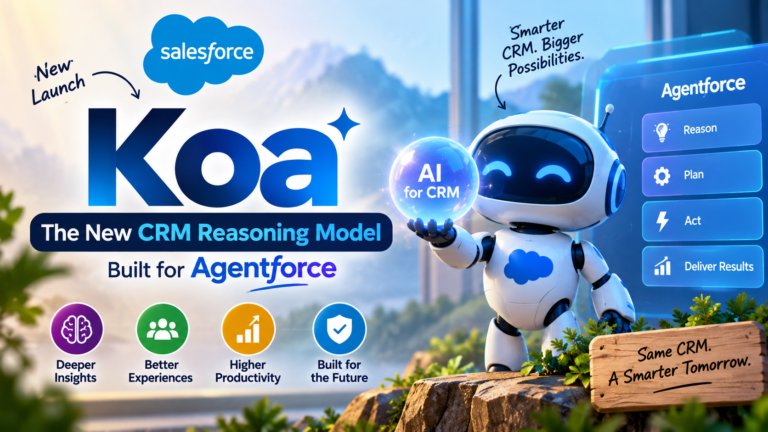
Salesforce Koa: The New CRM Reasoning Model Built for Agentforce
Artificial intelligence is rapidly changing how businesses use CRM platforms.

Trump Warns EU Over Canada’s Proposed Associate Membership 🇺🇸🇨🇦🇪🇺 | Current Affairs 2026
U.S. President Donald Trump warned the European Union of potential
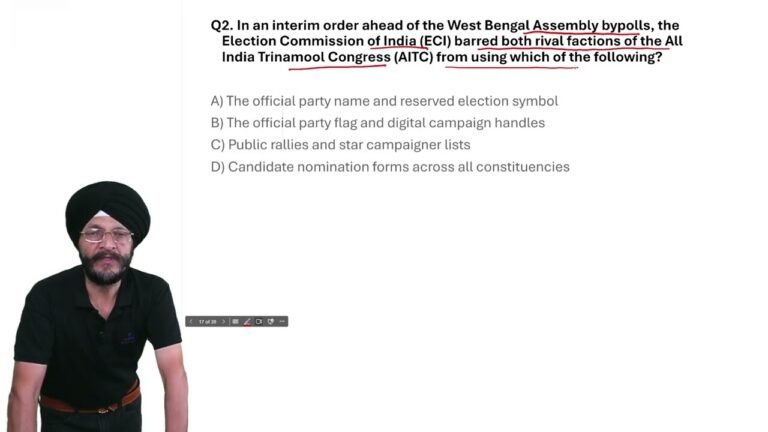
West Bengal Bypolls 2026: ECI Bans TMC Name & Symbol | Current Affairs MCQ
In today’s Current Affairs 2026 MCQ, we cover an important

Trump Warns EU Over Canada’s Associate Membership | Current Affairs MCQ 2026
In today’s Current Affairs 2026, we cover an important international