
Salesforce Flow vs Apex: Key Differences and When to Use Each
Salesforce Flow is a declarative automation tool that allows users to build processes with a visual interface and minimal coding. Apex, on the other hand, is Salesforce’s programming language, used to implement custom business logic and more advanced automation.
If you are learning Salesforce Admin or Salesforce Development, understanding the difference between Flow and Apex is essential.
In this guide, we will explore Salesforce Flow vs Apex, their key differences, advantages, limitations, practical examples, and when to use each.
## What Is Salesforce Flow?
Salesforce Flow is a declarative automation tool that helps automate business processes using a visual, low-code interface. Users can create flows by connecting elements such as decisions, assignments, loops, and actions.
With Salesforce Flow, you can automate tasks without writing extensive code.
### Types of Salesforce Flow
The main types of Flow include:
**1. Screen Flow**
Screen Flows guide users through a series of screens to collect information and perform actions.
Example: Creating a guided form for sales representatives to register a new customer.
**2. Record-Triggered Flow**
A Record-Triggered Flow runs automatically when a record is created, updated, or deleted, depending on its configuration.
Example: Automatically updating an Account field when a related Opportunity reaches Closed Won.
**3. Schedule-Triggered Flow**
A Schedule-Triggered Flow runs at a specified time and processes records that meet defined criteria.
Example: Identifying eligible records for a follow-up process every day.
**4. Autolaunched Flow**
An Autolaunched Flow runs without displaying screens and can be started by other automation, Apex, or supported actions.
Example: Reusing a common business process across multiple automation workflows.
### Advantages of Salesforce Flow
– Requires little or no traditional coding for many use cases.
– Provides a visual interface for building automation.
– Makes business logic easier to inspect and maintain.
– Supports decisions, loops, assignments, and record operations.
– Can work with other Salesforce automation and development tools.
### Limitations of Salesforce Flow
– Complex logic can become difficult to manage in large flows.
– Poorly designed flows can cause performance issues or exceed platform limits.
– Some specialized requirements need Apex or another supported solution.
– Debugging complicated automation may require careful investigation of execution paths and transactions.
## What Is Apex in Salesforce?
Apex is Salesforce’s strongly typed, object-oriented programming language. It runs on the Salesforce platform and allows developers to implement custom business logic that goes beyond what declarative tools can conveniently handle.
Apex is commonly used for triggers, classes, custom calculations, integrations, and advanced data-processing operations.
### Common Uses of Apex
**1. Apex Triggers**
Triggers execute before or after specified database events, such as inserting, updating, deleting, or undeleting records.
Example: Applying complex validation logic before an Opportunity is saved.
**2. Apex Classes**
Classes contain reusable methods and business logic.
Example: Creating a reusable pricing calculation service for sales transactions.
**3. Asynchronous Apex**
Asynchronous Apex supports work that can run separately from the immediate transaction, subject to the specific mechanism and platform limits.
Examples include Queueable Apex, Batch Apex, and Scheduled Apex.
**4. Integrations**
Apex can support custom integrations with external systems using HTTP callouts and other supported integration patterns.
Example: Sending order information to an external ERP system through an API.
### Advantages of Apex
– Provides fine-grained control over business logic.
– Supports advanced calculations and complex processing.
– Allows reusable code through classes and methods.
– Supports sophisticated integrations and asynchronous processing.
– Offers powerful options for handling large collections of records when designed correctly.
### Limitations of Apex
– Requires programming knowledge and development skills.
– Must follow Salesforce governor limits.
– Requires appropriate testing, including unit tests.
– Code needs ongoing maintenance as requirements change.
– More development effort may be needed than for a straightforward Flow.
## Salesforce Flow vs Apex: Key Differences
The following table summarizes the main differences between Salesforce Flow and Apex.
| Feature | Salesforce Flow | Apex |
|—|—|—|
| Type | Declarative, low-code tool | Programmatic development language |
| Coding requirement | Usually minimal | Requires coding |
| Development interface | Visual Flow Builder | Code editor and development tools |
| Best suited for | Standard business automation | Complex custom business logic |
| Logic design | Elements, decisions, assignments | Classes, methods, loops, conditions |
| Record processing | Supports record collections and bulk operations when designed correctly | Supports bulk processing through collection-oriented code |
| Integrations | Uses supported actions and integration capabilities | Supports custom callouts and integration logic |
| Maintenance | Often accessible to admins | Usually requires developers |
| Testing | Flow debugging and automation testing | Apex unit tests and debugging |
| Reusability | Subflows and supported Flow actions | Classes, methods, and reusable services |
**Important:** Neither tool is automatically faster or better in every situation. Performance depends on the design, data volume, database operations, and Salesforce platform limits.
## When Should You Use Salesforce Flow?
Flow is generally a good choice when business requirements can be implemented clearly using standard declarative elements.
Consider Flow for these scenarios:
### 1. Automating Routine Business Processes
Suppose a company wants to update a field whenever an Opportunity moves to Closed Won.
A Record-Triggered Flow can detect the relevant change and update the required information.
### 2. Sending Notifications
Suppose a manager needs to be notified when a high-value Opportunity is created.
A Flow can evaluate the Opportunity amount and initiate a supported notification action.
### 3. Collecting User Information
Suppose a service team needs a guided process for collecting customer details.
A Screen Flow can present a series of questions, validate responses, and create or update records.
### 4. Updating Related Records
Suppose a business wants to update a related Account when a Contact’s information changes.
A Flow may handle this requirement when the relationship, execution context, and update logic are suitable.
### 5. Automating Scheduled Processes
Suppose a company wants to identify records requiring follow-up on a particular schedule.
A Schedule-Triggered Flow may be suitable if the processing requirements fit its capabilities and limits.
## When Should You Use Apex?
Apex is a better fit when the requirement needs programmatic control, specialized processing, or logic that becomes difficult to implement and maintain in Flow.
### 1. Complex Business Logic
Suppose a company calculates product discounts based on customer tier, contract duration, product category, and several additional conditions.
Apex may be appropriate when the logic becomes too complicated to maintain cleanly in a Flow.
### 2. Advanced Data Processing
Suppose a business needs to process many records with complex calculations and multiple related-record operations.
Apex can provide structured, collection-oriented processing. Batch Apex may be suitable for large jobs that need to process records in manageable batches.
The design must still respect governor limits and transaction boundaries.
### 3. Custom API Integrations
Suppose Salesforce needs to communicate with an external system through a custom API request and handle complex responses.
Apex can implement custom callout logic, authentication patterns supported by the platform, response parsing, and error handling.
### 4. Reusable Business Services
Suppose several Salesforce features need to use the same pricing calculation.
Apex classes can provide a reusable service that can be called from different parts of an application.
### 5. Advanced Transaction Control
Suppose a process needs specific handling for database operations, exceptions, and transaction behavior.
Apex can offer greater programmatic control, although its execution is still governed by Salesforce transaction rules and platform limits.
## Salesforce Flow vs Apex: Real-World Examples
Let’s understand the difference through practical Salesforce scenarios.
### Example 1: Automatically Update an Account Field
**Requirement:** When an Opportunity becomes Closed Won, update a field on its related Account.
**Recommended solution:** Salesforce Flow, provided the update requirements are straightforward.
Why? The logic can often be built using a Record-Triggered Flow with a decision and a related-record update.
### Example 2: Calculate Complex Opportunity Discounts
**Requirement:** Calculate discounts using several business rules, custom algorithms, and reusable pricing logic.
**Recommended solution:** Apex may be the better option if the logic is difficult to manage declaratively.
Why? Apex supports reusable methods and structured code for complex calculations.
### Example 3: Display a Guided User Form
**Requirement:** Help a sales representative collect customer information through multiple screens.
**Recommended solution:** Screen Flow.
Why? Screen Flow is designed to guide users through interactive processes.
### Example 4: Process Thousands of Records
**Requirement:** Process a large volume of records with complex transformations and multiple operations.
**Recommended solution:** Evaluate Apex, potentially Batch Apex, depending on the processing requirements.
Why? Apex provides programmatic control over collection processing and batch execution. However, Flow can also process record collections and scheduled workloads, so the volume alone does not automatically require Apex.
### Example 5: Call an External API
**Requirement:** Retrieve information from an external system and apply custom response-processing logic.
**Recommended solution:** Apex, or a suitable declarative integration feature if it fully meets the requirements.
Why? Apex is useful when custom callout behavior and response handling are needed.
## Can Salesforce Flow and Apex Work Together?
Yes. Salesforce Flow and Apex can complement each other.
You do not always need to choose one tool exclusively. In many implementations, Flow manages the overall business process while Apex handles a specialized operation.
For example:
1. A Record-Triggered Flow detects an Opportunity update.
2. The Flow checks whether the record meets the required conditions.
3. An Apex action performs a complex calculation.
4. The result is returned to the Flow, where supported.
5. The Flow continues the process using the result.
Apex methods designed for Flow invocation can be exposed through the appropriate invocable interface and called using an Apex Action element.
Similarly, Apex can invoke an autolaunched Flow when the relevant invocation and transaction requirements are satisfied.
This combined approach can make automation more modular and maintainable.
## Salesforce Flow vs Apex: Common Mistakes to Avoid
When designing Salesforce automation, avoid these common mistakes.
**1. Using Apex for Every Small Requirement**
Not every automation needs code. A simple field update or notification may be easier to build and maintain with Flow.
**2. Building One Extremely Large Flow**
A Flow containing too many unrelated decisions and operations can become difficult to understand. Consider breaking reusable logic into Subflows where appropriate.
**3. Ignoring Governor Limits**
Both declarative and programmatic automation operate within Salesforce platform limits. Poorly designed record operations, repeated queries, and excessive processing can cause failures.
**4. Writing Apex Without Bulkification**
Apex should be designed to handle multiple records efficiently. Avoid placing SOQL queries or DML operations inside loops when the operations can be performed on collections.
**5. Overlooking Existing Automation**
Before creating a new Flow or trigger, review the existing automation on the object. Multiple automations can interact and produce unexpected results.
**6. Ignoring Testing and Error Handling**
Test normal scenarios, edge cases, multiple records, and failures. Apex requires appropriate unit tests, while Flows also need debugging and thorough validation.
## Best Practices for Choosing Between Flow and Apex
Follow these principles when making your decision:
– Start with the business requirement, not the tool.
– Use Flow when declarative automation can meet the requirements clearly.
– Choose Apex when programmatic control or complex processing provides a meaningful advantage.
– Consider a combination of Flow and Apex when each tool has a distinct responsibility.
– Design for bulk operations and platform limits.
– Keep automation modular, documented, and testable.
– Review Salesforce’s current platform guidance before making architecture decisions.
The goal is not to use the maximum amount of code or to avoid code entirely. The goal is to build automation that is reliable, efficient, understandable, and easy to maintain.
## Which Is Better for a Salesforce Career: Flow or Apex?
Both Flow and Apex are valuable skills for Salesforce professionals.
For aspiring Salesforce Administrators, learning Flow is an important step because it supports many common business automation requirements.
For aspiring Salesforce Developers, Apex is essential for understanding programmatic customization, triggers, classes, integrations, and advanced automation.
Working professionals benefit from understanding both tools because real-world projects often require a combination of declarative and programmatic solutions.
A practical learning sequence is:
1. Learn Salesforce objects, fields, relationships, and record management.
2. Understand Salesforce automation fundamentals.
3. Practice Record-Triggered Flows, Screen Flows, decisions, and Subflows.
4. Learn Apex fundamentals, including variables, collections, methods, and classes.
5. Study triggers, SOQL, DML, exception handling, and bulkification.
6. Build projects that combine Flow and Apex.
7. Practice debugging, testing, and real-world scenarios.
## Frequently Asked Questions
### 1. What is the main difference between Salesforce Flow and Apex?
Salesforce Flow is a declarative, visual automation tool, while Apex is a programming language used to implement custom business logic. Flow is suitable for many standard business processes, whereas Apex is useful for complex requirements that need programmatic control.
### 2. Is Salesforce Flow replacing Apex?
No. Flow supports a growing range of automation requirements, but Apex remains important for complex business logic, custom integrations, and specialized processing. Both tools serve different purposes and can work together.
### 3. Is Salesforce Flow easier to learn than Apex?
Flow is generally easier for beginners who prefer visual development and declarative configuration. Apex requires knowledge of programming concepts, syntax, debugging, and testing.
### 4. Can we call Apex from Salesforce Flow?
Yes. Flow can call Apex methods exposed through the supported invocable interface using an Apex Action element.
### 5. Can Apex call Salesforce Flow?
Yes. Apex can invoke an autolaunched Flow using supported Apex APIs, provided the Flow type, inputs, outputs, and execution requirements are appropriate.
### 6. Which is better for Salesforce Admins: Flow or Apex?
Salesforce Administrators should prioritize Flow because it is central to declarative automation. Understanding Apex fundamentals is also useful for collaborating with developers and troubleshooting complex implementations.
### 7. Which is better for Salesforce Developers: Flow or Apex?
Developers should learn both. Flow is useful for declarative automation, while Apex provides the programming capabilities needed for advanced customization. The best choice depends on the requirement.
### 8. Can Salesforce Flow handle large volumes of records?
Flow can process record collections and scheduled workloads, but its suitability depends on the volume, logic, transaction design, and platform limits. For complex large-scale processing, Apex options such as Batch Apex may be more appropriate.
## Conclusion
Salesforce Flow and Apex are both important tools for building effective Salesforce automation.
Flow is an excellent starting point for visual, declarative automation, while Apex provides greater programmatic flexibility for complex business requirements. The right choice depends on the complexity of the logic, processing needs, maintainability, and platform constraints.
For Salesforce professionals, learning both tools can improve technical skills and help prepare for real-world projects and interviews.
Want to build practical Salesforce skills?
At Prabh Kirpa Classes, explore Salesforce learning opportunities covering Admin concepts, Flow & Automation, Apex, Lightning Web Components (LWC), and other important development topics.
Strengthen your understanding through practical examples, project-based learning, and interview preparation to work toward your Salesforce career goals.
—
salesforce flow vs apex, Salesforce Flow, Apex in Salesforce, Salesforce automation, Salesforce Flow vs Apex differences, Salesforce Admin, Salesforce Developer, Record-Triggered Flow, Salesforce Apex triggers, Salesforce Flow examples, Apex programming, Salesforce automation tools, Salesforce Flow tutorial, Salesforce development, learn Salesforce
Newsletter
Recent Posts
What Is Salesforce? A Complete Beginner’s Guide
## Introduction Businesses today need more than spreadsheets and

Salesforce Flow vs Apex: Key Differences and When to Use Each
Salesforce Flow is a declarative automation tool that allows
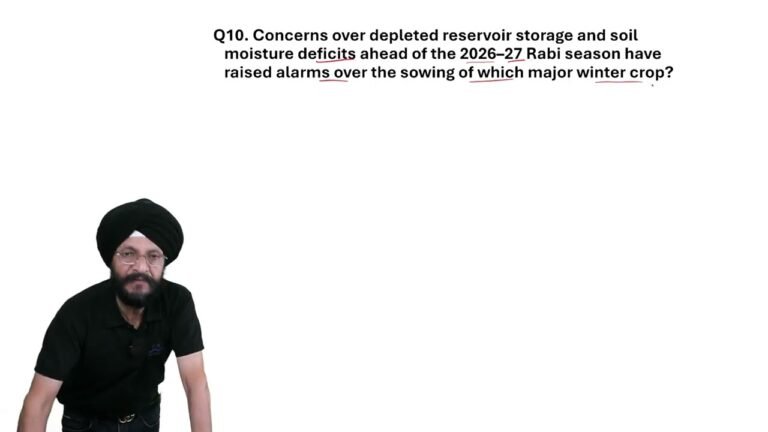
Rabi Season 2026–27: Wheat Crop at Risk? 🌾 | Agriculture Current Affairs Q10
🌾 AGRICULTURE CURRENT AFFAIRS — Q10
Which major winter crop

Which Winter Crop Is at Risk? 🌾⚠️ | Rabi Season Warning | Current Affairs Q10
Which major winter crop could face risks during India’s Rabi