
Salesforce Security Model Explained: A Complete Guide to Profiles, Roles, Permissions & Sharing
Introduction
Data security is one of the most important responsibilities in any Salesforce organization. Companies store valuable customer, sales, service, and business information in Salesforce, so users should only have access to the information they actually need.
For example, a sales representative may need access to their own opportunities, while a sales manager may need access to opportunities belonging to an entire team.
This is where the Salesforce Security Model becomes important.
Salesforce provides several tools that allow organizations to control:
Who can log in
What users can do
Which objects they can access
Which fields they can view
Which records they can access
Whether records can be created, edited, or deleted
Understanding these concepts is essential for Salesforce Administrators and is also useful for Developers, Consultants, and professionals preparing for Salesforce interviews.
What Is the Salesforce Security Model?
The Salesforce security model is a collection of settings and mechanisms used to control access to Salesforce data and functionality.
It operates at different levels.
A simple way to understand it is:
Organization → Object → Field → Record
Each level answers a different question.
Organization Level
Who can access the Salesforce organization?
Object Level
Which objects can the user access?
Field Level
Which fields can the user see or edit?
Record Level
Which individual records can the user access?
Understanding these layers is the foundation of Salesforce security.
Why Is Salesforce Security Important?
Imagine a company has several departments:
Sales
Finance
Customer Service
HR
Not every employee should have access to every record.
For example:
A sales representative may need customer and opportunity information but should not automatically access confidential HR records.
A well-designed security model helps organizations protect data while still allowing employees to perform their jobs.
Salesforce Profiles
A Profile is one of the important components used to define what a user can do in Salesforce.
Profiles can control permissions related to:
Object access
Field access
System permissions
App access
Tab visibility
Login settings
For example, an organization might have different profiles for different types of users.
The important concept is that a user’s profile establishes a baseline of permissions.
Permission Sets
Sometimes a user needs additional access beyond what their profile provides.
This is where Permission Sets can be useful.
A Permission Set can provide additional permissions without requiring you to create another profile.
Example
Suppose most sales representatives don’t need access to a particular object, but one employee has an additional responsibility requiring that access.
Instead of creating a completely new profile, an Administrator can assign an appropriate Permission Set.
This makes access management more flexible.
Profiles vs Permission Sets
A common Salesforce interview question is:
What is the difference between a Profile and a Permission Set?
A simple explanation is:
Profile → Baseline access
Permission Set → Additional access
Permission Sets can therefore help organizations avoid creating excessive numbers of profiles.
Organization-Wide Defaults
Organization-Wide Defaults, commonly called OWD, are an important part of record-level security.
OWD determine the baseline level of access users have to records they don’t own.
Depending on the object and business requirement, access can be configured using options such as:
Private
Public Read Only
Public Read/Write
The exact options available can depend on the object and Salesforce configuration.
Example of OWD
Imagine a company has 100 sales opportunities.
The organization wants sales representatives to see only the opportunities they are allowed to access.
The organization can use a restrictive baseline and then open access through additional sharing mechanisms where necessary.
This follows an important security principle:
Start with appropriate baseline access and grant additional access where required.
Role Hierarchy
The Role Hierarchy helps control record access based on an organization’s reporting structure.
For example:
Sales Director
↓
Sales Manager
↓
Sales Representative
Depending on configuration and ownership, users higher in the hierarchy may receive access to records owned by users below them.
Role Hierarchy is primarily related to record-level access rather than object permissions.
Profiles and Roles Are Not the Same
Beginners often confuse these two concepts.
Profile
Primarily answers:
“What can this user do?”
Role
Primarily helps determine:
“Which records can this user access through the hierarchy?”
Remembering this distinction is important for Salesforce interviews.
Sharing Rules
Sometimes the standard hierarchy isn’t enough.
For example, a sales manager may need access to records owned by another team that isn’t directly below them in the role hierarchy.
Sharing Rules can be used to extend record access according to defined criteria.
They can help share records with:
Roles
Public Groups
Territories, depending on the sharing model and configuration
The goal is to provide the required access without giving unnecessary permissions.
Manual Sharing
In some situations, an individual record may need to be shared with another user.
Manual sharing can provide additional access to specific records when appropriate.
For example, a user may need to collaborate with another employee on a particular customer record.
This can be useful for exceptional situations rather than being the primary security mechanism for every record.
Field-Level Security
Object access doesn’t automatically mean users should see every field.
Field-Level Security controls whether a user can view or edit a specific field.
Example
Suppose an Account contains:
Company Name
Phone
Industry
Confidential Financial Information
A sales employee may need access to the first three fields but not the confidential financial information.
Field-Level Security can help control this.
Record-Level Security
Record-level security determines which individual records a user can access.
For example:
Two sales representatives may both have access to the Opportunity object, but each representative may only be allowed to access certain opportunities.
This is different from object-level security.
Object-Level Security
Object-level security controls whether a user can perform actions on an object.
Common permissions include:
Read
Create
Edit
Delete
For example, a user might be able to read Accounts but not delete them.
A Simple Security Example
Imagine a company has a Customer Support team.
The company wants:
Support agents to view customer Cases.
Support agents to create and update Cases.
Managers to access Cases handled by their team.
Only selected users to access sensitive fields.
A possible security design could combine:
Profile → Object Permissions
Permission Set → Additional Permissions
OWD → Baseline Record Access
Role Hierarchy → Management Access
Sharing Rules → Additional Record Access
Field-Level Security → Sensitive Field Access
This demonstrates how Salesforce security tools work together.
Salesforce Security Interview Questions
If you’re preparing for Salesforce interviews, practice questions such as:
What is a Profile?
Explain its role in user permissions.
What is a Permission Set?
Explain how it provides additional permissions.
What is OWD?
Explain its role in record-level security.
What is a Role Hierarchy?
Explain how it can affect record access.
What are Sharing Rules?
Explain why organizations use them.
What is Field-Level Security?
Explain how field visibility and editability can be controlled.
What is the difference between Object-Level and Record-Level Security?
This is a particularly important concept for Admin interviews.
How to Learn Salesforce Security Practically
Theory becomes easier when you practice with scenarios.
Project Scenario 1: Sales Team
Create different users for:
Sales Representative
Sales Manager
Sales Director
Then configure appropriate access.
Project Scenario 2: Customer Service
Create support users with different permissions.
Test which records each user can access.
Project Scenario 3: Sensitive Data
Create a confidential field and configure access so that only authorized users can view it.
Common Salesforce Security Mistakes
Giving Too Much Access
Users should receive only the permissions required for their responsibilities.
Confusing Roles and Profiles
Remember:
Profile → What users can do
Role → Helps determine record access
Ignoring Field-Level Security
Object access doesn’t necessarily mean every field should be visible.
Using Sharing Rules Without Understanding OWD
Sharing Rules generally work as mechanisms for opening access beyond the baseline model.
Not Testing With Different Users
Always test your security setup with different user profiles and roles.
Security and Salesforce Career Opportunities
Security knowledge is useful for several Salesforce roles.
Salesforce Administrator
Administrators frequently configure user access and security.
Salesforce Developer
Developers need to understand security when building custom functionality.
Salesforce Consultant
Consultants may design solutions according to business access requirements.
Salesforce Business Analyst
Business Analysts need to understand who should have access to specific information.
Strong security knowledge can therefore benefit multiple Salesforce career paths.
A Practical Learning Roadmap for Salesforce Security
If you’re new to Salesforce security, follow this order:
Step 1
Learn Salesforce users and basic administration.
Step 2
Understand Profiles.
Step 3
Learn Permission Sets.
Step 4
Understand Object-Level Security.
Step 5
Learn Field-Level Security.
Step 6
Study Organization-Wide Defaults.
Step 7
Learn Role Hierarchy.
Step 8
Understand Sharing Rules.
Step 9
Practice complete security scenarios.
Step 10
Prepare scenario-based interview questions.
This approach makes the security model easier to understand.
Why Choose Prabh Kirpa Classes?
At Prabh Kirpa Classes, learners can develop practical Salesforce knowledge through structured training and hands-on practice.
Training areas include:
Salesforce Administration
Salesforce Security
Flow Builder
Data Management
Salesforce Development
Apex
SOQL
Lightning Web Components
Salesforce Integration
OmniStudio
Practical Projects
Certification Guidance
Resume Preparation
Mock Interviews
Job Support
The focus is on helping learners understand Salesforce concepts and apply them to realistic business scenarios.
Frequently Asked Questions
Is Salesforce security difficult to learn?
The security model has several components, but it becomes easier when you learn each level separately and practice real scenarios.
What should I learn first in Salesforce security?
Start with Profiles and Permission Sets, then move to Object-Level Security, Field-Level Security, OWD, Roles, and Sharing Rules.
Are Profiles and Permission Sets the same?
No. A Profile establishes a baseline of permissions, while Permission Sets can provide additional permissions.
Why is OWD important?
OWD establish a baseline level of record access for users.
Is Salesforce security important for Admin interviews?
Yes. Security is a fundamental Salesforce Administration topic and is commonly tested through both conceptual and scenario-based questions.
Conclusion
The Salesforce Security Model is an essential part of Salesforce Administration. It allows organizations to control access at different levels, from objects and fields to individual records.
To understand Salesforce security properly, don’t memorize isolated definitions. Learn how the different components work together.
Remember the basic structure:
Profile → Permissions
Permission Set → Additional Permissions
OWD → Baseline Record Access
Role Hierarchy → Hierarchical Record Access
Sharing Rules → Additional Record Access
Field-Level Security → Field Visibility & Edit Access
At Prabh Kirpa Classes, learners can develop Salesforce Administration, Security, Flow, Development, Integration, and other practical skills along with project experience, interview preparation, certification guidance, and job support.
Understand security. Practice real scenarios. Build stronger Salesforce skills.
Newsletter
Recent Posts
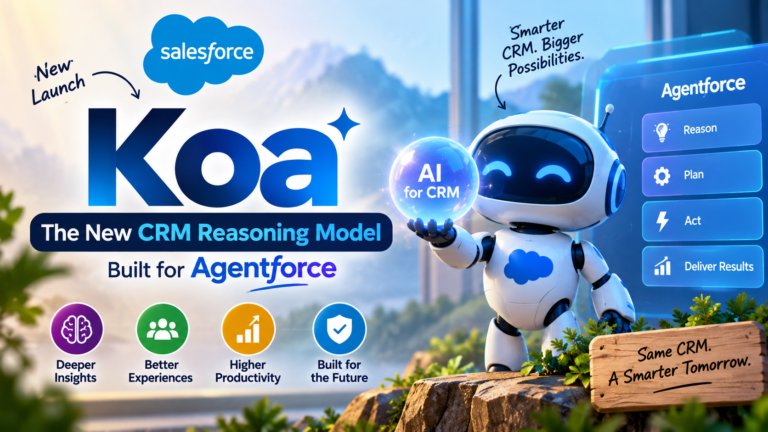
Salesforce Koa: The New CRM Reasoning Model Built for Agentforce
Artificial intelligence is rapidly changing how businesses use CRM platforms.

Asian Games 2026: Manu Bhaker & Pawan Sehrawat India’s Flag-Bearers | Current Affairs MCQ
In today’s Current Affairs 2026 MCQ, we cover an important
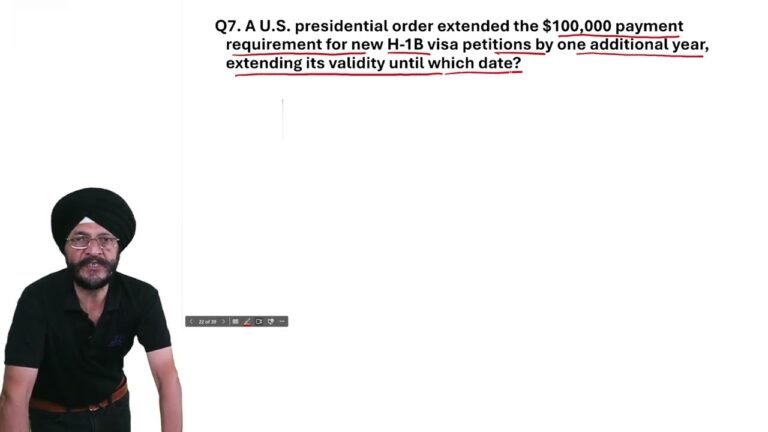
Trump Extends $100,000 H-1B Payment Requirement Till September 21, 2027 | Current Affairs 2026
In today’s Current Affairs 2026 MCQ, we cover an important

Bill Gates Backs Climate Startups to Cut Cattle Methane Emissions | Current Affairs 2026
In today’s Current Affairs 2026 MCQ, we cover an important