
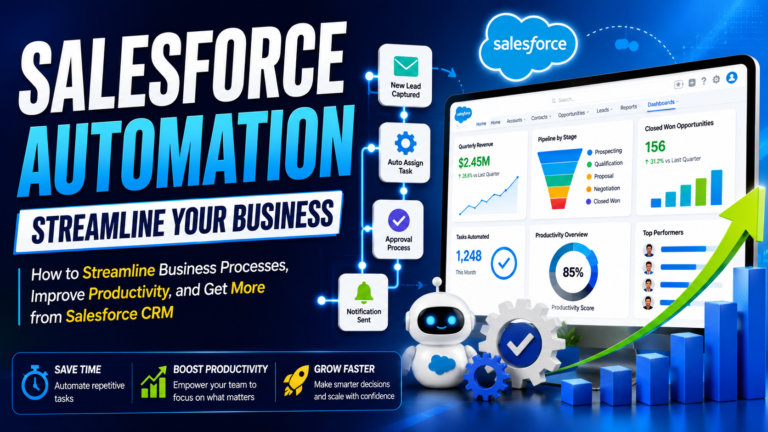
Salesforce Automation: How to Streamline Business Processes, Improve Productivity, and Get More from Salesforce CRM
# Salesforce Automation: How to Streamline Business Processes, Improve Productivity, and Get More from Salesforce CRM
In today’s competitive business environment, organizations are constantly looking for ways to reduce manual work, improve productivity, respond to customers faster, and make better decisions. Customer relationship management platforms have become central to this effort, and Salesforce CRM is one of the most powerful platforms businesses can use to connect customer data with sales, service, marketing, and business processes.
However, simply storing customer information in Salesforce is only the beginning.
The real value appears when businesses use Salesforce automation to eliminate repetitive tasks, standardize processes, route work intelligently, improve data quality, and help employees focus on activities that require human judgment.
For a sales representative, automation could mean automatically creating follow-up tasks when a new lead arrives. For a service team, it could mean routing a customer case to the appropriate team. For managers, automation can ensure that important approvals or notifications happen without relying on manual reminders.
This guide explains how Salesforce automation works, the major automation capabilities businesses can use, Salesforce best practices for designing reliable processes, and practical Salesforce tips and tricks for improving productivity.
## What Is Salesforce Automation?
Salesforce automation refers to using Salesforce capabilities to perform business actions automatically based on defined conditions, events, schedules, or user interactions.
Instead of requiring employees to complete every step manually, Salesforce can perform appropriate tasks automatically.
For example, imagine that a sales representative creates a new opportunity.
A manual process might require the employee to:
1. Create the opportunity.
2. Enter information.
3. Create a follow-up task.
4. Notify a manager.
5. Update another record.
6. Send an internal notification.
With appropriate automation, some of these actions can happen automatically.
The purpose is not to remove people from the process.
The purpose is to remove unnecessary manual work so employees can spend more time on activities that require communication, analysis, creativity, and decision-making.
## Why Salesforce Automation Matters
Businesses often lose productivity through small repetitive tasks.
Updating records, sending routine notifications, assigning work, checking conditions, and creating follow-up tasks may take only a few minutes individually. Across hundreds or thousands of transactions, however, those minutes can become a significant operational cost.
Salesforce automation can help organizations:
* Reduce repetitive administrative work
* Improve process consistency
* Reduce manual errors
* Improve response times
* Standardize business processes
* Improve data quality
* Increase employee productivity
* Provide better visibility into operations
* Support scalable business processes
Automation can also make processes more predictable.
Instead of relying on employees to remember every step, organizations can build defined workflows into their CRM.
## Salesforce Flow: The Core of Modern Automation
Salesforce Flow is one of the most important technologies for building automation on the Salesforce platform.
Flows can be used for a wide range of business requirements, from simple record updates to more sophisticated guided experiences and multi-step processes.
Common Flow types include:
* Record-Triggered Flows
* Screen Flows
* Scheduled-Triggered Flows
* Autolaunched Flows
The appropriate type depends on what the business needs to accomplish.
### Record-Triggered Flow
A Record-Triggered Flow starts when a record is created, updated, or deleted, depending on the configuration.
For example:
A company wants a follow-up task to be created automatically whenever a high-priority lead is created.
A Record-Triggered Flow could identify the lead and create the required task automatically.
### Screen Flow
A Screen Flow interacts with users through screens.
This can be useful when employees need to provide information during a guided process.
For example, a service representative could use a guided Flow to collect information before escalating a customer issue.
### Scheduled-Triggered Flow
A Scheduled-Triggered Flow can perform actions based on a scheduled time.
For example, a business might use scheduled automation to identify records that require follow-up.
### Autolaunched Flow
Autolaunched Flows can run without displaying screens to users and can be invoked as part of broader Salesforce processes.
They can be useful when organizations need reusable automation logic.
## Salesforce Automation vs Manual Processes
Consider a simple lead-management example.
### Manual Process
A new lead enters the system.
A sales employee must:
* Review the lead
* Determine its priority
* Assign it
* Create a follow-up task
* Send an internal notification
* Update the lead status
This creates multiple opportunities for delay or human error.
### Automated Process
The system can evaluate predefined criteria and automatically:
* Assign the lead
* Set appropriate fields
* Create a task
* Notify the responsible employee
The salesperson can then focus on contacting the prospect.
This is a practical example of how automation can improve the employee experience without eliminating the human interaction that matters.
## What Processes Should You Automate?
One of the most important Salesforce best practices is to avoid automating processes simply because automation is available.
Not every task needs automation.
Look for processes that are:
* Repetitive
* Predictable
* Rule-based
* Time-consuming
* Prone to manual errors
* Triggered by clear business events
Examples include:
### Lead Management
* Lead assignment
* Follow-up task creation
* Notifications
* Lead status updates
### Sales
* Opportunity updates
* Approval processes
* Task creation
* Internal notifications
### Customer Service
* Case routing
* Escalations
* Notifications
* Status updates
### Data Management
* Standardization
* Validation
* Related record updates
* Data-quality checks
The best automation usually solves a real business problem.
## Salesforce Automation and Data Quality
Automation and data quality are closely connected.
Good automation depends on reliable data.
For example, suppose an organization has an automation rule that assigns leads based on region.
If the region field is incomplete or inconsistent, the automation may not work correctly.
This creates a fundamental principle:
**Better data creates more reliable automation.**
Businesses should therefore establish data-quality rules before implementing complex automation.
Useful practices include:
* Standardized field values
* Validation rules
* Required information where appropriate
* Duplicate management
* Data ownership
* Regular data reviews
Salesforce’s guidance emphasizes the importance of reliable data for analytics and AI-driven capabilities, making data quality increasingly important as organizations expand their use of automation and AI.
## Salesforce Automation and Integrations
Modern businesses rarely operate using one application.
Salesforce may need to communicate with websites, ERP systems, marketing platforms, payment systems, data platforms, and internal applications.
This makes **Salesforce integrations** an important part of automation strategy.
For example:
A customer submits a form on a company’s website.
The website sends the information to Salesforce.
Salesforce creates or updates the appropriate record.
An automation process assigns the lead.
A task is created for the sales representative.
The employee receives a notification.
This creates a connected process with fewer manual steps.
However, integrations should be carefully designed.
Before implementing one, determine:
* Which system owns the data
* What information needs to move
* When synchronization should happen
* What happens if the integration fails
* How authentication is managed
* Who monitors the integration
## Automation and Salesforce Security
Automation can make processes faster, but it must also respect security requirements.
Organizations should carefully evaluate:
* Who can initiate automation
* Which records automation can access
* Which fields can be modified
* What external systems receive data
* Whether sensitive information is exposed
Salesforce recommends applying appropriate security controls and limiting access according to business requirements.
The principle of least privilege is especially important: users and automated processes should have only the access necessary to perform their intended tasks.
Security should be considered during automation design rather than added later.
## Avoiding Automation Overload
More automation does not automatically mean better automation.
A Salesforce environment can become difficult to manage if multiple automations perform similar or conflicting actions.
For example, imagine a record update triggers:
* Flow A
* Flow B
* Another automation
* An integration
* A custom Apex process
If all of these modify the same record, troubleshooting can become difficult.
This is why organizations should maintain clear documentation.
For every important automation, document:
* Purpose
* Trigger
* Conditions
* Actions
* Dependencies
* Owner
* Business impact
Regularly review automation and remove processes that are no longer required.
## Salesforce Best Practices for Automation
### 1. Start With the Business Requirement
Do not start by asking which Flow element to use.
Start by documenting the business process.
Ask:
**What problem are we solving?**
### 2. Keep Automation Simple
Use the simplest solution that satisfies the requirement.
Simple automation is generally easier to understand, test, and maintain.
### 3. Avoid Duplicate Automation
Review existing automation before creating a new one.
You may already have a process that can be modified.
### 4. Build for Scalability
A process that works for 100 records may not work efficiently for millions of records.
Consider data volume and future growth when designing automation.
### 5. Test Different Scenarios
Do not test only the successful scenario.
Test:
* Missing information
* Incorrect information
* Multiple records
* Large data volumes
* Unexpected conditions
* Permission differences
* Integration failures
### 6. Document Everything
Good documentation makes future troubleshooting much easier.
### 7. Monitor Performance
Automation should be reviewed regularly.
If users report slow processes, unexpected changes, or incorrect notifications, investigate the underlying automation.
## Real-World Example: Automating Lead Follow-Up
Consider a fictional technology company receiving hundreds of leads every month.
Previously, employees manually reviewed every new lead.
Some leads were contacted quickly, while others remained untouched.
The company creates a Salesforce automation process.
When a new lead enters Salesforce:
1. The lead source is evaluated.
2. The lead is assigned to an appropriate sales representative.
3. A follow-up task is created.
4. A notification is sent.
5. The lead status is updated.
The salesperson now receives an actionable task instead of having to monitor Salesforce manually.
The organization can then measure whether response times improve and whether lead conversion changes.
This is a good example of automation because the process is repetitive and rule-based while the actual customer conversation remains human.
## Real-World Example: Customer Service Automation
Imagine a company receiving thousands of service cases.
Without automation, employees may need to manually determine where every case should go.
A Salesforce-based process could evaluate factors such as:
* Product
* Customer category
* Issue type
* Priority
* Region
The system can then route cases to the appropriate team.
High-priority cases can trigger notifications or escalation processes.
This allows service employees to focus on resolving customer issues rather than manually managing administrative routing.
## Salesforce Automation and AI
Salesforce automation is increasingly connected with AI capabilities.
Traditional automation follows predefined rules.
AI-powered capabilities can help with tasks that require understanding, recommendations, generation, or more adaptive interactions.
However, organizations should not assume that AI eliminates the need for well-designed processes.
The opposite can often be true.
Strong AI implementations depend on:
* Reliable data
* Clear processes
* Appropriate permissions
* Strong governance
* Human oversight
* Well-defined business objectives
Before introducing advanced AI, organizations should make sure their Salesforce foundation is healthy.
## How to Use Salesforce Effectively With Automation
If your organization wants to know **how to use Salesforce effectively**, automation should be considered as part of a broader strategy.
Do not automate isolated tasks without considering the complete customer or employee journey.
Instead, map the process from beginning to end.
For example:
**Lead Created → Lead Qualified → Sales Follow-Up → Opportunity Created → Approval → Closed → Customer Onboarding**
Then identify where automation can remove unnecessary manual work.
This approach helps organizations avoid creating disconnected automations that solve individual problems but fail to improve the overall process.
## Salesforce Tips and Tricks for Better Automation
Here are practical Salesforce tips and tricks that can help administrators and teams:
### Use meaningful names
Name Flows and automation according to their business purpose.
### Add descriptions
Explain why the automation exists.
### Keep processes focused
Avoid creating one enormous automation that handles unrelated business processes.
### Test before deployment
Use realistic test scenarios.
### Monitor failures
Automation errors should be reviewed rather than ignored.
### Review old automation
Business processes change. Automation should change with them.
### Train users
Explain what automation does so users understand why records or tasks are changing automatically.
### Maintain ownership
Every important automation should have someone responsible for maintaining it.
## Measuring the Success of Automation
Automation should produce measurable business value.
Possible metrics include:
* Time saved
* Faster lead response
* Reduced manual errors
* Improved case response
* Higher data completeness
* Increased user adoption
* Reduced processing time
* Faster approvals
For example, if employees previously spent 10 minutes manually processing each request and automation reduces that to two minutes, the organization can estimate the time saved across its total transaction volume.
The important point is to measure the outcome rather than simply counting how many automations have been created.
## A Practical Salesforce Automation Checklist
Before launching an automation, ask:
* [ ] What business problem does it solve?
* [ ] Is the process repetitive and predictable?
* [ ] Does Salesforce already provide a standard solution?
* [ ] Is the data reliable?
* [ ] Who owns the automation?
* [ ] What happens when the process fails?
* [ ] Has the automation been tested?
* [ ] Does it respect security requirements?
* [ ] Will it work as data volume increases?
* [ ] Is the process documented?
* [ ] Can its business impact be measured?
If you cannot clearly answer these questions, the automation may need additional planning.
## Common Salesforce Automation Mistakes
### Automating Without Understanding the Process
If the underlying process is inefficient, automation can simply make an inefficient process happen faster.
### Creating Too Many Automations
Multiple overlapping automations can create complexity.
### Ignoring Error Handling
Every important automated process should have a strategy for identifying and handling failures.
### Forgetting User Experience
Automation should make work easier, not more confusing.
### Not Reviewing Automation
Business requirements change. Old automation can become unnecessary or even harmful.
## Final Thoughts
Salesforce automation can transform the way organizations manage repetitive business processes.
When implemented correctly, automation can reduce manual work, improve consistency, accelerate response times, strengthen data quality, and allow employees to focus on higher-value activities.
But effective automation is not about creating the maximum number of Flows.
It is about creating the **right automation for the right business problem**.
Start with business requirements.
Understand the process.
Clean the data.
Choose the appropriate Salesforce capability.
Design with security and scalability in mind.
Test thoroughly.
Measure results.
Then continuously improve.
For Salesforce professionals, learning automation is an essential part of becoming effective on the platform. Understanding Flow, data, security, integrations, and business processes can help administrators and developers build solutions that go beyond basic CRM configuration.
At **Prabh Kirpa Classes**, learners can build their Salesforce knowledge across Administration, Development, Flow, Apex, LWC, Integration, and other Salesforce technologies through structured learning and practical concepts.
The future of CRM is not simply about storing more customer information.
It is about creating intelligent, connected, and efficient processes around that information.
**Automate repetitive work. Empower your teams. Improve your Salesforce CRM.**
Newsletter
Recent Posts
Salesforce Automation: How to Streamline Business Processes, Improve Productivity, and Get More from Salesforce CRM
# Salesforce Automation: How to Streamline Business Processes, Improve Productivity,

Maximizing Your Salesforce ROI: Salesforce Best Practices, Integrations, Tips and Strategies for Business Growth
# Maximizing Your Salesforce ROI: Salesforce Best Practices, Integrations, Tips

Which Group Launched Drone Strikes on Saudi Arabia Amid Escalating Yemen Clashes?
Which group launched drone strikes on Saudi Arabia amid escalating

Which Region Will Get a Permanent High Court Bench of J&K and Ladakh? | Daily Current Affairs
In August 2026, the Union Cabinet approved the establishment of