
Salesforce Training and Career Guide: Learn Salesforce Admin, Development & LWC
Salesforce has become one of the most widely used Customer Relationship Management (CRM) platforms in the world. Organizations across industries use Salesforce to manage customer relationships, automate business processes, analyze data, improve productivity, and create better customer experiences. As companies continue to adopt cloud-based technologies, the demand for professionals with Salesforce skills is also growing.
For students, fresh graduates, working professionals, and people looking to move into the IT industry, Salesforce can be a promising career path. However, learning Salesforce effectively requires more than simply understanding a few features. A structured learning approach covering Salesforce Administration, Development, Lightning Web Components (LWC), automation, security, integrations, and real-world projects can help learners build practical skills.
**Prabh Kirpa Classes** provides structured Salesforce learning resources designed to help learners understand Salesforce concepts from the basics and gradually move toward advanced topics.
## What Is Salesforce?
Salesforce is a cloud-based CRM platform that helps organizations manage their sales, customer service, marketing, commerce, and other business operations.
Instead of maintaining traditional software infrastructure, businesses can access Salesforce through the cloud. The platform provides tools for storing customer information, tracking sales opportunities, automating repetitive tasks, generating reports, and developing customized applications.
Salesforce is not limited to one specific type of job. It offers multiple career paths, including:
* Salesforce Administrator
* Salesforce Developer
* Salesforce Consultant
* Salesforce Business Analyst
* Salesforce Platform App Builder
* Salesforce Integration Developer
* Salesforce Lightning Web Components Developer
* Salesforce Marketing Cloud Specialist
* Salesforce Sales Cloud Specialist
* Salesforce Service Cloud Specialist
This variety makes Salesforce an attractive technology for people with different educational and professional backgrounds.
## Why Learn Salesforce?
One of the biggest advantages of Salesforce is its broad ecosystem. A learner can start with fundamental CRM and administration concepts and later specialize in development, automation, integrations, or specific Salesforce clouds.
### 1. Growing Cloud Technology
Cloud computing has become an important part of modern business technology. Organizations want scalable platforms that can be accessed from different locations and integrated with other business systems.
Salesforce is a major player in the cloud CRM market, making Salesforce-related skills valuable for organizations that use the platform.
### 2. Multiple Career Opportunities
Salesforce provides different career options depending on your interests.
If you enjoy configuration and business processes, Salesforce Administration may be suitable.
If you enjoy programming, Salesforce Development and Apex may be a better option.
If you are interested in modern web development, Lightning Web Components can provide an opportunity to work on Salesforce user interfaces.
### 3. No-Code and Low-Code Capabilities
Salesforce includes many declarative tools that allow administrators to customize applications without writing extensive code.
Features such as:
* Flow
* Validation Rules
* Approval Processes
* Reports
* Dashboards
* Permission Sets
* Record Types
* Page Layouts
allow professionals to solve business requirements using configuration.
This makes Salesforce particularly interesting for learners who want to enter the technology industry but may not initially have advanced programming experience.
## Salesforce Administrator: The Right Starting Point
Salesforce Administration is often considered a strong starting point for beginners.
A Salesforce Administrator works with the platform’s configuration, users, security, data, automation, and reporting features.
Important Salesforce Administration topics include:
### Salesforce Objects
Objects are used to store business information in Salesforce. Standard objects include Accounts, Contacts, Leads, Opportunities, and Cases.
Salesforce also allows organizations to create custom objects according to their requirements.
### Fields and Relationships
Fields store information about records. Salesforce supports different field types such as:
* Text
* Number
* Currency
* Date
* Picklist
* Checkbox
* Email
* Formula
Relationships connect different objects and allow users to build meaningful data structures.
Common relationships include:
* Lookup Relationship
* Master-Detail Relationship
* Many-to-Many Relationship using Junction Objects
Understanding relationships is essential for Salesforce professionals.
### Security and Access
Salesforce provides several layers of security and access control.
Learners should understand:
* Profiles
* Permission Sets
* Roles
* Organization-Wide Defaults
* Sharing Rules
* Field-Level Security
* Record-Level Access
These concepts help administrators control who can access specific information and what actions users can perform.
### Reports and Dashboards
Reports help Salesforce users analyze business information.
Dashboards convert report data into visual components such as charts, tables, and metrics.
A Salesforce Administrator should understand how to create useful reports and dashboards based on business requirements.
## Salesforce Flow and Automation
Automation is one of the most important areas of modern Salesforce.
Businesses often have repetitive processes that can be automated. Salesforce Flow allows professionals to automate many business requirements with limited or no traditional coding.
Learners should understand concepts such as:
* Screen Flow
* Record-Triggered Flow
* Scheduled Flow
* Auto-Launched Flow
* Variables
* Resources
* Assignment
* Decision
* Get Records
* Create Records
* Update Records
* Delete Records
* Debugging
Understanding Flow can significantly improve a Salesforce professional’s ability to solve real-world business requirements.
For example, when a new customer record is created, a Flow could automatically perform a specific action based on business conditions.
## Salesforce Development
After learning Salesforce Administration, learners interested in programming can move toward Salesforce Development.
Salesforce developers use technologies such as Apex, SOQL, SOSL, Lightning Web Components, APIs, and other development tools.
### Apex Programming
Apex is Salesforce’s programming language.
It is used to implement business logic that cannot be handled effectively through declarative tools.
Important Apex concepts include:
* Variables
* Data Types
* Classes
* Methods
* Constructors
* Conditional Statements
* Loops
* Collections
* Exception Handling
* Triggers
* Asynchronous Apex
* Test Classes
A strong understanding of programming fundamentals is important before moving into advanced Apex development.
## Understanding Apex Collections
Collections are an important part of Apex programming.
The major collection types include:
### List
A List stores an ordered collection of values.
### Set
A Set stores unique values.
### Map
A Map stores data in key-value pairs.
Developers frequently use methods such as:
* put()
* get()
* containsKey()
* remove()
* clear()
Understanding collections is especially useful when working with Salesforce records and bulk data.
## SOQL and SOSL
Salesforce developers frequently work with data using query languages.
### SOQL
Salesforce Object Query Language, or SOQL, is used to retrieve records from Salesforce objects.
For example, developers can use SOQL to retrieve Accounts based on specific conditions.
### SOSL
Salesforce Object Search Language, or SOSL, is useful when searching for information across multiple objects.
Understanding the difference between SOQL and SOSL is important for Salesforce developer interviews and real-world development.
## Salesforce Triggers
Triggers allow developers to execute Apex code before or after specific database events.
Common trigger events include:
* Before Insert
* Before Update
* Before Delete
* After Insert
* After Update
* After Delete
* After Undelete
A good Salesforce developer should understand when to use triggers and when declarative automation such as Flow may be more appropriate.
Bulkification is also a critical concept because Salesforce processes records in groups rather than assuming only one record will be processed at a time.
## Lightning Web Components
Lightning Web Components, commonly known as LWC, is Salesforce’s modern framework for building user interfaces.
LWC uses modern web standards and technologies such as:
* HTML
* JavaScript
* CSS
* Salesforce Lightning Base Components
Learning LWC can help Salesforce developers create customized and interactive user experiences.
Important LWC concepts include:
* Component Structure
* HTML Templates
* JavaScript
* Properties
* Events
* Data Binding
* Wire Service
* Apex Integration
* Lifecycle Hooks
* Conditional Rendering
* Iteration
* Navigation
* Lightning Data Service
LWC is an important skill for developers who want to work on advanced Salesforce applications.
## Salesforce Integration
Modern organizations rarely use Salesforce as a completely isolated system. Salesforce often needs to communicate with external applications.
For this reason, integration is another valuable Salesforce skill.
Important integration concepts include:
* REST API
* SOAP API
* Web Services
* Authentication
* JSON
* HTTP Methods
* External Systems
* Named Credentials
* Connected Applications
Understanding APIs allows developers to connect Salesforce with external applications and exchange information.
## Salesforce Deployment
Salesforce professionals also need to understand how changes move between environments.
Organizations commonly use environments such as:
* Development
* Sandbox
* Testing
* Production
Deployment concepts may include change sets, metadata, testing, validation, and deployment processes.
Understanding deployment helps professionals work more effectively in real development teams.
## Salesforce Certification
Salesforce offers certifications that can help professionals validate their knowledge.
Depending on your career goal, you may explore certifications related to administration, development, platform technologies, and specialized Salesforce products.
However, certification alone should not be considered a replacement for practical knowledge.
A strong candidate should ideally combine:
**Certification + Practical Skills + Projects + Interview Preparation**
This combination can make a Salesforce learning journey more meaningful.
## How to Start a Salesforce Career
If you are completely new to Salesforce, following a structured roadmap can make learning easier.
### Step 1: Learn CRM Fundamentals
Understand basic CRM concepts and how companies manage customers, leads, opportunities, and service cases.
### Step 2: Learn Salesforce Administration
Study objects, fields, relationships, security, reports, dashboards, and automation.
### Step 3: Practice Salesforce Flow
Build different automation scenarios and understand how Flow works.
### Step 4: Learn Development
If you want to become a developer, start learning Apex, SOQL, SOSL, triggers, classes, and test classes.
### Step 5: Learn LWC
Move toward modern Salesforce front-end development using Lightning Web Components.
### Step 6: Understand Integration
Learn APIs and how Salesforce communicates with external applications.
### Step 7: Build Projects
Practical projects are extremely important.
Instead of only watching tutorials, create Salesforce applications based on realistic business requirements.
For example, you could build a simple CRM system for a fictional company involving:
* Lead Management
* Account Management
* Opportunity Tracking
* Automated Notifications
* Reports
* Dashboards
* User Permissions
* Salesforce Flow
Projects help learners understand how different Salesforce features work together.
## Why Practical Salesforce Training Matters
Watching videos and reading documentation can help introduce concepts, but practical implementation is where deeper learning happens.
A good Salesforce learning program should encourage learners to:
* Practice configuration
* Solve business scenarios
* Write Apex code
* Build Flows
* Create reports
* Develop LWC components
* Work with APIs
* Debug errors
* Understand deployment
* Prepare for interviews
At **Prabh Kirpa Classes**, the focus is on helping learners understand Salesforce concepts systematically and develop skills that can be applied to practical scenarios.
## Salesforce Interview Preparation
Preparing for Salesforce interviews requires more than memorizing definitions.
Interviewers may ask scenario-based questions such as:
* How would you restrict access to a particular record?
* What is the difference between Lookup and Master-Detail relationships?
* When would you use Flow instead of Apex?
* What is the difference between SOQL and SOSL?
* What is a Trigger?
* Why is bulkification important?
* What are Permission Sets?
* What is an Approval Process?
* How does a Junction Object work?
* What is Lightning Web Components?
* How can Salesforce integrate with an external system?
Candidates should practice explaining concepts with real examples.
## Salesforce Career Roadmap
A simple Salesforce career roadmap can look like this:
**Beginner → Salesforce Fundamentals → Administrator → Flow & Automation → Development → Apex → SOQL/SOSL → LWC → Integration → Deployment → Projects → Interview Preparation**
Learners do not necessarily have to master every topic immediately.
The best approach is to build a strong foundation first and then gradually move toward advanced areas.
## Who Should Learn Salesforce?
Salesforce can be considered by:
* Fresh graduates
* IT professionals
* Non-IT professionals interested in technology
* Software developers
* Testers
* Business analysts
* System administrators
* Professionals looking for a career transition
* Students interested in cloud technologies
The learning path should depend on the learner’s existing skills and career objectives.
## Why Choose Prabh Kirpa Classes for Salesforce Learning?
Choosing the right learning resources can make a significant difference in your Salesforce journey.
**Prabh Kirpa Classes** focuses on Salesforce-related educational content covering administration, development, automation, LWC, integrations, and other important Salesforce concepts.
The learning approach can help students gradually move from basic concepts toward practical and advanced topics.
The goal is not simply to learn terminology but to understand how Salesforce features work together to solve business problems.
## Final Thoughts
Salesforce offers a broad technology ecosystem with opportunities across administration, development, automation, analytics, integration, and application development.
For beginners, Salesforce Administration can provide a strong foundation. Learners interested in programming can continue with Apex and SOQL/SOSL, while developers who want to build modern interfaces can learn Lightning Web Components. Integration and deployment knowledge can further expand a professional’s skill set.
The most effective Salesforce learning journey combines **conceptual understanding, hands-on practice, projects, problem-solving, and interview preparation**.
If you are planning to build a career in Salesforce, start with the fundamentals, practice consistently, and gradually move toward advanced technologies.
With structured learning and practical experience, Salesforce can become a valuable skill set for building a career in the growing cloud technology ecosystem.
**Start your Salesforce learning journey with Prabh Kirpa Classes and build your knowledge step by step—from Salesforce Administration and Flow to Apex, LWC, Integration, and beyond.**
Newsletter
Recent Posts
How to Build a Successful Career in Salesforce: Complete Learning and Job Roadmap
The technology industry is constantly evolving, and cloud computing has
Salesforce Training and Career Guide: Learn Salesforce Admin, Development & LWC
Salesforce has become one of the most widely used
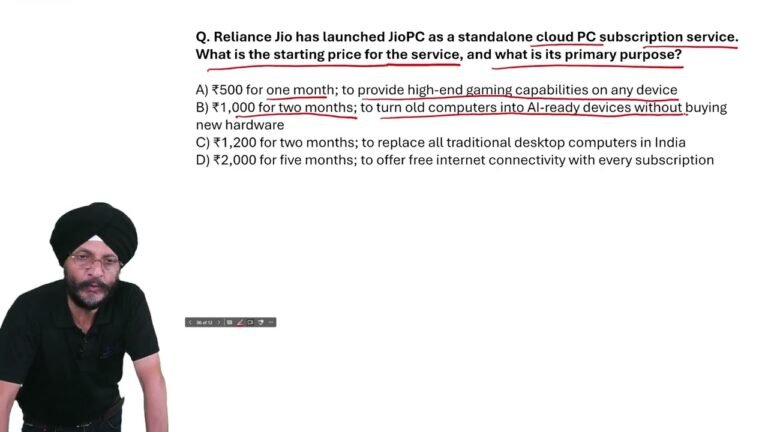
JioPC Launch & Starting Price | Reliance Jio Current Affairs MCQ 2026
Reliance Jio has launched JioPC as a standalone cloud PC
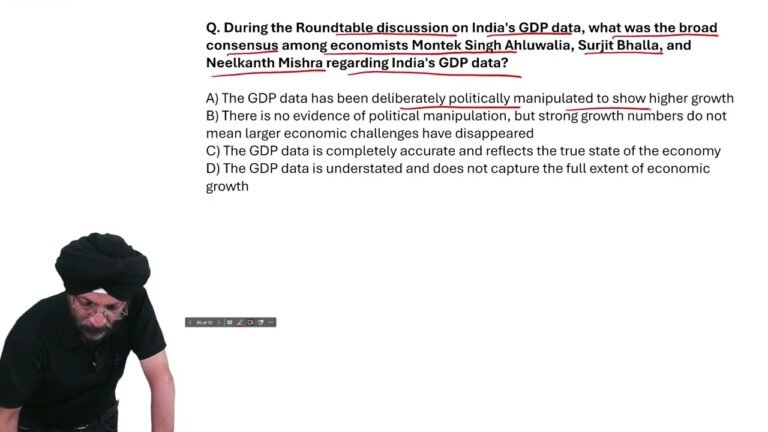
India’s GDP Data Debate | Important Current Affairs MCQ 2026 | GDP Growth Explained
What was the broad consensus among economists Montek Singh Ahluwalia,