
How to Build a Successful Career in Salesforce: Complete Learning and Job Roadmap
The technology industry is constantly evolving, and cloud computing has become an essential part of modern business. Among the many cloud-based platforms available today, Salesforce has established itself as a major CRM technology used by organizations to manage customers, sales, service, marketing, and business operations.
This growth has created opportunities for professionals who understand Salesforce Administration, Development, Automation, Lightning Web Components, Integration, and other platform technologies.
For students, freshers, working professionals, and people planning a career transition, Salesforce can offer a structured path into the technology industry. However, simply completing a Salesforce course is not enough. To become job-ready, learners need a combination of conceptual knowledge, practical skills, projects, problem-solving ability, and interview preparation.
**Prabh Kirpa Classes** provides Salesforce learning content designed to help learners understand important Salesforce concepts and progressively develop their technical knowledge.
## What Makes Salesforce a Valuable Career Skill?
Salesforce is more than a CRM application. It is a complete ecosystem containing tools for configuration, automation, development, analytics, integrations, and application building.
Companies can customize Salesforce according to their business requirements. This means Salesforce professionals may work on different types of projects depending on the organization and their role.
For example, a Salesforce Administrator may manage users, security, reports, dashboards, data, and automation.
A Salesforce Developer may work with Apex, SOQL, triggers, classes, APIs, and Lightning Web Components.
A Salesforce Consultant may focus more heavily on understanding business requirements and designing appropriate Salesforce solutions.
Because of this flexibility, learners can choose a career path based on their interests and existing skills.
## Salesforce Career Options
One of the most important advantages of learning Salesforce is the variety of roles available in its ecosystem.
### Salesforce Administrator
Salesforce Administrators focus primarily on platform configuration and business requirements.
Their responsibilities can include:
* User management
* Security configuration
* Data management
* Reports
* Dashboards
* Objects and fields
* Record types
* Page layouts
* Validation rules
* Automation
* Permission management
Administration is often a suitable starting point for beginners.
### Salesforce Developer
Salesforce Developers work on the technical side of the platform.
Their responsibilities may include:
* Apex programming
* Triggers
* Classes
* SOQL
* SOSL
* APIs
* Integrations
* Lightning Web Components
* Testing
* Debugging
* Deployment
A developer generally needs stronger programming knowledge than an administrator.
### Salesforce Business Analyst
A Salesforce Business Analyst works between business users and technical teams.
The role involves understanding business requirements, documenting processes, identifying problems, and helping teams design suitable solutions.
Strong communication and analytical skills are particularly useful for this career path.
### Salesforce Consultant
Salesforce Consultants help organizations implement and optimize Salesforce according to their business requirements.
They may analyze existing processes, recommend solutions, configure Salesforce, and collaborate with stakeholders.
## Salesforce Administration: The Foundation
Before moving into advanced Salesforce technologies, learners should understand the fundamentals of Salesforce Administration.
### Objects
Objects are database structures used to store information.
Salesforce includes standard objects such as:
* Account
* Contact
* Lead
* Opportunity
* Case
Organizations can also create custom objects for specific requirements.
### Fields
Fields store information within records.
Examples include:
* Text
* Number
* Currency
* Date
* Date/Time
* Picklist
* Checkbox
* Email
* Formula
Understanding field types is important when designing Salesforce applications.
### Relationships
Salesforce relationships connect records between objects.
The two commonly used relationships are:
**Lookup Relationship:** A flexible relationship between two objects.
**Master-Detail Relationship:** A more tightly connected relationship where the detail record depends on the master record.
Many-to-many relationships can be created using a **Junction Object**.
Understanding relationships is essential for both Salesforce Administrators and Developers.
## Salesforce Security
Security is one of the most important Salesforce topics.
Organizations often have multiple departments and employees who should not have access to every record.
Salesforce provides multiple tools to control access.
Learners should understand:
* Profiles
* Permission Sets
* Roles
* Organization-Wide Defaults
* Sharing Rules
* Field-Level Security
* Record-Level Access
A Salesforce professional should be able to analyze a business requirement and determine which security mechanism is appropriate.
## Salesforce Automation
Modern businesses rely heavily on automation to reduce repetitive manual work.
Salesforce provides automation tools that allow organizations to create processes based on specific conditions or events.
Flow is one of the most important automation technologies to learn.
### What Is Salesforce Flow?
Flow allows Salesforce professionals to automate business processes using a visual interface.
Important Flow concepts include:
* Screen Flow
* Record-Triggered Flow
* Scheduled Flow
* Auto-Launched Flow
* Variables
* Collections
* Assignment
* Decision
* Get Records
* Create Records
* Update Records
* Delete Records
* Debugging
For example, when an opportunity reaches a particular stage, a Flow could perform an automated action based on the organization’s requirements.
Learning Flow is highly valuable for both administrators and developers.
## Salesforce Reports and Dashboards
Businesses need accurate information to make decisions.
Salesforce Reports allow users to organize and analyze records.
Dashboards can then present important information visually.
A Salesforce professional should know how to create reports based on different business requirements.
Common reporting requirements may include:
* Sales performance
* Lead conversion
* Opportunity pipeline
* Customer service cases
* Team performance
* Revenue analysis
Good reporting skills can help administrators deliver meaningful information to business teams.
## Moving from Administration to Development
Once you understand Salesforce Administration, you can decide whether to continue toward advanced administration or move into development.
For learners interested in programming, Apex is an important next step.
### What Is Apex?
Apex is Salesforce’s programming language.
It allows developers to create custom business logic that may not be practical through configuration alone.
Apex includes programming concepts such as:
* Variables
* Operators
* Conditions
* Loops
* Methods
* Classes
* Constructors
* Collections
* Exception Handling
* Triggers
* Test Classes
A strong programming foundation can make advanced Salesforce development easier to understand.
## Understanding Apex Collections
Collections are frequently used when processing Salesforce data.
The three major collection types are:
### List
A List stores an ordered collection of values or records.
### Set
A Set stores unique values.
### Map
A Map stores key-value pairs.
Developers commonly use methods such as:
* put()
* get()
* containsKey()
* remove()
* clear()
Collections are particularly important when writing efficient Apex code.
## SOQL and SOSL
Salesforce developers frequently need to retrieve information from the database.
### SOQL
SOQL stands for Salesforce Object Query Language.
It is used to retrieve records from Salesforce objects.
Developers use SOQL to retrieve specific fields and records based on conditions.
### SOSL
SOSL stands for Salesforce Object Search Language.
It is designed for searching across multiple objects and fields.
Understanding when to use SOQL versus SOSL is an important Salesforce development skill.
## Salesforce Triggers
A Trigger is Apex code that executes automatically when specific database events occur.
Common events include:
* Insert
* Update
* Delete
* Undelete
Triggers can be used to implement custom business logic.
However, Salesforce developers must consider platform limits when writing Apex.
This is why **bulkification** is an important concept.
Code should be designed to work efficiently when Salesforce processes multiple records rather than only one record.
## Lightning Web Components
Lightning Web Components, or LWC, is another important technology for Salesforce Developers.
LWC allows developers to create modern and interactive user interfaces using web standards.
It uses technologies such as:
* HTML
* JavaScript
* CSS
Developers can also connect LWC components with Apex and Salesforce data.
Important LWC concepts include:
* Components
* Templates
* Properties
* Events
* Data Binding
* Wire Service
* Apex Integration
* Lifecycle Hooks
* Conditional Rendering
* Iteration
* Navigation
Learning LWC can help developers work on customized Salesforce applications and user interfaces.
## Salesforce Integration
Businesses often use multiple applications.
For example, a company may use Salesforce along with an accounting platform, payment system, ERP, marketing platform, or internal application.
These systems may need to exchange information.
Salesforce provides APIs and integration capabilities for connecting external systems.
Important topics include:
* REST API
* SOAP API
* JSON
* HTTP Methods
* Authentication
* Connected Apps
* Named Credentials
* External Systems
* Web Services
Understanding integration can help Salesforce Developers work on more complex enterprise projects.
## Salesforce Deployment
Development is only one part of a Salesforce project.
Professionals also need to understand how changes are moved between environments.
A typical Salesforce development process may involve:
**Development → Testing → Validation → Production**
Salesforce professionals should understand metadata, testing, deployment, and environment management.
Deployment knowledge is especially useful for developers working as part of larger technical teams.
## How to Become Job-Ready in Salesforce
Learning concepts is important, but becoming job-ready requires practical application.
Here is a useful roadmap.
### Step 1: Learn Salesforce Fundamentals
Start by understanding CRM concepts and Salesforce terminology.
Learn objects, fields, records, relationships, users, and basic configuration.
### Step 2: Master Administration
Learn security, data management, reports, dashboards, validation rules, record types, and automation.
### Step 3: Practice Flow
Create real-world automation scenarios.
Try building different types of Flows and understand how they behave.
### Step 4: Learn Apex
If you want to become a Salesforce Developer, start learning programming and Apex.
Practice classes, methods, collections, SOQL, SOSL, triggers, and test classes.
### Step 5: Learn LWC
Once you understand Apex fundamentals, start learning Lightning Web Components.
Build small components and connect them with Salesforce data.
### Step 6: Understand APIs
Learn how Salesforce communicates with external applications.
### Step 7: Build Projects
Projects are one of the best ways to transform theoretical knowledge into practical skills.
For example, you could create a complete sales management application.
The project could include:
* Lead Management
* Account Management
* Contact Management
* Opportunity Management
* Automated Follow-Ups
* User Security
* Reports
* Dashboards
* Flows
* Apex
* LWC
This type of project allows learners to combine multiple Salesforce concepts.
## Importance of Salesforce Interview Preparation
Many candidates understand Salesforce concepts but struggle during interviews because they have not practiced scenario-based questions.
Salesforce interviews can include both theoretical and practical questions.
For example:
**What is the difference between a Profile and Permission Set?**
**When would you use a Lookup relationship instead of Master-Detail?**
**What is the difference between SOQL and SOSL?**
**When should Flow be used instead of Apex?**
**What is bulkification?**
**How do you handle errors in Apex?**
**What are Governor Limits?**
**What is an LWC component?**
**How can Salesforce communicate with an external application?**
Preparing for these types of questions can improve confidence during interviews.
## Salesforce Learning for Freshers
Freshers often wonder whether they need extensive IT experience before learning Salesforce.
The answer depends on the chosen career path.
Someone beginning with Salesforce Administration can focus on platform concepts, CRM fundamentals, configuration, security, reporting, and automation.
A person targeting Salesforce Development should additionally develop programming fundamentals and technical skills.
The key is to choose a structured learning path instead of trying to learn everything simultaneously.
## Salesforce for Career Transition
Professionals from other technology backgrounds may also explore Salesforce.
For example, developers familiar with programming may find Apex and LWC easier to approach.
Testers may benefit from understanding Salesforce objects, automation, and business processes.
Business analysts can explore Salesforce configuration and requirements analysis.
The learning strategy should therefore be customized according to the learner’s previous experience.
## Why Choose Prabh Kirpa Classes?
Learning a technology becomes easier when concepts are presented in a structured manner.
**Prabh Kirpa Classes** focuses on Salesforce educational content covering important areas such as Administration, Development, Flow, Apex, LWC, Integration, and other Salesforce concepts.
The objective is to help learners build their knowledge progressively rather than jumping directly into advanced topics.
Learners can use structured educational content to strengthen their fundamentals, understand technical concepts, practice scenarios, and prepare for Salesforce-related career opportunities.
## Final Conclusion
Salesforce has created a broad ecosystem of career opportunities across administration, development, automation, consulting, business analysis, integration, and application development.
For beginners, Salesforce Administration provides an excellent foundation for understanding the platform. From there, learners can explore Flow, Apex, SOQL, SOSL, Triggers, Lightning Web Components, APIs, and deployment.
However, successful Salesforce learning is not about memorizing definitions. It is about understanding **why a particular Salesforce feature is used, when it should be used, and how it solves a real business problem**.
A strong learning strategy combines:
**Salesforce Fundamentals + Administration + Automation + Development + Projects + Interview Preparation**
If you are planning to enter the Salesforce ecosystem or strengthen your existing skills, start with the fundamentals and progress step by step.
With consistent practice, practical projects, and the right learning resources, you can build a strong foundation for a Salesforce-focused technology career.
**Start learning Salesforce with Prabh Kirpa Classes and take your first step toward developing practical Salesforce skills.**
Newsletter
Recent Posts
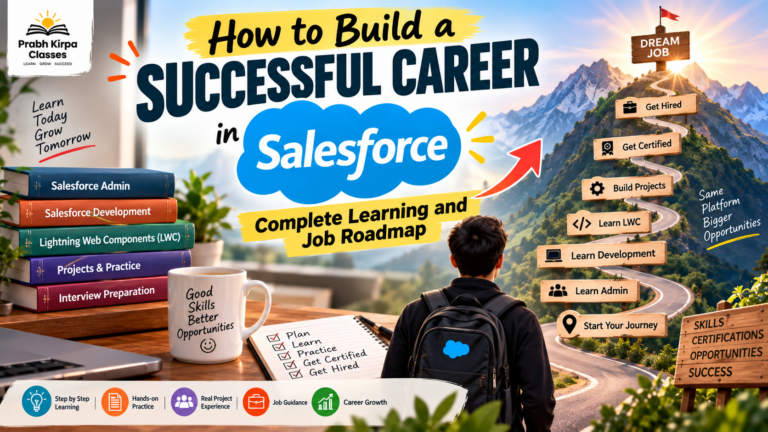
How to Build a Successful Career in Salesforce: Complete Learning and Job Roadmap
The technology industry is constantly evolving, and cloud computing has
Salesforce Training and Career Guide: Learn Salesforce Admin, Development & LWC
Salesforce has become one of the most widely used
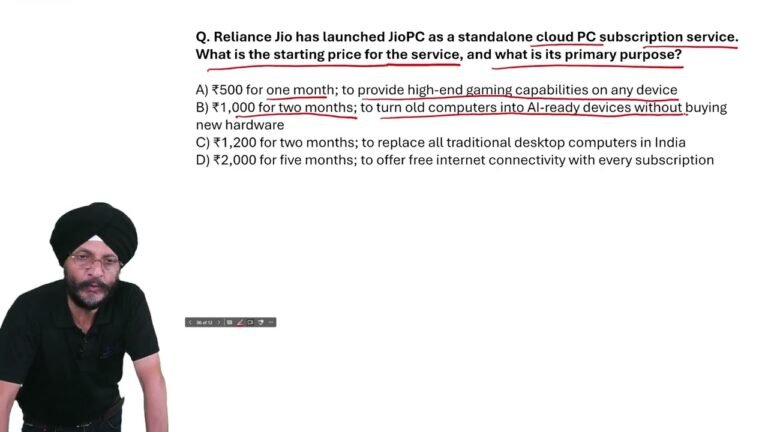
JioPC Launch & Starting Price | Reliance Jio Current Affairs MCQ 2026
Reliance Jio has launched JioPC as a standalone cloud PC
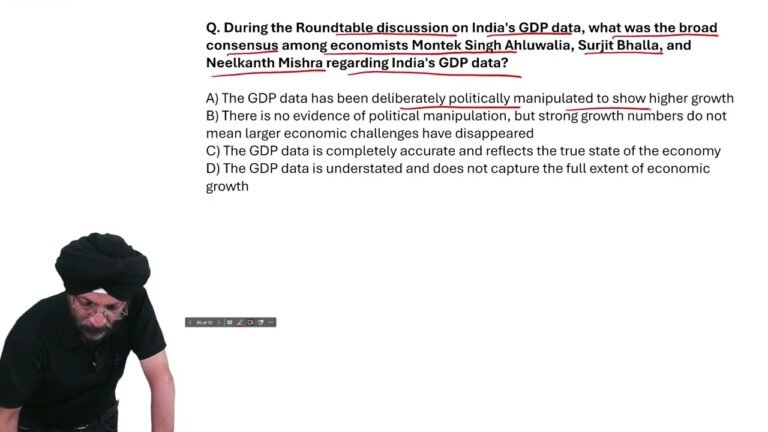
India’s GDP Data Debate | Important Current Affairs MCQ 2026 | GDP Growth Explained
What was the broad consensus among economists Montek Singh Ahluwalia,