
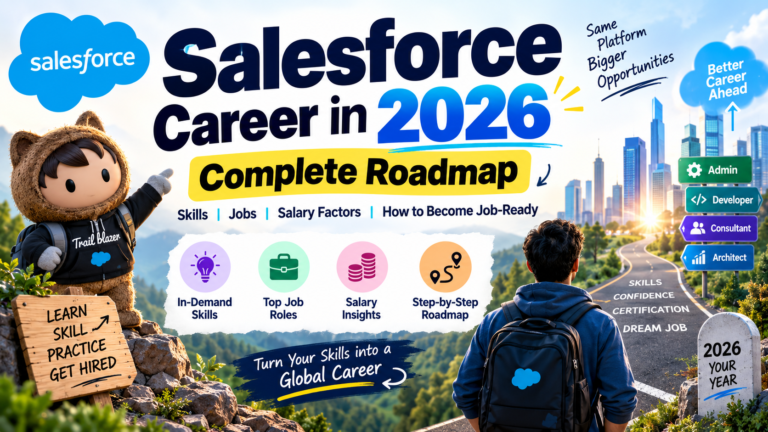
Salesforce Career in 2026: Complete Roadmap, Skills, Jobs, Salary Factors and How to Become Job-Ready
Salesforce continues to be one of the most widely used CRM platforms for businesses across industries. As companies increasingly rely on customer data, automation, cloud applications, analytics, and artificial intelligence, the Salesforce ecosystem is also evolving.
For students, freshers, working professionals, and people planning a career switch, Salesforce can be an interesting technology to explore.
However, learning Salesforce in 2026 is different from simply learning a few CRM features.
The platform now includes administration, automation, development, integrations, analytics, data technologies, artificial intelligence, and AI agents.
This means that aspiring Salesforce professionals need a structured learning roadmap.
The biggest question is no longer just:
“What is Salesforce?”
A more useful question is:
“What Salesforce skills should I learn to become job-ready?”
This blog explains the Salesforce career roadmap for 2026, the skills to learn, different career paths, practical projects, certification considerations, and ways to prepare for interviews.
## What Is Salesforce?
Salesforce is a cloud-based customer relationship management platform that helps organizations manage customer information, sales processes, service operations, marketing activities, business workflows, and other customer-related processes.
Instead of maintaining customer information across disconnected spreadsheets and applications, organizations can use Salesforce to centralize information and automate business processes.
Salesforce can be used by businesses for:
Lead Management
Sales Management
Customer Service
Marketing
Reports and Analytics
Workflow Automation
Data Management
Customer Communication
Application Development
AI-Powered Experiences
The platform is highly customizable, which creates opportunities for professionals with different technical and functional backgrounds.
## Why Learn Salesforce in 2026?
The Salesforce ecosystem continues to evolve.
Traditional CRM functionality is now being combined with:
Automation
Data
Artificial Intelligence
AI Agents
Analytics
Integrations
Cloud Applications
This means Salesforce professionals can work across multiple technology areas.
A beginner can start with Salesforce Administration and later move into development, consulting, architecture, data, automation, or AI-related capabilities.
The important thing is to build a strong foundation before moving into advanced topics.
## Is Salesforce Suitable for Freshers?
One of the common questions beginners ask is whether they can start a Salesforce career without previous Salesforce experience.
The answer depends on several factors, including learning ability, technical background, practical skills, communication, projects, and the role being targeted.
Salesforce has multiple career paths.
A person with limited coding experience can explore administration and functional roles.
Someone interested in programming can move toward development.
People with business backgrounds may explore business analysis or consulting.
Professionals with experience in other technologies can add Salesforce to their existing skill set.
The important part is choosing a suitable learning path.
# Salesforce Career Paths
Salesforce offers multiple career directions.
Some of the common paths include:
Salesforce Administrator
Salesforce Developer
Salesforce Business Analyst
Salesforce Consultant
Salesforce Data Specialist
Salesforce Integration Specialist
Salesforce Architect
Salesforce AI and Agentforce Specialist
Each role requires a different combination of skills.
## Salesforce Administrator
A Salesforce Administrator works primarily with configuration, users, security, data, automation, reports, and platform functionality.
Important skills include:
Salesforce Objects
Fields
Relationships
Users
Profiles
Permission Sets
Roles
Sharing Rules
Validation Rules
Reports
Dashboards
Data Management
Flow
A Salesforce Admin does not necessarily need advanced programming skills to begin learning the platform.
However, strong understanding of business processes and Salesforce configuration is important.
## Salesforce Developer
Salesforce Developers work with code and custom functionality.
Important skills include:
Apex
SOQL
SOSL
Triggers
Classes
Methods
DML
Exception Handling
Test Classes
Lightning Web Components
JavaScript
APIs
Integrations
A developer may build functionality that cannot be achieved using standard Salesforce configuration alone.
## Salesforce Business Analyst
A Salesforce Business Analyst focuses on understanding business requirements and translating them into Salesforce solutions.
Important skills include:
Requirement Gathering
Process Mapping
User Stories
Documentation
Salesforce Fundamentals
Business Communication
Testing
Stakeholder Management
Automation Understanding
A person with strong communication and business analysis skills can explore this direction.
## Salesforce Consultant
Consultants work closely with organizations to understand their business requirements and design Salesforce solutions.
A consultant may need knowledge of:
CRM Processes
Sales
Service
Automation
Data
Security
Integrations
Reports
User Experience
Business Requirements
Consulting requires both Salesforce knowledge and the ability to understand business problems.
## Salesforce Architect
Architecture is a more advanced career path.
Architects need to understand how different Salesforce components work together.
They may work with:
Data Architecture
Security Architecture
Integration Architecture
Application Architecture
Identity
APIs
Scalability
Performance
Governance
Architecture generally requires significant practical experience and broad Salesforce knowledge.
# Salesforce Learning Roadmap for Beginners
If you’re completely new to Salesforce, don’t try to learn every feature at once.
Follow a structured roadmap.
## Step 1: Learn CRM Fundamentals
Start by understanding what CRM means.
Learn concepts such as:
Leads
Accounts
Contacts
Opportunities
Cases
Products
Activities
Campaigns
Understand how businesses use CRM systems to manage customer relationships.
## Step 2: Learn Salesforce Administration
Next, learn Salesforce configuration.
Focus on:
Objects
Fields
Relationships
Page Layouts
Record Types
Profiles
Permission Sets
Roles
Sharing
Validation Rules
Reports
Dashboards
These concepts form the foundation of Salesforce.
## Step 3: Learn Salesforce Flow
Automation is a major part of Salesforce.
Learn:
Record-Triggered Flow
Screen Flow
Scheduled Flow
Get Records
Create Records
Update Records
Decision
Loop
Assignment
Variables
Collections
Fault Handling
Flow Debugging
Don’t just watch Flow tutorials.
Build actual automation.
## Step 4: Learn Data Management
Understand how data enters, changes, and moves within Salesforce.
Learn:
Data Import
Data Export
Data Loader
Duplicate Management
Data Validation
Data Relationships
Data Security
Data Quality
Understanding data is important for both Admins and Developers.
## Step 5: Choose Your Career Path
After learning the basics, decide where you want to specialize.
For Admin:
Administration + Flow + Reports + Security
For Developer:
Apex + SOQL + LWC + APIs
For Business Analyst:
Business Processes + Requirements + Salesforce
For Consultant:
CRM + Configuration + Automation + Business Processes
For AI:
Salesforce + Data + Automation + AI + Agentforce
## Step 6: Build Real Projects
Projects are one of the most important parts of learning.
Instead of simply writing:
“I know Salesforce.”
You should be able to demonstrate:
“I built this Salesforce solution.”
For example, create a Sales Management System.
The project could contain:
Lead Management
Account Management
Opportunity Management
Sales Pipeline
Automated Follow-Ups
Reports
Dashboards
Flow Automation
This gives you practical experience.
# Salesforce Projects for Freshers
Here are some project ideas that can help learners practice.
## Project 1: Lead Management System
Create a system where new leads are captured and automatically assigned.
Workflow:
New Lead
↓
Lead Source Check
↓
Lead Assignment
↓
Follow-Up Task
↓
Sales Notification
↓
Lead Conversion
This project allows you to practice Salesforce objects, Flow, automation, and reports.
## Project 2: Customer Service Management
Create a support system for customer cases.
Features can include:
Case Creation
Case Assignment
Priority
Escalation
Email Notification
Follow-Up
Resolution
Reports
This project helps learners understand Salesforce Service processes.
## Project 3: Employee Onboarding System
Build an internal Salesforce application for employee onboarding.
Possible functionality:
Employee Record
Document Checklist
Manager Approval
Task Assignment
Onboarding Status
Automated Notifications
Dashboard
This demonstrates how Salesforce can be customized for internal business processes.
## Project 4: AI-Powered Customer Support
For advanced learners, add AI capabilities.
Workflow:
Customer Question
↓
AI Agent
↓
Understand Intent
↓
Find Relevant Information
↓
Provide Response
↓
Create Case if Required
↓
Human Escalation
This can help learners understand how traditional Salesforce functionality can connect with newer AI capabilities.
# Salesforce Skills Employers May Value
A strong Salesforce professional needs more than platform knowledge.
Some important skills include:
Technical Knowledge
Problem Solving
Communication
Business Understanding
Analytical Thinking
Data Management
Automation
Testing
Documentation
Team Collaboration
The exact requirements vary by organization and role.
A developer may need stronger programming skills.
An administrator may need stronger configuration and process skills.
A consultant may need stronger communication and requirement-gathering abilities.
# Salesforce and Artificial Intelligence
AI is becoming an increasingly important part of the Salesforce ecosystem.
Professionals can explore areas such as:
Generative AI
AI Assistants
AI Agents
Agentforce
Prompt Engineering
Data Grounding
AI Automation
AI Governance
Agent Testing
However, beginners should not assume that AI replaces Salesforce fundamentals.
AI solutions still depend on:
Data
Security
Permissions
Business Processes
Automation
System Configuration
Integration
Understanding these areas can help professionals work more effectively with AI-powered Salesforce solutions.
# Why Salesforce Flow Is Important
Flow deserves special attention because it connects configuration with automation.
Suppose a company wants to automatically assign high-priority cases to a specialized support team.
A Flow can implement the process.
Example:
Case Created
↓
Check Priority
↓
Is Priority High?
↓
Yes
↓
Assign Specialist
↓
Send Notification
↓
Create Follow-Up Task
Learning how to design these workflows can help Salesforce professionals understand business automation.
# Why Apex Is Still Important
Apex allows developers to implement custom business logic.
For example, imagine a business requirement that cannot be handled easily using standard configuration.
A developer might use Apex to create the required logic.
Important Apex concepts include:
Variables
Collections
Classes
Methods
SOQL
DML
Triggers
Exception Handling
Test Classes
Governor Limits
Developers should also understand when to use declarative tools such as Flow and when custom code is appropriate.
# Why LWC Matters
Lightning Web Components allow developers to create custom user interfaces within Salesforce.
A developer can use:
HTML
CSS
JavaScript
LWC
Apex
Salesforce Data
to create custom applications and components.
For example, a company might want a custom sales dashboard that displays important information in a particular format.
LWC can be used to create that interface.
# Salesforce Integration Skills
Modern companies often use multiple applications.
For example:
Salesforce
ERP
Payment System
Marketing Platform
Website
Data Warehouse
Customer Support Platform
These systems may need to exchange information.
Therefore, Salesforce professionals can benefit from understanding:
REST APIs
SOAP APIs
JSON
HTTP
Authentication
External Services
Integration Patterns
Webhooks
Integration knowledge becomes particularly useful for developers, consultants, and architects.
# Salesforce Certifications
Certifications can be useful for demonstrating knowledge of Salesforce technologies.
However, certification should not be treated as a replacement for practical experience.
A learner should focus on:
Understanding Concepts
Hands-On Practice
Projects
Problem Solving
Interview Preparation
Certification Preparation
For beginners, a structured certification path can help organize learning.
But the goal should be more than passing an exam.
The goal should be understanding how Salesforce works in real business situations.
# How to Become Job-Ready in Salesforce
Becoming job-ready requires more than completing a course.
A practical approach could include:
Learn Salesforce Fundamentals
↓
Learn Administration
↓
Practice Flow
↓
Understand Data
↓
Choose Specialization
↓
Build Projects
↓
Practice Real Scenarios
↓
Prepare Resume
↓
Practice Interviews
↓
Apply for Relevant Opportunities
The exact timeline can vary from person to person.
Consistency is more important than trying to rush through every topic.
# Salesforce Interview Preparation
Salesforce interviews often test practical understanding.
Instead of only memorizing definitions, prepare for scenario-based questions.
For example:
A company wants to automatically assign leads based on location. How would you design the solution?
A user cannot access a particular record. What would you check?
A Flow is failing. How would you troubleshoot it?
When would you use Flow instead of Apex?
How would you prevent duplicate customer records?
How would you design a secure Salesforce integration?
These questions test whether you understand how Salesforce works in real situations.
# Common Salesforce Learning Mistakes
## Mistake 1: Trying to Learn Everything
Salesforce is a huge ecosystem.
You don’t need to master every product immediately.
## Mistake 2: Ignoring Practice
Theory without practice can create gaps.
Build projects regularly.
## Mistake 3: Skipping Fundamentals
Advanced topics become easier when fundamentals are strong.
## Mistake 4: Focusing Only on Certification
Certification is useful, but practical knowledge matters too.
## Mistake 5: Not Understanding Business Processes
Salesforce is a business platform.
Understand the business problem before designing the technical solution.
## Mistake 6: Ignoring Communication
Salesforce professionals often work with users, managers, developers, consultants, and clients.
Communication can therefore be an important professional skill.
# How AI May Change Salesforce Roles
Artificial intelligence is changing the type of work professionals can perform.
Repetitive tasks may increasingly become automated.
At the same time, professionals may spend more time on:
Solution Design
Business Analysis
Data Strategy
AI Governance
Automation Design
System Architecture
Agent Configuration
Integration
Testing
The future Salesforce professional may therefore need a combination of technical and business skills.
# Salesforce Career Growth
A Salesforce career can evolve over time.
For example:
Salesforce Admin
↓
Advanced Admin
↓
Consultant
↓
Senior Consultant
↓
Architect
Another path could be:
Salesforce Developer
↓
Senior Developer
↓
Technical Lead
↓
Technical Architect
Another path could focus on AI:
Salesforce Professional
↓
Automation
↓
Data
↓
AI
↓
Agentforce
The exact career progression depends on skills, experience, specialization, organization, and individual goals.
# How Prabh Kirpa Classes Can Help Salesforce Learners
Learning Salesforce becomes easier when the learning process is structured.
At Prabh Kirpa Classes, learners can focus on developing practical Salesforce knowledge across important areas such as:
Salesforce Administration
Salesforce Development
Apex
Lightning Web Components
Flow and Automation
Salesforce Data
Integrations
AI and Emerging Salesforce Technologies
For students and working professionals, the objective should be to understand concepts, practice them, and apply them to real-world scenarios.
A good learning process should combine:
Concepts
Hands-On Practice
Projects
Problem Solving
Interview Preparation
Career Guidance
# Final Thoughts
Salesforce is continuously evolving.
The platform is no longer limited to traditional CRM functionality.
Automation, data, development, integrations, analytics, artificial intelligence, and AI agents are becoming increasingly connected.
This creates a wide range of learning opportunities for students, freshers, working professionals, and career switchers.
If you are starting from zero, don’t worry about learning everything immediately.
Start with the fundamentals.
Learn Salesforce Administration.
Understand Flow.
Practice data management.
Choose a specialization.
Learn development if required.
Build real projects.
Explore AI and Agentforce.
Prepare for interviews.
Keep upgrading your skills.
The most important part of a Salesforce career is not simply knowing the names of different Salesforce features.
It is knowing how to use those features to solve real business problems.
A strong Salesforce professional combines technology knowledge with problem-solving ability, business understanding, communication, and continuous learning.
The Salesforce ecosystem will continue to change.
The professionals who keep learning, practicing, and adapting can build skills that remain relevant as the platform evolves.
Start with the basics.
Build practical knowledge.
Create projects.
Develop your specialization.
Learn emerging technologies.
And keep moving forward.
**Prabh Kirpa Classes — Learn Salesforce, Build Practical Skills, and Prepare for the Future of CRM.**
Newsletter
Recent Posts
Salesforce Career in 2026: Complete Roadmap, Skills, Jobs, Salary Factors and How to Become Job-Ready
Salesforce continues to be one of the most widely used
Salesforce Agentforce in 2026: Why AI Skills Are Becoming Essential for Salesforce Professionals
For years, Salesforce professionals focused on Salesforce Administration, Apex,
Algeria Cuts Diplomatic Ties with UAE | September 2026
Algeria severed diplomatic relations with the United Arab Emirates (UAE)
Which Country Warned Against US Military Weapons in Space? | Space Security Current Affairs
Which country warned that the deployment of US military weapons