
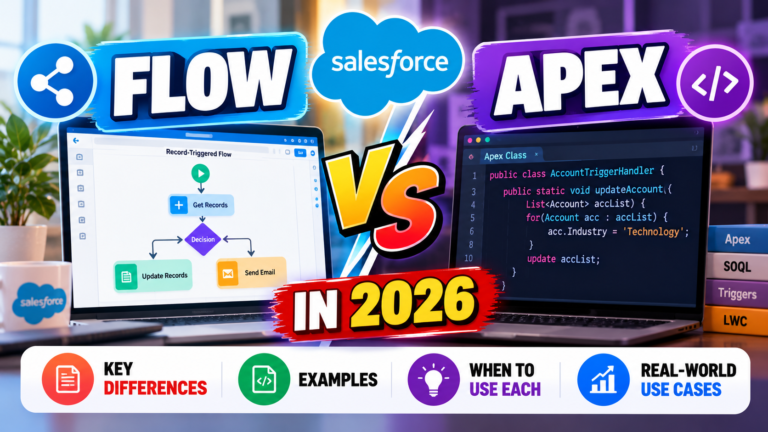
Salesforce Flow vs Apex in 2026: Key Differences, Examples & When to Use Each
Salesforce offers powerful tools to automate business processes, and two of the most important are Salesforce Flow and Apex. Both help organizations implement business logic, reduce manual work, and build customized Salesforce solutions. However, they work differently and are suitable for different types of requirements.
For Salesforce Administrators, Developers, Consultants, and beginners, understanding the difference between Flow and Apex is essential. It helps you select the right automation approach, build maintainable solutions, and answer important Salesforce interview questions.
In many Salesforce projects, the real question is not whether Flow is better than Apex. It is about understanding which tool best fits the business requirement.
In this guide, we will explore Salesforce Flow vs Apex, their features, practical examples, advantages, limitations, and best practices for choosing between them in 2026.
## What Is Salesforce Flow?
Salesforce Flow is a declarative automation tool that allows you to create business processes using a visual interface called Flow Builder.
Instead of writing traditional code, you connect elements such as Decisions, Assignments, Get Records, Create Records, and Update Records to define how the automation should work.
Flow can automate tasks such as:
– Updating Salesforce records
– Creating related records
– Sending notifications
– Collecting information from users
– Automating approval-related processes
– Applying business rules
– Guiding users through multi-step processes
### Example of Salesforce Flow
Imagine a company wants to create a follow-up Task whenever an Opportunity reaches the Closed Won stage.
You can create a Record-Triggered Flow that starts when an Opportunity is updated.
The Flow checks whether the Opportunity Stage is Closed Won and creates the required Task.
The basic logic is:
**Opportunity Updated → Check Stage → Stage = Closed Won → Create Task**
This is a practical example of how Flow can automate repetitive business activities without requiring custom Apex code.
## What Is Apex in Salesforce?
Apex is Salesforce’s proprietary, strongly typed programming language. It allows developers to implement custom business logic and build functionality that may be difficult or unsuitable to implement entirely through declarative tools.
Apex syntax is similar in style to languages such as Java and supports object-oriented programming concepts.
Salesforce Developers use Apex to build:
– Apex classes
– Apex triggers
– Custom business logic
– Complex data processing
– Integration services
– Asynchronous operations
– Scheduled processing
– Custom server-side functionality
### Example of Apex
Suppose a business requires a complex commission calculation involving multiple conditions, different product categories, and custom business rules.
A developer may use an Apex class to implement the calculation and make the logic reusable.
Apex is also useful when Salesforce needs to communicate with external systems or process data in ways that require programmatic control.
## Salesforce Flow vs Apex: Key Differences
| Feature | Salesforce Flow | Apex |
|—|—|—|
| Development approach | Declarative, visual automation | Programmatic development |
| Coding knowledge | Not always required | Required |
| Main tool | Flow Builder | Developer tools and code editor |
| Business logic | Supports many common rules and processes | Supports highly customized logic |
| User interaction | Supports Screen Flows | Can support custom user experiences through other Salesforce technologies |
| Record operations | Built-in data elements | Programmatic data operations |
| Integrations | Supports supported declarative integration capabilities | Supports custom integration logic |
| Testing | Flow debugging and testing methods | Apex tests and automated test methods |
| Maintenance | Often accessible to administrators | Usually requires developers |
| Best use | Suitable declarative automation | Requirements needing code-level control |
The two tools are complementary. A well-designed Salesforce solution may use both.
## When Should You Use Salesforce Flow?
Flow is often the right choice when the business requirement can be handled clearly and efficiently using declarative automation.
### 1. Simple Record Updates
Suppose the requirement is:
“When a Lead Status changes to Qualified, update a custom field.”
A Record-Triggered Flow can handle this type of automation.
### 2. Notifications
If a manager needs to receive a notification when a high-priority Case is created, Flow may be sufficient, depending on the notification requirements.
### 3. Creating Related Records
For example, automatically create a follow-up Task when an Opportunity reaches a particular stage.
### 4. User Data Collection
A Screen Flow can guide users through a structured process, collect information, and create or update records.
### 5. Business Process Automation
Flow can automate many business processes involving decisions, assignments, record operations, and notifications.
**Best practice:** Start by evaluating whether Flow can meet the requirement cleanly before introducing custom code.
## When Should You Use Apex?
Apex is appropriate when a requirement needs capabilities or control that are difficult to implement efficiently through Flow alone.
### 1. Complex Business Logic
Some requirements involve extensive calculations, sophisticated data transformations, or multiple interacting business rules.
Apex can provide a structured way to implement and test this logic.
### 2. Advanced Integrations
Apex can be used to implement custom integrations with external services through APIs, authentication mechanisms, and HTTP callouts, subject to Salesforce platform requirements.
### 3. Reusable Programmatic Logic
Apex classes allow developers to create reusable methods and services that can be called from multiple places.
### 4. Specialized Data Processing
When a requirement needs careful control over collections, transaction behavior, or complex processing, Apex may be the better choice.
### 5. Requirements That Flow Cannot Meet Efficiently
If a declarative solution becomes excessively complicated or difficult to maintain, Apex may offer a cleaner implementation.
However, Apex also introduces responsibilities such as code maintenance, testing, security enforcement, and governor-limit management.
## Can Salesforce Flow and Apex Work Together?
Yes. Salesforce Flow and Apex can work together to create flexible solutions.
Flow can handle the overall business process, while Apex performs specialized operations.
Consider this example:
**Requirement:** When an Opportunity is closed, calculate a complex commission and create a follow-up Task.
A possible design is:
1. A Record-Triggered Flow detects the Opportunity update.
2. The Flow checks whether the relevant conditions are satisfied.
3. The Flow invokes an Apex action for the commission calculation.
4. Apex performs the specialized calculation.
5. The automation stores or uses the result.
6. The Flow continues with the required follow-up actions.
The exact design depends on transaction requirements, error handling, data volume, and system architecture.
This approach allows each tool to handle the part of the requirement for which it is best suited.
## Salesforce Flow vs Apex: Performance Considerations
Performance is an important consideration in production Salesforce environments.
Neither Flow nor Apex is automatically faster in every situation. Performance depends on the design, amount of data, number of operations, execution context, and platform limits.
### Flow Performance Best Practices
– Avoid unnecessary Get Records elements.
– Avoid repetitive updates.
– Design loops carefully.
– Avoid unnecessary automation on every record update.
– Consider data volume and transaction behavior.
– Use appropriate entry conditions.
– Handle faults and errors where necessary.
### Apex Performance Best Practices
– Bulkify triggers and methods.
– Avoid SOQL queries inside loops.
– Avoid DML operations inside loops.
– Understand Salesforce governor limits.
– Use collections efficiently.
– Write meaningful test classes.
– Handle errors properly.
– Enforce appropriate security controls.
Good design matters more than choosing a tool based on assumptions about performance.
## Common Mistakes Salesforce Professionals Should Avoid
### Mistake 1: Using Apex for Every Requirement
Not every automation requires custom code. If Flow can handle a requirement clearly, Apex may add unnecessary complexity.
### Mistake 2: Using Flow for Everything
Flow is powerful, but forcing extremely complex logic into a single Flow can make the solution difficult to understand and maintain.
### Mistake 3: Ignoring Existing Automation
Before creating a new Flow or Apex trigger, understand the automation already operating on the relevant objects.
### Mistake 4: Ignoring Testing
Both approaches require testing. Test normal scenarios, edge cases, errors, permissions, and multiple-record scenarios.
### Mistake 5: Forgetting Security
Developers must consider access controls and secure coding practices. Administrators must also ensure that Flow execution and record access match the intended security requirements.
## How to Choose Between Flow and Apex
Use the following decision-making approach.
**Step 1: Understand the business requirement.**
Identify the trigger, required data, conditions, expected outcome, and possible errors.
**Step 2: Check declarative capabilities.**
Determine whether Flow can implement the requirement clearly and maintainably.
**Step 3: Evaluate complexity.**
If the solution needs extensive custom logic, advanced processing, or specialized integration behavior, consider Apex.
**Step 4: Consider maintainability.**
Think about who will support the automation after deployment.
**Step 5: Consider performance and security.**
Evaluate data volume, execution limits, transaction behavior, and record access.
**Step 6: Test the solution.**
Verify that it meets the business requirement under realistic conditions.
The best choice is the simplest reliable solution that meets the technical and business requirements.
## Salesforce Flow vs Apex Interview Questions
If you are preparing for Salesforce interviews, practice answering these questions with examples.
**1. What is the difference between Flow and Apex?**
Flow is a declarative automation tool, while Apex is a programming language used to build custom Salesforce functionality.
**2. Can Flow replace Apex completely?**
No. Flow can handle many automation requirements, but some specialized business logic, integrations, and processing needs are better implemented with Apex.
**3. Can Apex be called from Flow?**
Yes. Flow can invoke eligible Apex actions, including appropriately configured invocable Apex methods.
**4. When would you choose Flow over Apex?**
Choose Flow when the requirement can be implemented clearly using declarative elements without unnecessary complexity.
**5. When would you choose Apex over Flow?**
Choose Apex when custom programming, specialized integration logic, or complex processing is required.
**6. Can Flow and Apex be used in the same project?**
Yes. They are often combined to handle different parts of a business process.
**7. Why is bulkification important in Apex?**
Bulkification helps code process multiple records efficiently while respecting Salesforce governor limits.
**8. How do you troubleshoot a failed Flow?**
Use Flow debugging tools, review error messages, inspect execution paths, and verify record data, permissions, and fault handling.
## Learning Roadmap for Salesforce Beginners
If you are new to Salesforce, follow this learning path:
### Step 1: Learn Salesforce Fundamentals
Understand objects, fields, relationships, records, and the CRM data model.
### Step 2: Learn Salesforce Administration
Study users, profiles, permission sets, reports, dashboards, and security.
### Step 3: Learn Salesforce Flow
Practice Get Records, Decision, Assignment, Create Records, Update Records, and Screen Flows.
### Step 4: Learn Programming Fundamentals
If you want to become a Developer, study variables, conditions, loops, methods, classes, and object-oriented programming.
### Step 5: Learn Apex and SOQL
Build classes, triggers, queries, test classes, and reusable methods.
### Step 6: Build Practical Projects
Create a Lead Management System, Opportunity Follow-Up Automation, or Case Escalation Process.
### Step 7: Prepare for Interviews
Practice scenario-based questions and explain why you chose Flow, Apex, or a combination of both.
## Final Thoughts
Salesforce Flow and Apex are both essential tools for building effective Salesforce solutions.
Flow makes it possible to automate many business processes visually, while Apex provides the flexibility needed for custom programming, specialized integrations, and complex logic.
For beginners, learning Flow is an excellent way to understand business automation. For aspiring Developers, Apex is an essential next step.
Experienced Salesforce professionals should learn to evaluate both tools rather than automatically choosing one.
The most effective Salesforce solutions often combine declarative automation, custom code, data management, security, and thoughtful design.
**Remember: Don’t choose Flow or Apex based on habit. Choose the tool that solves the business problem reliably, securely, and efficiently.**
## Frequently Asked Questions
### Is Salesforce Flow easier than Apex?
Flow is generally more accessible to beginners because it uses a visual interface and does not always require coding. Apex requires programming knowledge.
### Should I learn Flow before Apex?
For many beginners, learning Flow first is useful because it introduces automation and business logic. Developers should then learn Apex for requirements that need custom code.
### Is Apex being replaced by Flow?
Flow can handle many requirements that previously needed code, but it does not eliminate the need for Apex. Both technologies serve important and complementary purposes.
### Which is better for Salesforce interviews: Flow or Apex?
Both are important. Administrators should focus strongly on Flow, while Developers should understand both Flow and Apex, including when to use each.
### Can Salesforce Flow perform complex automation?
Yes, Flow supports complex automation, including decisions, loops, record operations, and reusable processes. However, some requirements are more maintainable or efficient when implemented using Apex.
### What should a Salesforce Developer learn in 2026?
A strong foundation includes Salesforce fundamentals, Flow, Apex, SOQL, LWC, APIs, testing, security, and governor limits.
Newsletter
Recent Posts
Salesforce Flow vs Apex in 2026: Key Differences, Examples & When to Use Each
Salesforce offers powerful tools to automate business processes, and

Salesforce Admin vs Salesforce Developer in 2026: Skills, Salary, Jobs & Which Career Is Better?
Choosing the right career path in Salesforce can be

2026 Nobel Prize Breakthroughs Explained 🏆 | Science Current Affairs #Shorts
What are the major scientific breakthroughs behind the 2026 Nobel

Asian Games 2030 Host City Revealed! 🏆 | Doha, Qatar | Current Affairs #Shorts
Which city will host the Asian Games 2030? Test your