
Salesforce GraphQL API Explained for Developers
Modern Salesforce applications often need to retrieve related data efficiently while minimizing unnecessary API requests. The **Salesforce GraphQL API** provides developers with a flexible way to query Salesforce data by requesting exactly the fields their applications need.
Instead of making multiple requests for different resources, GraphQL can allow developers to retrieve related information through a structured query.
In this guide, we’ll explore what the Salesforce GraphQL API is, how it works, its advantages, limitations, and when developers should consider using it.
## What Is the Salesforce GraphQL API?
GraphQL is a query language for APIs that allows clients to specify the exact structure of the data they want returned.
Salesforce’s GraphQL capabilities allow developers to query Salesforce data through a GraphQL interface rather than relying exclusively on traditional REST-style endpoints.
The basic idea is simple:
**Client sends a query → Salesforce processes it → API returns the requested data.**
This gives the client more control over the response.
## Why GraphQL Matters for Salesforce Developers
Imagine an application needs information about an Account and selected fields from related Contacts.
With some traditional API designs, developers may need multiple requests or receive more data than the application actually needs.
With GraphQL, the application can describe the required fields in its query and receive a response shaped around that request.
This can make data retrieval more efficient for applications with complex UI and data requirements.
## How Salesforce GraphQL API Works
A GraphQL request generally contains a query describing the data and fields the client wants.
For example, conceptually a developer might request:
“`graphql
query {
uiapi {
query {
Account {
edges {
node {
Id
Name {
value
}
}
}
}
}
}
}
“`
The response contains data corresponding to the requested structure.
One important difference from many REST APIs is that the client has greater control over which fields are returned.
## Key Benefits of Salesforce GraphQL API
### 1. Request Only the Data You Need
One of GraphQL’s biggest advantages is field selection.
If your application only needs an Account’s ID and Name, it can request those fields instead of receiving a much larger representation.
This can reduce unnecessary data transfer.
### 2. Retrieve Related Data
GraphQL is particularly useful when applications need interconnected information.
A single structured query can represent relationships between different pieces of Salesforce data, depending on the capabilities supported by the API.
This can simplify data-fetching logic in client applications.
### 3. Reduce API Chattiness
Applications sometimes make several requests to assemble everything needed for one screen.
GraphQL can potentially reduce this request-response overhead by allowing more information to be retrieved through a carefully structured query.
Fewer round trips can be valuable for web and mobile applications.
### 4. Strongly Typed Schema
GraphQL APIs expose a schema describing available types, fields, and relationships.
Developers can use this schema to understand what can be queried and how different objects are structured.
GraphQL tooling can also provide features such as autocomplete and query validation.
### 5. Better Front-End Data Control
GraphQL is particularly attractive for applications where different pages or components require different combinations of Salesforce data.
Instead of designing a separate REST endpoint for every UI requirement, developers can construct queries around the data each interface needs.
## Salesforce GraphQL vs REST API
Both GraphQL and REST can be useful, but they solve problems differently.
| Feature | GraphQL | REST |
|—|—|—|
| Data selection | Client specifies fields | Depends on endpoint |
| Response structure | Query-driven | Endpoint-driven |
| Related data | Can be queried structurally | May require additional requests |
| Over-fetching | Can often be reduced | Can occur |
| Learning curve | Higher initially | Usually straightforward |
| Best fit | Complex data requirements | Standard API operations |
REST remains an excellent choice for many Salesforce integrations.
GraphQL becomes particularly interesting when applications need flexible querying and related data while trying to minimize unnecessary network requests.
## GraphQL vs SOQL
GraphQL and SOQL should not be treated as the same technology.
**SOQL** is Salesforce’s query language for retrieving records from Salesforce data.
**GraphQL** is an API query language and runtime that lets clients define the shape of the information they want from an API.
A Salesforce GraphQL request can expose Salesforce data through GraphQL structures while Salesforce-specific querying capabilities operate underneath the API.
A useful way to remember the distinction is:
**SOQL → Query Salesforce records**
**GraphQL → Query data through an API using a client-defined structure**
## When Should Developers Use Salesforce GraphQL?
GraphQL can be a strong option when:
– A front-end application needs several related pieces of Salesforce data
– You want precise control over returned fields
– REST calls are becoming overly chatty
– Applications have complex data-driven interfaces
– You want to take advantage of GraphQL tooling and schema discovery
However, GraphQL should not automatically replace every REST or Salesforce API integration.
The right API depends on the use case.
## Example Use Case
Imagine you’re building a customer dashboard.
The screen needs:
– Account name
– Account industry
– Selected contact information
– Other related Salesforce information
A REST-based implementation might involve multiple requests depending on the APIs and endpoints being used.
With GraphQL, the developer may be able to construct a query that retrieves the required supported data in a more unified structure.
The result can be cleaner client-side data fetching and fewer unnecessary requests.
## Important Considerations
Before adopting Salesforce GraphQL API, developers should evaluate:
**API capabilities:** Not every Salesforce operation or feature should be assumed to be available through GraphQL.
**Query complexity:** Large queries can become difficult to understand and maintain.
**Performance:** Fewer requests do not automatically mean better performance. Query design still matters.
**Security:** Salesforce permissions and access controls remain critical when exposing data to applications.
**API limits:** Developers should understand the relevant Salesforce limits and GraphQL-specific considerations before designing production integrations.
## Best Practices for Salesforce GraphQL Developers
Keep queries focused on information the application genuinely needs.
Avoid requesting large numbers of unnecessary fields simply because GraphQL makes them available.
Use variables instead of dynamically constructing unsafe query strings where appropriate.
Test queries against realistic data volumes.
Handle pagination correctly for larger result sets.
Monitor performance and API consumption in production.
Most importantly, choose GraphQL because it improves the architecture—not simply because it is newer than REST.
## REST, GraphQL, or Events?
Salesforce developers now have several integration approaches available.
Use **REST APIs** for straightforward request-response integrations.
Consider **GraphQL** when an application needs flexible, structured retrieval of related Salesforce data.
Use **Platform Events** when systems need custom asynchronous business-event communication.
Use **Change Data Capture (CDC)** when external systems need to react to Salesforce record changes.
These technologies can also work together within the same architecture.
## Conclusion
The Salesforce GraphQL API gives developers another powerful option for building data-driven applications on top of Salesforce.
Its biggest advantage is flexibility: applications can request the fields and supported relationships they need rather than relying entirely on predefined response structures.
For developers building complex front-end applications, dashboards, portals, or other Salesforce-connected experiences, GraphQL can reduce API chattiness and simplify data retrieval.
The key principle is simple:
**REST gives you resources. GraphQL lets you describe the data you need.**
Understanding both approaches will help you choose the right integration strategy for your next Salesforce project.
Newsletter
Recent Posts
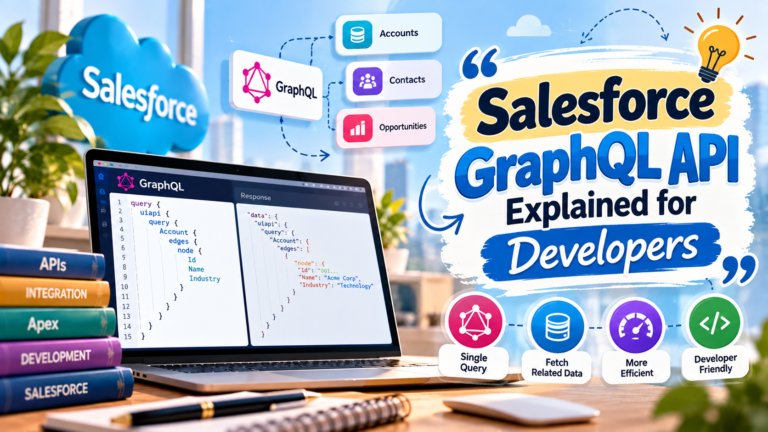
Salesforce GraphQL API Explained for Developers
Modern Salesforce applications often need to retrieve related data
Salesforce Integration Patterns: REST, SOAP, Platform Events & CDC
Modern businesses rarely use Salesforce in isolation. Organizations often need

UN on Ukraine & West Asia Food Crisis 🌍🌾 | What Is the Only Way to Resolve It?
Test your international current affairs knowledge with Question 8! 🌍📚
Donald Trump on Middle East Tensions 2026 🇺🇸🌍 | What Stance Did He Take? | Current Affairs Q7
Test your international current affairs knowledge with Question 7! 🌍📚