
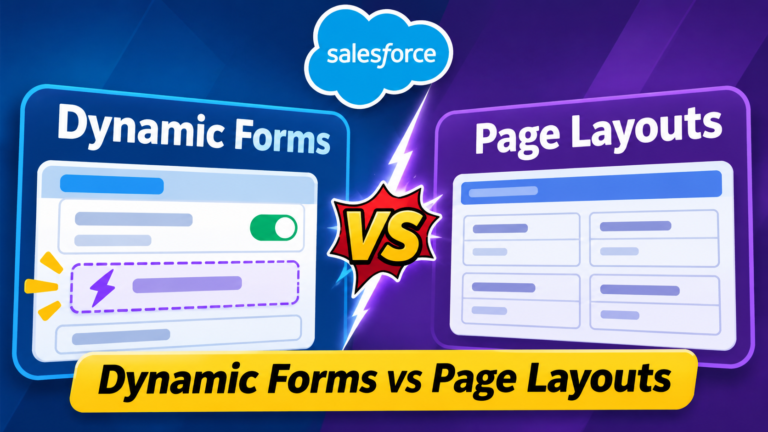
Dynamic Forms vs Page Layouts
Introduction
Salesforce provides different ways to customize how users view and interact with records. Two important features are Dynamic Forms and Page Layouts.
Both help administrators organize fields and improve the user experience, but they work differently.
Traditional Page Layouts control the arrangement of fields, sections, buttons, and related lists. Dynamic Forms offer more flexibility by allowing administrators to place fields and field sections directly on supported Lightning record pages and apply visibility rules.
In this blog, we’ll explore Salesforce Dynamic Forms vs Page Layouts, their differences, advantages, limitations, and when to use each.
What Are Salesforce Page Layouts?
Page Layouts are a traditional Salesforce customization feature that determines how record details are organized.
Administrators can configure Page Layouts to control the presentation of fields, sections, buttons, and related lists.
Key Features of Page Layouts
- Organize fields into different sections.
- Configure field-level required and read-only behavior on the layout.
- Manage standard and custom buttons.
- Arrange related lists.
- Assign different layouts based on profiles and record types.
Example
Imagine a company using Salesforce to manage customer accounts.
The Sales Team needs to see:
- Account Name
- Industry
- Annual Revenue
- Phone Number
The Support Team needs to see:
- Account Name
- Customer Priority
- Support Level
- Account Status
An administrator can create different Page Layouts to display the appropriate information for each team.
However, managing multiple layouts can become complicated as business requirements grow.
What Are Salesforce Dynamic Forms?
Dynamic Forms are a Lightning Experience feature that allows administrators to customize record pages using individual fields and field sections in Lightning App Builder.
Instead of relying entirely on a traditional Record Detail component, administrators can place fields in different areas of the page.
They can also apply visibility rules based on record information and supported user or device criteria.
Key Features of Dynamic Forms
- Place fields directly on supported Lightning record pages.
- Create customized field sections.
- Show or hide fields based on visibility conditions.
- Reduce unnecessary information on record pages.
- Improve the user experience with more relevant field displays.
- Configure record pages with greater flexibility.
Example
Consider an Opportunity record with a field called Stage.
When Stage = Prospecting, users might see:
- Lead Source
- Expected Revenue
- Next Step
When Stage = Closed Won, users might see:
- Contract Start Date
- Implementation Date
- Customer Onboarding Status
Using Dynamic Forms, administrators can configure conditional visibility so that different fields appear depending on the Opportunity stage.
This creates a cleaner record page without requiring a separate Page Layout for every stage.
Salesforce Dynamic Forms vs Page Layouts: Key Differences
| Feature | Dynamic Forms | Page Layouts |
|---|---|---|
| Configuration | Lightning App Builder | Page Layout Editor |
| Field Placement | Individual fields and sections | Fields arranged within layout sections |
| Conditional Visibility | Supported field and section visibility rules | No equivalent native per-field conditional visibility |
| Customization | Flexible Lightning page design | Traditional layout-based design |
| User Experience | Context-specific field display | Generally consistent field display |
| Maintenance | Can reduce layout duplication | May require multiple layouts |
| Related Lists | Managed through separate Lightning components | Configured through Page Layouts |
| Record Type Support | Can use record context in visibility rules | Supports record-type-based layout assignments |
Important: Dynamic Forms do not completely replace Page Layouts. Some settings and record-page behaviors still depend on Page Layout configuration.
Benefits of Salesforce Dynamic Forms
1. Better User Experience
Dynamic Forms help users focus on information relevant to their tasks.
Instead of displaying every field, administrators can configure fields to appear only when needed.
2. Reduced Page Clutter
Large Salesforce objects often contain many custom fields.
Dynamic Forms allow administrators to organize fields into meaningful sections and use conditional visibility to reduce unnecessary information.
3. Flexible Customization
Administrators can create different field arrangements using Lightning App Builder.
This provides greater control over the placement of information on supported record pages.
4. Easier Maintenance
Dynamic Forms can reduce the need to create multiple Page Layouts solely to control field visibility.
However, visibility rules still need to be maintained carefully.
5. Context-Based Information
Fields can appear based on record values or other supported visibility criteria.
For example, an approval-related section could appear only when an approval status reaches a particular value.
Limitations of Dynamic Forms
Although Dynamic Forms provide powerful customization options, administrators should understand their limitations.
- Support varies by object, page type, and Salesforce release.
- Some Page Layout settings remain necessary.
- Complex visibility rules can become difficult to maintain.
- Field visibility is not a replacement for field-level security.
- Dynamic Forms are designed for supported Lightning record-page experiences, not every Salesforce interface.
Always verify feature support and behavior in your Salesforce org before migrating existing layouts.
How to Enable Dynamic Forms in Salesforce
Follow these steps to configure Dynamic Forms on a supported Lightning record page.
Step 1: Open Salesforce Setup.
Step 2: Navigate to Object Manager and select the required object.
Step 3: Open a record and select Edit Page from the Setup menu to launch Lightning App Builder.
Step 4: If the page uses the traditional Record Detail component, select it and look for the option to upgrade to Dynamic Forms.
Step 5: Follow the migration wizard, where available, to migrate supported fields and sections.
Step 6: Add or rearrange fields and field sections.
Step 7: Configure visibility rules according to business requirements.
Step 8: Save, activate, and test the Lightning record page.
The exact steps and available options can vary depending on the object and page configuration.
When Should You Use Dynamic Forms?
Dynamic Forms are particularly useful when:
- Different users need to see different information.
- Fields should appear based on record values.
- Record pages contain too many fields.
- Administrators want more flexible field placement.
- Business processes require context-specific field sections.
Example: A Sales Manager needs additional approval information only when an Opportunity discount exceeds a defined threshold.
Dynamic Forms can display the approval section when that condition is met.
When Should You Use Page Layouts?
Traditional Page Layouts remain useful when:
- You need to configure Page Layout assignments.
- You need layout-level required or read-only settings.
- You need to manage certain buttons and related-list configurations.
- The relevant object or interface does not support the required Dynamic Forms functionality.
- You need traditional layout behavior alongside Lightning page customization.
Best Practices for Salesforce Administrators
1. Keep Record Pages Simple
Avoid adding too many fields or unnecessary sections.
Focus on the information users need to complete their tasks.
2. Use Meaningful Visibility Rules
Create visibility conditions based on clear business requirements.
Avoid complicated rules that are difficult to troubleshoot.
3. Test with Different User Profiles
Verify how record pages behave for users with different permissions, profiles, and record types.
4. Respect Field-Level Security
Hiding a field using Dynamic Forms does not secure the underlying data.
Use Salesforce field-level security and other access controls to protect sensitive information.
5. Review Performance
Avoid unnecessarily complex pages and excessive components that may affect usability or performance.
6. Combine Dynamic Forms and Page Layouts
Use both features where appropriate rather than assuming one completely replaces the other.
Frequently Asked Questions (FAQs)
Q1. What is the main difference between Dynamic Forms and Page Layouts?
Dynamic Forms allow flexible field placement and conditional visibility on supported Lightning record pages. Page Layouts provide traditional control over fields, sections, buttons, and related lists.
Q2. Can Dynamic Forms replace Page Layouts completely?
No. Dynamic Forms can replace the traditional Record Detail presentation for supported Lightning pages, but Page Layouts still control certain settings and behaviors.
Q3. Do Dynamic Forms support conditional field visibility?
Yes. Administrators can configure supported visibility rules based on record values and other available criteria.
Q4. Are Dynamic Forms available for every Salesforce object?
No. Object and interface support varies. Administrators should check current Salesforce documentation and their org’s available functionality.
Q5. Do Dynamic Forms improve Salesforce performance?
Dynamic Forms can improve usability by displaying relevant information, but they do not automatically guarantee faster page loading. Performance depends on the overall page configuration.
Q6. Can Dynamic Forms control field security?
No. Dynamic Forms visibility rules are presentation controls, not security controls. Field-level security must be configured separately.
Conclusion
Salesforce Dynamic Forms and Page Layouts both play important roles in record-page customization.
Page Layouts provide traditional control over record details, layout assignments, buttons, and related lists.
Dynamic Forms provide greater flexibility in displaying fields and sections based on business needs.
For many Lightning Experience implementations, using Dynamic Forms alongside Page Layouts can deliver a cleaner, more flexible, and easier-to-use Salesforce interface.
Final Takeaway: Use Dynamic Forms for flexible, context-aware field presentation and Page Layouts for traditional layout controls and settings that Dynamic Forms do not replace.
Newsletter
Recent Posts

Agentforce API and SDKs
# Salesforce Agentforce API and SDKs Explained: Complete Developer Guide
Dynamic Forms vs Page Layouts
Introduction Salesforce provides different ways to customize how users

US Federal Reserve Rate Decision 2026 🇺🇸📉 | What’s the Fed Interest Rate? | Current Affairs Q3
Test your international economy and banking current affairs knowledge with
DLC Campaign 5.0 2026 | Which Technology Helps Pensioners Submit Jeevan Pramaan from Home?
Which technology is being promoted under the nationwide Digital Life