Salesforce Career in 2026: Complete Roadmap, Skills, Jobs, Salary Factors & How to Become Job-Ready
Salesforce has become one of the most widely used CRM platforms for businesses looking to manage customer relationships, sales, service, marketing, and business operations efficiently. As companies continue to adopt cloud-based technologies and automation, Salesforce professionals are increasingly needed across different industries.
If you are a student, fresher, IT professional, or someone planning to switch careers, Salesforce can be a valuable technology to learn. But starting without a clear roadmap can be confusing. Should you learn Salesforce Admin first? When should you start Apex? Is LWC necessary? What skills are required to get job-ready?
This guide explains the Salesforce career path, important skills, job roles, learning roadmap, and practical steps you can follow to build a career in Salesforce.
What Is Salesforce?
Salesforce is a cloud-based Customer Relationship Management (CRM) platform that helps organizations manage customer information, sales processes, customer service, marketing activities, and business workflows.
Instead of maintaining customer and business data across multiple disconnected systems, organizations can use Salesforce to centralize information and automate processes.
Salesforce includes several products and technologies, including:
- Sales Cloud
- Service Cloud
- Experience Cloud
- Marketing Cloud
- Data Cloud
- Salesforce Platform
- MuleSoft
- Tableau
- Slack
- Salesforce Flow
- Apex
- Lightning Web Components (LWC)
- OmniStudio
- Agentforce
Because Salesforce offers both low-code and programming-based development options, people from different technical backgrounds can build careers within the Salesforce ecosystem.
Why Learn Salesforce in 2026?
The Salesforce ecosystem continues to evolve with automation, artificial intelligence, data technologies, and cloud applications.
Learning Salesforce can be useful because it offers multiple career paths rather than a single job role.
For example, you can work toward roles such as:
- Salesforce Administrator
- Salesforce Developer
- Salesforce Consultant
- Salesforce Business Analyst
- Salesforce CPQ Specialist
- Salesforce Data Specialist
- Salesforce Marketing Cloud Specialist
- Salesforce Service Cloud Specialist
- Salesforce Technical Architect
Another advantage is that you can begin with platform fundamentals and gradually move toward more advanced technologies.
However, learning Salesforce only through theory is usually not enough. Practical experience, problem-solving ability, projects, and understanding of real business requirements are important for becoming job-ready.
Salesforce Career Roadmap for Beginners
If you are completely new to Salesforce, avoid trying to learn every technology simultaneously.
A structured roadmap can make the learning process much easier.
Step 1: Understand CRM Fundamentals
Before learning advanced Salesforce concepts, understand what CRM means and why organizations use CRM systems.
Learn concepts such as:
- Customer relationship management
- Leads
- Accounts
- Contacts
- Opportunities
- Cases
- Sales processes
- Customer service
- Business automation
Understanding these concepts will help you understand why different Salesforce features exist.
Step 2: Learn Salesforce Fundamentals
Next, become familiar with the Salesforce platform.
Important topics include:
- Salesforce Org
- Salesforce Editions
- Objects
- Records
- Fields
- Tabs
- Apps
- Relationships
- Standard Objects
- Custom Objects
- Page Layouts
- Record Types
These concepts form the foundation of Salesforce.
Step 3: Learn Salesforce Administration
Salesforce Admin is an important starting point for many beginners.
You should understand:
- User management
- Profiles
- Permission Sets
- Roles
- Role Hierarchy
- Organization-Wide Defaults
- Sharing Rules
- Field-Level Security
- Validation Rules
- Workflows
- Approval Processes
- Salesforce Flow
- Reports
- Dashboards
- Data Management
Security and access management are especially important because Salesforce administrators often control who can access specific data and functionality.
Step 4: Master Salesforce Flow
Salesforce Flow is an important automation technology.
With Flow, organizations can automate many business processes without writing traditional code.
You should learn:
- Screen Flow
- Record-Triggered Flow
- Scheduled-Triggered Flow
- Autolaunched Flow
- Flow Variables
- Get Records
- Create Records
- Update Records
- Delete Records
- Decisions
- Loops
- Assignments
- Fault Paths
For example, a company may want to automatically create a task when a new opportunity reaches a particular stage. This type of requirement can be handled using automation.
Step 5: Learn Data Management
Salesforce professionals frequently work with business data.
Important topics include:
- Data Import Wizard
- Data Loader
- Data Export
- Data Relationships
- Duplicate Management
- Data Validation
- Data Migration
- Data Quality
You should understand how data is created, updated, imported, exported, and maintained.
Data Loader is particularly useful when working with larger volumes of Salesforce records.
Step 6: Learn Salesforce Development
If your goal is to become a Salesforce Developer, programming knowledge becomes important.
Start with:
- Object-Oriented Programming concepts
- Apex
- SOQL
- SOSL
- DML
- Triggers
- Classes
- Interfaces
- Exception Handling
- Test Classes
Apex is Salesforce’s programming language and is used to implement business logic on the Salesforce platform.
For example, developers can use Apex to perform complex operations that may not be suitable for declarative automation.
Step 7: Learn Lightning Web Components
Lightning Web Components, commonly known as LWC, are used to create modern user interfaces on Salesforce.
Important concepts include:
- Components
- HTML
- JavaScript
- CSS
- @api
- @wire
- Reactive properties
- Events
- Component communication
- Apex integration
- Lightning Data Service
You don’t necessarily need to begin with LWC on day one. Build your Salesforce fundamentals and Apex knowledge first, then gradually move toward component development.
Step 8: Explore Advanced Salesforce Technologies
Once you have strong fundamentals, you can explore specialized technologies depending on your career goals.
Some areas include:
OmniStudio
OmniStudio is used to build guided interactions and industry-specific digital experiences using configurable components.
Salesforce Integration
Integration skills become important when Salesforce needs to communicate with external applications.
You can learn:
- REST APIs
- SOAP APIs
- HTTP methods
- JSON
- XML
- Authentication
- Integration patterns
Data Cloud
Data Cloud focuses on bringing together data from different sources and creating a unified customer data foundation.
AI and Agentforce
Salesforce is increasingly incorporating AI capabilities into its ecosystem. Understanding how AI-powered Salesforce features work can become useful as organizations adopt new automation and customer-service capabilities.
Salesforce Job Roles
One of the biggest advantages of learning Salesforce is the variety of career paths.
Salesforce Administrator
A Salesforce Administrator manages configuration, users, security, automation, reports, dashboards, and data.
This can be a suitable starting point for people who want to enter Salesforce without beginning with advanced programming.
Salesforce Developer
A Salesforce Developer works with technologies such as Apex, SOQL, triggers, APIs, and Lightning Web Components.
Programming and problem-solving skills are important for this role.
Salesforce Consultant
A Salesforce Consultant works closely with businesses to understand requirements and translate them into Salesforce solutions.
Communication and business-analysis skills are particularly valuable.
Salesforce Business Analyst
A Salesforce Business Analyst focuses on understanding business requirements, documenting processes, identifying gaps, and working with technical teams.
Salesforce Architect
Architect-level roles require deep knowledge of Salesforce architecture, integration, security, data, development, and business processes.
This is generally an advanced career path that requires substantial experience.
Skills You Need to Become Job-Ready
Learning Salesforce features is only one part of becoming employable.
You should also develop:
Technical Skills
- Salesforce Administration
- Salesforce Flow
- Data Management
- Security
- Reports and Dashboards
- Apex
- SOQL
- LWC
- APIs
- Integration concepts
Problem-Solving Skills
Employers often provide business requirements rather than asking only theoretical questions.
For example:
“When an opportunity is marked as Closed Won, automatically create a follow-up task for the account owner.”
You should be able to understand the requirement and determine an appropriate Salesforce solution.
Communication Skills
Salesforce professionals often communicate with clients, managers, developers, administrators, and business teams.
Clear communication can therefore be just as important as technical knowledge.
Certifications and Salesforce Career Growth
Salesforce certifications can help demonstrate knowledge of specific Salesforce areas.
Depending on your career path, you may explore certifications related to:
- Salesforce Administration
- Platform Development
- Sales
- Service
- Business Analysis
- Experience Cloud
- Marketing
- Data
- Architecture
Certification alone, however, should not be treated as a substitute for practical knowledge.
A strong profile can combine certification preparation with hands-on projects and real-world problem solving.
How to Get Practical Experience
One of the most important steps for beginners is practicing what they learn.
Instead of only watching tutorials, create your own Salesforce projects.
For example, you could build a simple:
Sales Management System
Features could include:
- Lead management
- Account management
- Contact management
- Opportunity tracking
- Automated tasks
- Validation Rules
- Salesforce Flow
- Reports
- Dashboards
You can gradually make the project more advanced by adding Apex, LWC, and integrations.
This approach helps you understand how different Salesforce features work together.
Salesforce Interview Preparation
After learning the platform, start preparing for interviews.
Some common areas include:
- Salesforce Admin concepts
- Profiles vs Permission Sets
- Roles vs Profiles
- Role Hierarchy
- OWD
- Sharing Rules
- Validation Rules
- Flow
- Data Loader
- SOQL
- Apex
- Triggers
- LWC
- Governor Limits
- Integration
- Scenario-based questions
Don’t limit your preparation to definitions.
Practice explaining why you would choose one Salesforce solution over another.
For example:
Question: When would you use Flow instead of Apex?
A good candidate should understand the business requirement, complexity, maintainability, and platform capabilities before choosing a solution.
Common Mistakes Salesforce Beginners Should Avoid
1. Trying to Learn Everything at Once
Salesforce is a huge ecosystem. Focus on fundamentals first.
2. Only Watching Videos
Passive learning can create the illusion of understanding. Build projects while learning.
3. Ignoring Security
Profiles, Permission Sets, OWD, Roles, Sharing Rules, and Field-Level Security are essential concepts.
4. Avoiding Programming Completely
If you want to become a Salesforce Developer, you should eventually learn Apex and JavaScript/LWC.
5. Memorizing Interview Answers
Understand the concepts instead of memorizing definitions.
6. Not Practicing Real Scenarios
Scenario-based practice helps you connect Salesforce features with actual business requirements.
How Long Does It Take to Learn Salesforce?
The timeline depends on your background, learning hours, target role, and consistency.
A beginner might structure learning approximately like this:
Month 1: Salesforce fundamentals and administration
Month 2: Security, data management, reports, dashboards, and Flow
Month 3: Advanced administration and practical projects
Month 4: Apex and SOQL
Month 5: Triggers, testing, and development concepts
Month 6: LWC, projects, interview preparation, and specialization
This is only an example roadmap. Someone with prior programming or CRM experience may progress differently.
Final Thoughts
Salesforce offers multiple career paths for students, freshers, working professionals, administrators, developers, consultants, and business analysts.
The key is to avoid treating Salesforce as a collection of features that need to be memorized.
Instead, focus on understanding:
Business Requirement → Salesforce Concept → Configuration/Development → Testing → Solution
Start with Salesforce fundamentals, build strong administration knowledge, practice automation with Flow, understand data and security, and then move toward Apex, LWC, integrations, or specialized Salesforce technologies based on your career goals.
Newsletter
Recent Posts

How Social Media Affects Students’ Academic Performance
In today’s digital world, social media has become an essential

India Condemns Tanker Attacks | Current Affairs 2026
Can you identify the strategic maritime chokepoint mentioned in this
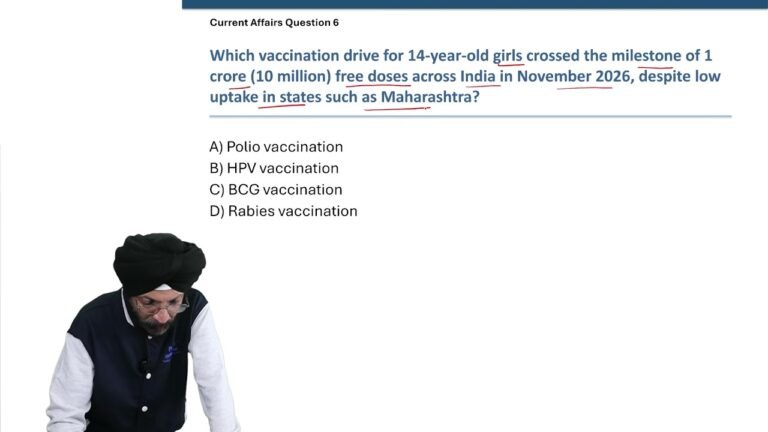
India’s Vaccination Drive | Current Affairs 2026
Can you identify the vaccination drive for 14-year-old girls featured

25 November 2026 Current Affairs | Top 5 GK MCQs
How well do you know today’s current affairs? 🌍
Test