
Salesforce Global Value Sets Explained: Benefits, Setup & Best Practices
Introduction
Managing picklist values across multiple Salesforce objects can become challenging, especially when the same options are used in several fields.
Imagine a company using the same customer priority values across Accounts, Cases, and custom objects. If these values are maintained separately, administrators may need to update multiple picklists whenever a business requirement changes.
Salesforce provides a useful solution called Global Value Sets.
Global Value Sets allow administrators to define a reusable collection of picklist values that can be shared across multiple fields.
In this blog, we’ll explore what Global Value Sets are, how they work, their advantages, limitations, and best practices.
What Are Global Value Sets in Salesforce?
A Global Value Set is a centralized collection of picklist values that can be reused by multiple custom picklist fields in Salesforce.
Instead of defining identical values separately for each field, administrators create one Global Value Set and reference it wherever needed.
When the Global Value Set is updated, the shared value definitions are updated for the fields using it.
Example
Suppose a company wants to track customer priority using three values:
- High
- Medium
- Low
These values are required in different objects:
- Account: Customer Priority
- Case: Support Priority
- Custom Project Object: Project Priority
Instead of creating separate picklist value lists, an administrator can create a Global Value Set named Priority Levels.
All three custom picklist fields can reference this value set.
This makes picklist management easier and more consistent.
Why Use Global Value Sets?
Global Value Sets help Salesforce administrators maintain consistent data across the organization.
1. Centralized Management
Administrators can manage shared picklist values from one location.
When a new value is introduced, it can be added to the Global Value Set instead of manually updating every field.
2. Data Consistency
Using the same set of values reduces inconsistencies between objects.
For example, one department might use “High Priority” while another uses “High” if the picklists are managed separately.
Global Value Sets help standardize these options.
3. Easier Maintenance
Managing dozens of similar picklists can become time-consuming.
Global Value Sets reduce duplicated configuration work.
4. Better Reporting
Consistent picklist values can make reports and dashboards easier to interpret.
When departments use standardized values, comparing information becomes more straightforward.
5. Reusability
A single Global Value Set can support multiple custom picklist fields across different objects.
This is especially useful in larger Salesforce organizations.
How to Create a Global Value Set in Salesforce
Follow these steps to create a Global Value Set.
Step 1: Open Salesforce Setup
Log in to Salesforce and click the Setup gear icon.
Step 2: Search for Picklist Value Sets
In the Quick Find box, search for Picklist Value Sets.
Step 3: Create a New Global Value Set
Click New to create a value set.
Step 4: Enter Basic Details
Provide the required information.
Example:
Label: Priority Levels
Name: Priority_Levels
Values:
- High
- Medium
- Low
Step 5: Save the Value Set
Save the configuration.
Your Global Value Set is now available for supported custom picklist fields.
How to Use a Global Value Set in a Picklist Field
After creating the value set, you can reuse it in custom fields.
Step 1: Open Object Manager
Navigate to Setup → Object Manager.
Step 2: Select an Object
Choose the object where you want to create the picklist field.
For example, Account.
Step 3: Create a Custom Field
Open Fields & Relationships and click New.
Select Picklist as the field type.
Step 4: Select the Global Value Set
Choose the option to use values from a Global Value Set.
Select Priority Levels.
Step 5: Complete Field Configuration
Configure field-level security, page layout placement, and other available settings.
Save the field.
The custom picklist now uses the shared values from the Global Value Set.
Repeat the process for other supported custom picklist fields.
Global Value Sets vs Regular Picklists
| Feature | Global Value Sets | Regular Picklists |
|---|---|---|
| Value Management | Centralized | Managed at field level |
| Reusability | Shared across multiple fields | Values belong to an individual field |
| Maintenance | Update shared value definitions | Update fields separately |
| Consistency | Standardized shared values | May vary between fields |
| Best Use Case | Common values across objects | Field-specific values |
| Configuration | Global Value Set plus referencing field | Individual picklist configuration |
Key Difference: Global Value Sets are ideal when several custom picklist fields need the same set of values, while regular picklists are useful for fields with unique options.
Global Value Sets vs Dependent Picklists
Global Value Sets and dependent picklists serve different purposes.
A Global Value Set defines reusable picklist values.
A dependent picklist controls which values are available based on another field’s selected value.
For example:
Controlling Field: Country
Dependent Field: State
The available State values depend on the selected Country.
Global Value Sets focus on reusability, while dependent picklists focus on conditional value selection.
They are not competing features.
Important Limitations of Global Value Sets
Before implementing Global Value Sets, administrators should understand their limitations.
1. Shared Value Definitions
Changes to a Global Value Set can affect every field referencing it.
Administrators should review dependencies before modifying shared values.
2. Restricted Picklist Behavior
Custom picklists that use Global Value Sets are restricted to the values defined in the set.
This helps maintain consistency but limits flexibility for unexpected values.
3. Field-Specific Values
If a field requires a substantially different list of values, a separate picklist or Global Value Set may be more appropriate.
4. Record Type Configuration
Record types can control which picklist values are available for particular records.
Administrators may still need to configure value availability and defaults for individual record types.
5. Existing Data and Integrations
Changing, replacing, or deactivating shared values can affect existing records, automation, reports, and integrations.
Review the impact before making changes.
Best Practices for Salesforce Global Value Sets
1. Use Clear Naming Conventions
Choose meaningful names that explain the purpose of each value set.
For example:
- Customer Priority Levels
- Service Categories
- Business Regions
- Customer Segments
2. Avoid Duplicate Value Sets
Before creating a new Global Value Set, check whether an appropriate one already exists.
3. Review Dependencies
Identify all fields and business processes that use a Global Value Set before modifying it.
4. Standardize Business Terminology
Use consistent naming across departments.
For example, avoid mixing “In Progress,” “Processing,” and “Ongoing” when they represent the same business status.
5. Test Changes Before Deployment
Test important changes in a sandbox environment before deploying them to production.
6. Document Shared Values
Maintain documentation explaining where each Global Value Set is used and who is responsible for managing it.
Real-World Example: Global Value Sets in a Sales Organization
Consider a company that manages customer information across multiple Salesforce objects.
The organization wants to classify records using the following priority levels:
- Critical
- High
- Medium
- Low
These values are needed in Account, Case, and a custom Customer Request object.
Without Global Value Sets, administrators might create and maintain separate picklist values for each field.
With a Global Value Set, the organization can reuse the same values across supported custom picklist fields.
Later, the company decides to introduce a new priority called “Urgent.”
The administrator can update the Global Value Set, and the shared value definition becomes available to its referencing fields, subject to their record type configurations.
This reduces duplicate administration work and supports consistent data entry.
Frequently Asked Questions (FAQs)
Q1. What is a Global Value Set in Salesforce?
A Global Value Set is a reusable collection of picklist values that can be shared across multiple custom picklist fields.
Q2. Can one Global Value Set be used in multiple objects?
Yes. A Global Value Set can be referenced by supported custom picklist fields on different Salesforce objects.
Q3. What happens when a Global Value Set is updated?
Changes to the shared value definitions affect fields referencing that value set. Field-level and record-type configurations may still influence which values users can select.
Q4. Are Global Value Sets and dependent picklists the same?
No. Global Value Sets provide reusable values, while dependent picklists control available options based on another field.
Q5. Can Global Value Sets improve data quality?
Yes. They help standardize values across fields, reducing inconsistencies caused by independently maintained picklists.
Q6. When should I avoid using a Global Value Set?
Avoid using one when different fields require independently managed value lists or substantially different business terminology.
Conclusion
Salesforce Global Value Sets provide a practical way to standardize and reuse picklist values across multiple custom fields.
They help administrators reduce duplicated configuration, simplify maintenance, and support consistent data across Salesforce objects.
However, shared values should be managed carefully because changes can affect multiple fields, record types, and business processes.
Final Takeaway: Use Global Value Sets when multiple Salesforce custom picklist fields need the same standardized values. For unique field requirements, regular picklists may be a better choice.
Newsletter
Recent Posts
Salesforce Validation Rules vs Duplicate Rules: Key Differences, Examples & Best Practices
Introduction Maintaining accurate and consistent data is essential for every
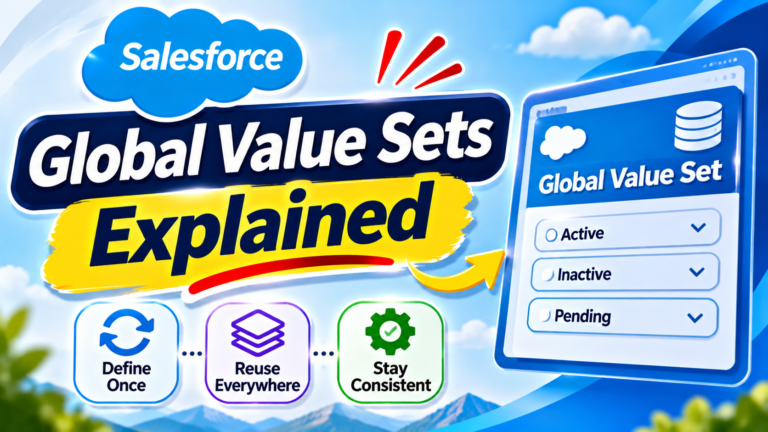
Salesforce Global Value Sets Explained: Benefits, Setup & Best Practices
Introduction Managing picklist values across multiple Salesforce objects can become
NITI Aayog S&T Scoreboard 2026 🇮🇳🔬 | How Many States & UTs Are Covered? | Current Affairs Q10
Test your science, technology and national current affairs knowledge with

NITI Aayog India S&T Scoreboard 2026 🇮🇳🔬 | How Many States & UTs Are Covered? | Current Affairs
Do you know how many Indian States and Union Territories