
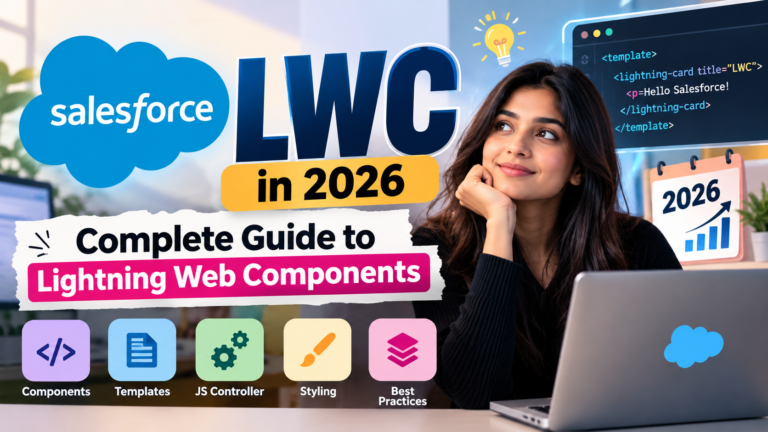
Salesforce LWC in 2026: Complete Guide to Lightning Web Components
Salesforce has become one of the most widely used CRM platforms for businesses looking to manage customers, sales, service, marketing, and business operations. As Salesforce applications become more advanced, developers need modern tools to build fast, reusable, and interactive user interfaces.
One of the most important technologies for Salesforce developers is **Lightning Web Components (LWC)**.
If you are planning to build a career in Salesforce development in 2026, understanding LWC can be an important part of your technical skill set. LWC allows developers to create modern user interfaces using familiar web technologies such as **HTML, CSS, and JavaScript**, while working within the Salesforce platform.
In this guide, we will explain what Salesforce LWC is, how it works, its architecture, important concepts, advantages, common use cases, and how beginners can start learning it.
—
## What Is Salesforce LWC?
**Lightning Web Components (LWC)** is Salesforce’s modern framework for building reusable and interactive user interfaces on the Salesforce Platform.
LWC uses standard web technologies including:
* HTML
* CSS
* JavaScript
* Web Components standards
Instead of relying entirely on a Salesforce-specific component framework, LWC allows developers to use concepts that are widely used in modern web development.
LWC components can be used on Salesforce pages to display information, collect user input, interact with records, call Apex methods, and create customized business applications.
For example, a company might use LWC to build:
* Custom customer dashboards
* Account information panels
* Opportunity tracking interfaces
* Custom forms
* Record search components
* Data tables
* Interactive reports
* Custom Salesforce applications
—
## Why Is LWC Important in 2026?
The Salesforce ecosystem continues to evolve, and developers increasingly need to combine Salesforce knowledge with modern web development skills.
LWC is particularly useful because it brings together Salesforce development and standard web technologies.
A Salesforce developer working with LWC may need knowledge of:
* HTML
* CSS
* JavaScript
* Salesforce Object Model
* SOQL
* Apex
* Lightning Data Service
* Salesforce APIs
* Security concepts
* Component communication
This makes LWC an important technology for developers who want to build customized Salesforce experiences.
For beginners, learning LWC after understanding Salesforce fundamentals, especially objects, relationships, Apex basics, and SOQL, can provide a strong foundation for Salesforce development.
—
# LWC vs Aura Components
Before LWC, Salesforce developers commonly used **Aura Components** for building custom Lightning interfaces.
LWC provides a more modern development approach based on web standards.
| Feature | LWC | Aura |
| —————– | —————————– | ——————————- |
| Technology | Modern Web Components | Salesforce Aura Framework |
| JavaScript | Standard JavaScript | Aura-specific programming model |
| Performance | Generally lightweight | More framework overhead |
| Web Standards | Strong alignment | Less aligned |
| Learning Curve | Easier for web developers | Requires Aura concepts |
| Development Style | Modern component architecture | Aura component architecture |
Salesforce continues to support existing Aura implementations, so developers may encounter Aura in older projects. However, developers working on new functionality should understand the modern Lightning development model.
—
# How Does an LWC Work?
An LWC is built as a component.
A typical component contains separate files for different responsibilities.
For example:
“`text
myComponent/
│
├── myComponent.html
├── myComponent.js
├── myComponent.js-meta.xml
└── myComponent.css
“`
Each file has a specific purpose.
### 1. HTML File
The HTML file defines the structure of the component.
Example:
“`html
<template>
<h1>Hello Salesforce!</h1>
<p>Welcome to Lightning Web Components.</p>
</template>
“`
The `<template>` element is used as the root container for an LWC template.
—
### 2. JavaScript File
The JavaScript file contains the component’s logic.
Example:
“`javascript
import { LightningElement } from ‘lwc’;
export default class MyComponent extends LightningElement {
message = ‘Welcome to Salesforce LWC!’;
}
“`
The component extends `LightningElement`, which provides the base functionality required for an LWC.
—
### 3. CSS File
CSS can be used to control the component’s appearance.
Example:
“`css
h1 {
font-size: 24px;
}
p {
font-size: 16px;
}
“`
CSS in an LWC is scoped to the component, helping prevent styling from unintentionally affecting unrelated components.
—
### 4. XML Metadata File
The XML metadata file defines configuration information about the component.
For example:
“`xml
<?xml version=”1.0″ encoding=”UTF-8″?>
<LightningComponentBundle xmlns=”http://soap.sforce.com/2006/04/metadata”>
<apiVersion>65.0</apiVersion>
<isExposed>true</isExposed>
<targets>
<target>lightning__AppPage</target>
<target>lightning__RecordPage</target>
</targets>
</LightningComponentBundle>
“`
The metadata configuration determines where the component can be exposed in Salesforce.
—
# Important Concepts in Salesforce LWC
To become comfortable with LWC, developers should understand several fundamental concepts.
## 1. Components
An LWC is a reusable UI component.
For example, a developer could create separate components for:
* Customer information
* Account details
* Opportunity records
* Contact lists
* Search functionality
These components can then be used as building blocks for larger applications.
—
## 2. Properties
Properties allow information to be stored and displayed within a component.
Example:
“`javascript
import { LightningElement } from ‘lwc’;
export default class UserGreeting extends LightningElement {
name = ‘Salesforce Developer’;
}
“`
The value can then be displayed in HTML.
“`html
<template>
<h2>Hello {name}</h2>
</template>
“`
—
## 3. Data Binding
LWC supports reactive data binding.
When a component’s reactive state changes, the framework can update the relevant part of the UI.
Example:
“`javascript
import { LightningElement } from ‘lwc’;
export default class Counter extends LightningElement {
count = 0;
handleClick() {
this.count++;
}
}
“`
HTML:
“`html
<template>
<p>Count: {count}</p>
<lightning-button
label=”Increase”
onclick={handleClick}>
</lightning-button>
</template>
“`
When the button is clicked, the displayed count changes.
—
# 4. Event Handling
Events allow users to interact with components.
Common examples include:
* Button clicks
* Input changes
* Form submissions
* Record selections
Example:
“`html
<lightning-button
label=”Save”
onclick={handleSave}>
</lightning-button>
“`
JavaScript:
“`javascript
handleSave() {
console.log(‘Save button clicked’);
}
“`
Event handling is one of the most important concepts when creating interactive LWCs.
—
# 5. Parent-to-Child Communication
Sometimes a parent component needs to send information to a child component.
This can be done using public properties exposed with `@api`.
Example:
“`javascript
import { LightningElement, api } from ‘lwc’;
export default class ChildComponent extends LightningElement {
@api message;
}
“`
The parent can provide the value through the component’s markup.
This approach is commonly used when building reusable component structures.
—
# 6. Child-to-Parent Communication
A child component can communicate with its parent using custom events.
For example:
“`javascript
this.dispatchEvent(
new CustomEvent(‘selected’)
);
“`
The parent component can listen for the event.
This creates a communication flow between components.
Understanding parent-child communication is essential when developing larger LWC applications.
—
# 7. Conditional Rendering
LWC allows developers to display content based on conditions.
For example:
“`html
<template lwc:if={showMessage}>
<p>Welcome to Salesforce!</p>
</template>
“`
JavaScript:
“`javascript
showMessage = true;
“`
Conditional rendering is useful when building:
* Loading states
* Error messages
* Permission-based interfaces
* Dynamic forms
* Empty-state screens
—
# 8. Iteration
Developers frequently need to display a list of records.
LWC provides iteration directives for this purpose.
Example:
“`html
<template for:each={accounts} for:item=”account”>
<p key={account.Id}>{account.Name}</p>
</template>
“`
This can be useful for displaying lists of accounts, contacts, opportunities, products, or other records.
—
# Connecting LWC With Salesforce Data
One of the biggest advantages of LWC is the ability to work with Salesforce data.
There are several ways to retrieve or modify Salesforce data.
Common approaches include:
* Lightning Data Service
* Wire service
* UI API
* Apex methods
—
## Lightning Data Service
Lightning Data Service allows developers to work with Salesforce records without writing Apex for many common record operations.
For example, Salesforce provides components and wire adapters that can retrieve record information.
This can simplify development and can also help developers work within Salesforce’s standard data and security model.
—
# Using the Wire Service
The `@wire` decorator can be used to provision data to an LWC.
For example:
“`javascript
import { LightningElement, wire } from ‘lwc’;
import getAccounts from ‘@salesforce/apex/AccountController.getAccounts’;
export default class AccountList extends LightningElement {
@wire(getAccounts)
accounts;
}
“`
The HTML can then use the returned data.
The wire service is especially useful when building reactive interfaces that depend on Salesforce data.
—
# LWC and Apex
Sometimes standard Salesforce data services are not enough.
Developers may need custom server-side logic. This is where **Apex** can be used.
For example, an Apex class could retrieve specific records:
“`apex
public with sharing class AccountController {
@AuraEnabled(cacheable=true)
public static List<Account> getAccounts() {
return [
SELECT Id, Name
FROM Account
LIMIT 10
];
}
}
“`
The LWC can call this Apex method.
This creates a common architecture:
**LWC → Apex → Salesforce Database**
Understanding this interaction is important for Salesforce developers working on customized applications.
—
# LWC and SOQL
When Apex is used to retrieve Salesforce records, developers often use **SOQL (Salesforce Object Query Language)**.
Example:
“`apex
SELECT Id, Name, Industry
FROM Account
WHERE Industry = ‘Technology’
“`
The returned records can then be sent to the LWC for display.
Therefore, developers who want to become proficient in LWC should also understand basic SOQL.
—
# LWC Lifecycle Hooks
Lifecycle hooks allow developers to execute code at specific stages of a component’s lifecycle.
Some commonly used lifecycle hooks include:
### connectedCallback()
Runs when the component is inserted into the DOM.
Example:
“`javascript
connectedCallback() {
console.log(‘Component loaded’);
}
“`
### renderedCallback()
Runs after the component has finished rendering.
“`javascript
renderedCallback() {
console.log(‘Component rendered’);
}
“`
### disconnectedCallback()
Runs when the component is removed from the DOM.
These hooks can be useful for initialization, rendering-related logic, and cleanup.
Developers should use lifecycle hooks carefully, especially when dealing with repeated rendering.
—
# Lightning Base Components
Salesforce provides a collection of reusable Lightning base components.
Examples include:
* `lightning-button`
* `lightning-input`
* `lightning-card`
* `lightning-datatable`
* `lightning-combobox`
* `lightning-formatted-text`
* `lightning-record-form`
These components allow developers to build interfaces faster without creating every UI element from scratch.
For example:
“`html
<lightning-card title=”Account Information”>
<lightning-button
label=”View Account”
onclick={handleClick}>
</lightning-button>
</lightning-card>
“`
Learning commonly used base components can significantly improve LWC development productivity.
—
# LWC Security
Security is an important part of Salesforce development.
Salesforce provides security mechanisms such as:
* Object permissions
* Field-Level Security
* Record-level access
* Sharing rules
* Permission sets
* Lightning Web Security
Developers should not assume that hiding a field or button in the user interface automatically provides security.
Server-side access and Salesforce permissions must also be considered.
When using Apex, developers should follow Salesforce security best practices and ensure that code respects the appropriate access controls.
—
# Advantages of Salesforce LWC
LWC provides several advantages for Salesforce developers.
## 1. Modern Web Standards
LWC uses modern web technologies and Web Components concepts.
## 2. Reusable Components
Developers can create components once and reuse them in different parts of an application.
## 3. Better Developer Experience
Developers familiar with HTML, CSS, and JavaScript can apply many existing web development concepts.
## 4. Efficient Development
Salesforce provides base components and platform services that reduce the amount of code developers need to write.
## 5. Salesforce Integration
LWCs can work closely with Salesforce records, APIs, Apex, and platform services.
## 6. Interactive User Interfaces
Developers can create dynamic interfaces that respond to user actions and Salesforce data.
—
# Common Real-World Use Cases of LWC
LWC can be used across many Salesforce implementations.
### Custom Record Pages
Organizations can create customized record experiences for sales and service teams.
### Data Tables
Developers can display and interact with lists of Salesforce records.
### Dashboards
LWCs can provide custom visual interfaces for business information.
### Custom Forms
Companies can build forms tailored to specific business processes.
### Search Components
Developers can create custom search interfaces for Salesforce data.
### Customer Service Applications
LWCs can help service teams access relevant customer information efficiently.
### Sales Applications
Sales teams can use customized components to manage accounts, opportunities, contacts, and other sales data.
—
# Skills You Need Before Learning LWC
If you are a beginner, you do not need to master every Salesforce technology before starting LWC.
However, the following skills can make learning easier:
### Salesforce Fundamentals
Understand:
* Objects
* Fields
* Records
* Relationships
* Profiles
* Permission Sets
### HTML
Learn:
* Elements
* Attributes
* Forms
* Tables
* Basic structure
### CSS
Understand:
* Selectors
* Classes
* Layout
* Spacing
* Responsive design
### JavaScript
Focus on:
* Variables
* Functions
* Objects
* Arrays
* Classes
* Events
* Promises
* Modules
### SOQL
Learn how to retrieve Salesforce records.
### Apex
Understand basic Apex syntax and how Apex methods can interact with Salesforce data.
—
# Salesforce LWC Learning Roadmap for 2026
If you want to learn LWC systematically, follow a structured roadmap.
### Step 1: Learn Salesforce Fundamentals
Start with Salesforce objects, fields, relationships, security, and the platform interface.
### Step 2: Learn HTML and CSS
Understand how web pages are structured and styled.
### Step 3: Learn JavaScript
Focus on modern JavaScript concepts that are commonly used in LWC.
### Step 4: Understand LWC Structure
Learn:
* HTML files
* JavaScript files
* CSS files
* Metadata files
* Component folders
### Step 5: Learn Data Binding and Events
Build simple interactive components.
### Step 6: Learn Component Communication
Practice parent-child communication and custom events.
### Step 7: Learn Salesforce Data Access
Study:
* Lightning Data Service
* Wire service
* UI API
* Apex
### Step 8: Learn SOQL and Apex
Practice retrieving and processing Salesforce records.
### Step 9: Build Projects
Create practical projects such as:
* Account management component
* Contact search component
* Opportunity tracker
* Custom data table
* Employee directory
* Customer dashboard
### Step 10: Practice Real-World Scenarios
Try solving business requirements instead of only following tutorials.
This will help you understand how LWC is actually used in Salesforce development projects.
—
# LWC Interview Questions for Salesforce Developers
If you are preparing for Salesforce developer interviews, you should be comfortable answering questions such as:
1. What is Lightning Web Component?
2. How is LWC different from Aura?
3. What is the role of `LightningElement`?
4. What are lifecycle hooks in LWC?
5. What is the wire service?
6. What is the difference between wired and imperative Apex?
7. How do you communicate between parent and child components?
8. What are custom events?
9. How does LWC access Salesforce records?
10. What are Lightning base components?
11. What is Lightning Data Service?
12. How do you call an Apex method from LWC?
13. What is conditional rendering?
14. How does iteration work in LWC?
15. What is the purpose of the metadata XML file?
Practicing these concepts through real projects can be more useful than memorizing definitions alone.
—
# Is LWC Difficult to Learn?
LWC can initially feel challenging because it combines Salesforce concepts with web development.
However, if you learn it step by step, the concepts become easier to understand.
A beginner should avoid trying to learn everything at once.
A practical learning sequence can be:
**Salesforce Basics → HTML → CSS → JavaScript → LWC Basics → Events → Component Communication → Salesforce Data → Apex → Projects**
Building small projects along the way can help reinforce each concept.
—
# LWC Career Opportunities in 2026
LWC is primarily relevant to Salesforce development roles where customized Lightning experiences are required.
Depending on experience and organization, Salesforce professionals may work in roles such as:
* Salesforce Developer
* Salesforce Platform Developer
* Salesforce Technical Consultant
* Salesforce Application Developer
* Salesforce Developer/Administrator hybrid roles
Career requirements vary between companies. Some positions may require stronger Apex knowledge, while others may emphasize integrations, LWC, Salesforce configuration, or specific clouds.
Therefore, learning LWC should ideally be part of a broader Salesforce development skill set rather than treated as an isolated technology.
—
# Final Thoughts
**Lightning Web Components is an important part of modern Salesforce development.**
Its combination of Salesforce platform capabilities with HTML, CSS, JavaScript, and modern web development concepts makes it a valuable technology for developers building customized Salesforce applications.
If you are starting your Salesforce development journey in 2026, focus on understanding the fundamentals rather than trying to memorize large amounts of code.
Start with simple components, learn how data flows through an application, understand component communication, practice Salesforce data access, and gradually move toward Apex and real-world projects.
The goal should not simply be to learn LWC syntax. The real goal is to understand how to use LWC to solve business problems on the Salesforce Platform.
## Start Your Salesforce Development Journey
Want to learn Salesforce development from the basics and work toward job-ready skills?
Explore structured Salesforce training covering **Salesforce Admin, Apex, LWC, Flow & Automation, and practical development concepts**.
With consistent practice and real-world projects, you can build a stronger foundation for a career in the Salesforce ecosystem.
**Start learning. Build projects. Develop real Salesforce skills.**
Newsletter
Recent Posts
Salesforce LWC in 2026: Complete Guide to Lightning Web Components
Salesforce has become one of the most widely used
US-China AI Alert System for National Security Incidents | Current Affairs 2026
26 September 2026 Current Affairs MCQ for UPSC, SSC, Railway,

26 September 2026 Current Affairs | US-China AI Notification System | Current Affairs MCQ
26 September 2026 Current Affairs MCQ for UPSC, SSC, Railway,
26 September 2026 Current Affairs | Alibaba Zhenwu V900: China’s Most Powerful AI Chip | MCQ
26 September 2026 Current Affairs MCQ for UPSC, SSC, Railway,