
Salesforce Mixed DML Error: Causes, Examples & Solutions
Salesforce Mixed DML Error: Causes, Examples & Solutions
Salesforce developers often perform multiple database operations within the same transaction. Most of the time, this works without any issue. However, when a transaction tries to modify certain setup records along with regular business records, Salesforce may throw a Mixed DML error.
Understanding why this happens—and how to design around it—is important when working with Apex, automation, integrations, and test classes.
What Is a Mixed DML Error in Salesforce?
A Mixed DML error occurs when you try to perform DML operations on certain setup objects and non-setup objects within the same transaction.
Salesforce separates these operations because changes to setup records can affect user access and permissions. Mixing them with ordinary business-data changes in the same transaction can create security and access inconsistencies.
A typical error looks similar to:
MIXED_DML_OPERATION: DML operation on setup object is not permitted after you have updated a non-setup object
Setup Objects vs Non-Setup Objects
To understand Mixed DML, you first need to understand these two categories.
Setup Objects
Setup objects are generally related to configuration, users, permissions, and access.
Examples can include:
- User
- PermissionSetAssignment
- GroupMember
- QueueSObject
- UserRole
The exact Mixed DML restrictions depend on the object and operation being performed, so developers should verify the current Salesforce documentation when designing automation around setup objects.
Non-Setup Objects
Non-setup objects generally represent normal business data.
Common examples include:
- Account
- Contact
- Opportunity
- Case
- Lead
- Custom Objects
Simple Mixed DML Example
Suppose an Apex transaction creates an Account and then creates a User.
Account acc = new Account(
    Name = 'ABC Corporation'
);
insert acc;

// Setup-object operation
User newUser = new User(
    // Required User fields
);

insert newUser;
The Account represents normal business data, while User is a setup object.
Attempting these restricted operations within the same transaction can result in a Mixed DML error.
Why Does Salesforce Restrict Mixed DML?
The restriction exists primarily to protect the integrity of Salesforce’s access-control model.
Imagine that a transaction simultaneously:
- Changes business data.
- Changes a user’s access or permissions.
- Continues processing using the newly modified security configuration.
This could make it difficult to guarantee consistent access calculations throughout the transaction.
Salesforce therefore requires certain setup-related changes to be separated from ordinary data modifications.
Common Situations Where Mixed DML Errors Occur
1. Creating a User and Business Record
An automation process creates a new User and also inserts an Account, Contact, or another business record.
2. Assigning Permission Sets
A process updates a regular Salesforce record and then attempts to create a PermissionSetAssignment in the same transaction.
3. Managing Groups
Code modifies business records while also performing restricted DML involving groups or group membership.
4. Apex Test Classes
Mixed DML errors are especially common in test classes because developers frequently create Users and business records as part of test-data preparation.
Solution 1: Separate the Operations Using Asynchronous Apex
One common approach is to move one part of the processing into a separate asynchronous transaction.
For example, Queueable Apex can be used to perform the setup-object operation separately.
public class AssignPermissionQueueable implements Queueable {

    private Id userId;
    private Id permissionSetId;

    public AssignPermissionQueueable(
        Id userId,
        Id permissionSetId
    ) {
        this.userId = userId;
        this.permissionSetId = permissionSetId;
    }

    public void execute(QueueableContext context) {

        PermissionSetAssignment psa =
            new PermissionSetAssignment(
                AssigneeId = userId,
                PermissionSetId = permissionSetId
            );

        insert psa;
    }
}
The original transaction can enqueue the job:
System.enqueueJob(
    new AssignPermissionQueueable(
        userId,
        permissionSetId
    )
);
Because the Queueable job executes asynchronously, its DML runs in a separate transaction.
Solution 2: Use Future Methods Where Appropriate
A future method can also separate operations into another transaction.
@future
public static void assignPermission(
    Id userId,
    Id permissionSetId
) {

    PermissionSetAssignment psa =
        new PermissionSetAssignment(
            AssigneeId = userId,
            PermissionSetId = permissionSetId
        );

    insert psa;
}
However, for many modern Apex designs, Queueable Apex provides greater flexibility, including better support for complex processing and job monitoring.
Solution 3: Use System.runAs() in Test Classes
Mixed DML often appears while preparing test data.
In test contexts, System.runAs() can help separate certain setup and non-setup operations.
Example:
@isTest
private class MixedDMLTest {

    @isTest
    static void testExample() {

        User testUser = createTestUser();

        System.runAs(testUser) {

            Account acc = new Account(
                Name = 'Test Account'
            );

            insert acc;

            System.assertNotEquals(
                null,
                acc.Id
            );
        }
    }
}
Remember that System.runAs() is primarily a testing feature. It should not be treated as a production solution for separating Mixed DML operations.
Solution 4: Redesign the Transaction
Sometimes the best solution is not simply to add asynchronous code.
Ask whether both operations really need to happen together.
For example:
Transaction 1
Create or update the business record.
Transaction 2
Provision the user’s permissions or perform the required setup-object changes.
This separation often produces a cleaner architecture and makes failures easier to handle.
Queueable Apex vs Future Methods
For new development, Queueable Apex is often preferable when the use case requires more control.
| Feature | Queueable Apex | Future Method |
|---|---|---|
| Runs asynchronously | Yes | Yes |
| Separate transaction | Yes | Yes |
| Supports job monitoring | Yes | Limited |
| Supports complex types | Better support | Restricted |
| Supports chaining | Yes | No direct chaining |
| Good for modern Apex architecture | Yes | Use-case dependent |
The correct choice still depends on the architecture and Salesforce limits involved.
Mixed DML and Salesforce Flow
Mixed DML problems are not limited to Apex.
A Flow or automation chain can also encounter transaction-related problems when it performs business-data operations and setup-related operations within the same transaction.
When designing automation involving user provisioning, permission assignments, or access management, pay close attention to transaction boundaries.
An asynchronous path or another transaction-separation mechanism may be appropriate depending on the automation design.
Best Practices to Avoid Mixed DML Errors
Identify setup-object operations early. If your process modifies users, permissions, groups, or related configuration records, determine whether Mixed DML restrictions apply before implementing the transaction.
Keep access-management logic separate. User provisioning and permission management are often cleaner when separated from ordinary business-record processing.
Use asynchronous processing intentionally. Queueable Apex, future methods, or appropriate asynchronous Flow mechanisms can establish a separate transaction where required.
Design test data carefully. User creation combined with business-record creation is a common source of Mixed DML failures in Apex tests.
Do not treat every Mixed DML problem as identical. Salesforce has object- and operation-specific rules and exceptions. Always verify whether the particular setup object and DML operation in your implementation is subject to the restriction.
Interview Question: What Is a Mixed DML Error?
A concise interview answer could be:
A Mixed DML error occurs when restricted DML operations involving setup objects and non-setup objects are performed within the same Salesforce transaction. The usual solution is to separate the operations into different transactions, often through asynchronous processing.
Final Thoughts
The Salesforce Mixed DML error is fundamentally a transaction-boundary and security issue.
The key concept is simple:
Setup-related DML + regular business-data DML in a restricted combination within the same transaction = potential Mixed DML error.
Rather than trying to bypass the restriction, design your application so that access-management and business-data operations execute in appropriate transaction boundaries.
Once you understand that principle, Mixed DML errors become much easier to diagnose and prevent.
Newsletter
Recent Posts
Punah Bharan App 📱🇮🇳 | What Is the Purpose of This Newly Launched App? | Current Affairs Q10
Test your government initiatives and technology current affairs knowledge with
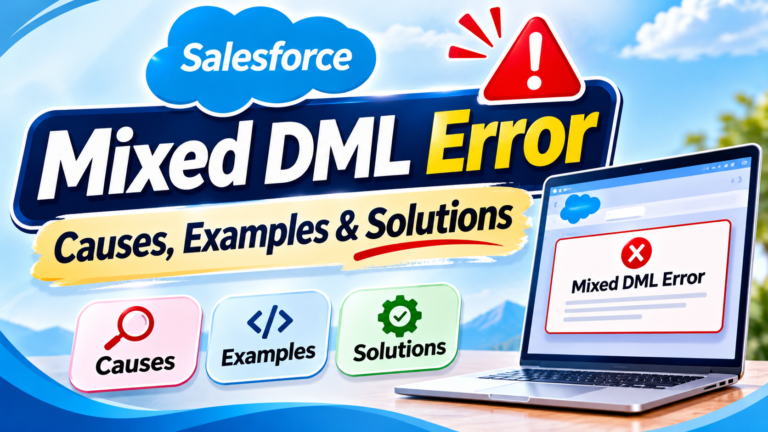
Salesforce Mixed DML Error: Causes, Examples & Solutions
Salesforce Mixed DML Error: Causes, Examples & Solutions Salesforce developers

Punah Bharan App 🚌📱 | What Is the Purpose of This New Transport App? | Current Affairs Q10
Test your transport and government initiatives knowledge with Current Affairs

India–Japan Partnership 🇮🇳🤝🇯🇵 | Which Indian Region Will Get a Major Connectivity Boost?
Test your international relations and infrastructure current affairs knowledge with