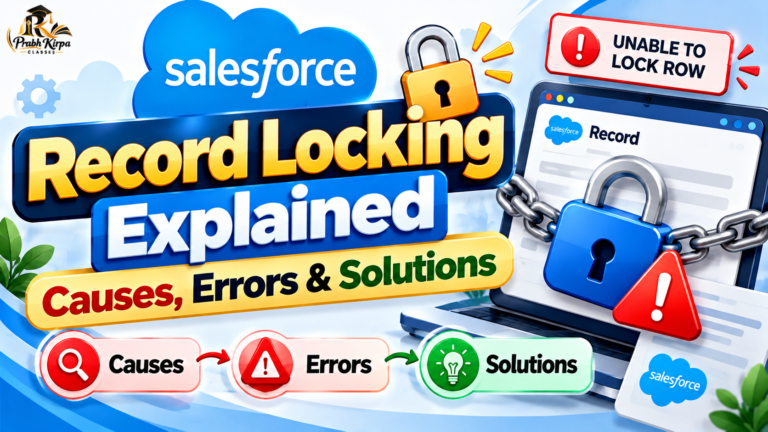
Salesforce Record Locking is an important concept for developers and administrators working with high-volume data, Apex, integrations, and automation. When multiple transactions attempt to modify the same or related records simultaneously, Salesforce uses record locks to help maintain data consistency.
What Is Record Locking in Salesforce?
Record locking occurs when Salesforce temporarily prevents another transaction from modifying a record while the current transaction is processing it.
For example, if Transaction A is updating an Account, Salesforce may lock that Account until the transaction completes. If Transaction B attempts to update the same locked record at the same time, it may have to wait or can eventually fail with a locking error.
A commonly encountered error is:
UNABLE_TO_LOCK_ROW
This generally means Salesforce could not obtain the required lock within the permitted waiting period.
Why Does Salesforce Lock Records?
Salesforce uses locking primarily to protect data integrity and transaction consistency.
Imagine two processes trying to update the same Account simultaneously. Without appropriate locking, one transaction could interfere with another and potentially produce inconsistent results.
Locking helps Salesforce control concurrent updates so transactions can be processed safely.
What Can Cause Record Locking?
Record locking isn’t limited to two users editing exactly the same record. Locks can also arise because Salesforce transactions often involve related records.
Common causes include:
– Multiple users or processes updating the same record simultaneously
– Parallel Apex jobs processing overlapping records
– Batch Apex jobs working with related data
– Integrations sending concurrent updates
– Updates involving parent-child relationships
– Automation such as Flows, triggers, or other processes extending transaction time
– Data loads running with parallel processing
– Ownership or sharing-related operations in certain scenarios
Example
Suppose several Opportunities belong to the same Account.
Two parallel transactions update different Opportunities, but their processing also requires a lock involving the same parent Account.
The transactions can therefore compete for the same lock even though they started with different Opportunity records.
Understanding UNABLE_TO_LOCK_ROW
A typical locking failure may appear as:
UNABLE_TO_LOCK_ROW: unable to obtain exclusive access to this record
This often occurs when one transaction holds a required lock and another transaction cannot obtain that lock before Salesforce stops waiting.
The problem can become more common in systems with:
– Large data volumes
– Heavy automation
– Parallel integrations
– Bulk data processing
– Multiple asynchronous jobs
How to Reduce Record Locking Errors
The goal usually isn’t to eliminate locking—locking is an important database protection mechanism. Instead, design transactions to reduce unnecessary lock contention.
1. Avoid Unnecessary Updates
Don’t perform DML when no actual record change is required.
Reducing unnecessary updates means fewer opportunities for transactions to compete for locks.
2. Keep Transactions Efficient
Long-running transactions can hold locks for longer.
Review inefficient Apex, unnecessary DML, expensive automation, and avoidable processing that increases transaction duration.
3. Control Parallel Processing
Parallel processing can improve performance, but it can also increase lock contention when transactions touch the same or related records.
For problematic workloads, processing records sequentially or restructuring batches may reduce conflicts.
4. Group Related Records Carefully
When processing child records, consider how they relate to parent records.
If thousands of child records point to a small number of parents, parallel processing can create a locking hotspot around those parent records.
5. Review Automation
A seemingly simple record update may trigger:
Flow → Apex Trigger → Related Record Updates → Additional Automation
The longer and more interconnected the transaction becomes, the greater the potential for lock contention.
Using FOR UPDATE in SOQL
Apex also provides FOR UPDATE for situations where a transaction intentionally needs to lock queried records before updating them.
For example:
Account acc = [
SELECT Id, Name
FROM Account
WHERE Id = :accountId
FOR UPDATE
];
acc.Name = ‘Updated Account’;
update acc;
FOR UPDATE should be used deliberately. It is not a universal solution for UNABLE_TO_LOCK_ROW; unnecessary locking can create additional contention.
Record Locking in Batch Apex and Integrations
Locking issues frequently become visible during bulk operations.
Suppose an integration sends thousands of Opportunity updates concurrently. If many of those Opportunities relate to the same Accounts, multiple transactions may compete for related locks.
Possible approaches include reorganizing records by parent, reducing overlapping concurrent work, using serial processing where appropriate, and implementing carefully designed retry handling for transient failures.
Key Takeaway
Salesforce Record Locking is not necessarily an error in the platform—it is part of Salesforce’s mechanism for protecting transactional data consistency.
When UNABLE_TO_LOCK_ROW occurs frequently, investigate which records are competing for locks, which related records are involved, how much parallel processing is occurring, and how long each transaction holds its locks.
Well-designed Apex, efficient automation, controlled concurrency, and thoughtful bulk-processing strategies can significantly reduce record-locking problems.